LUOM
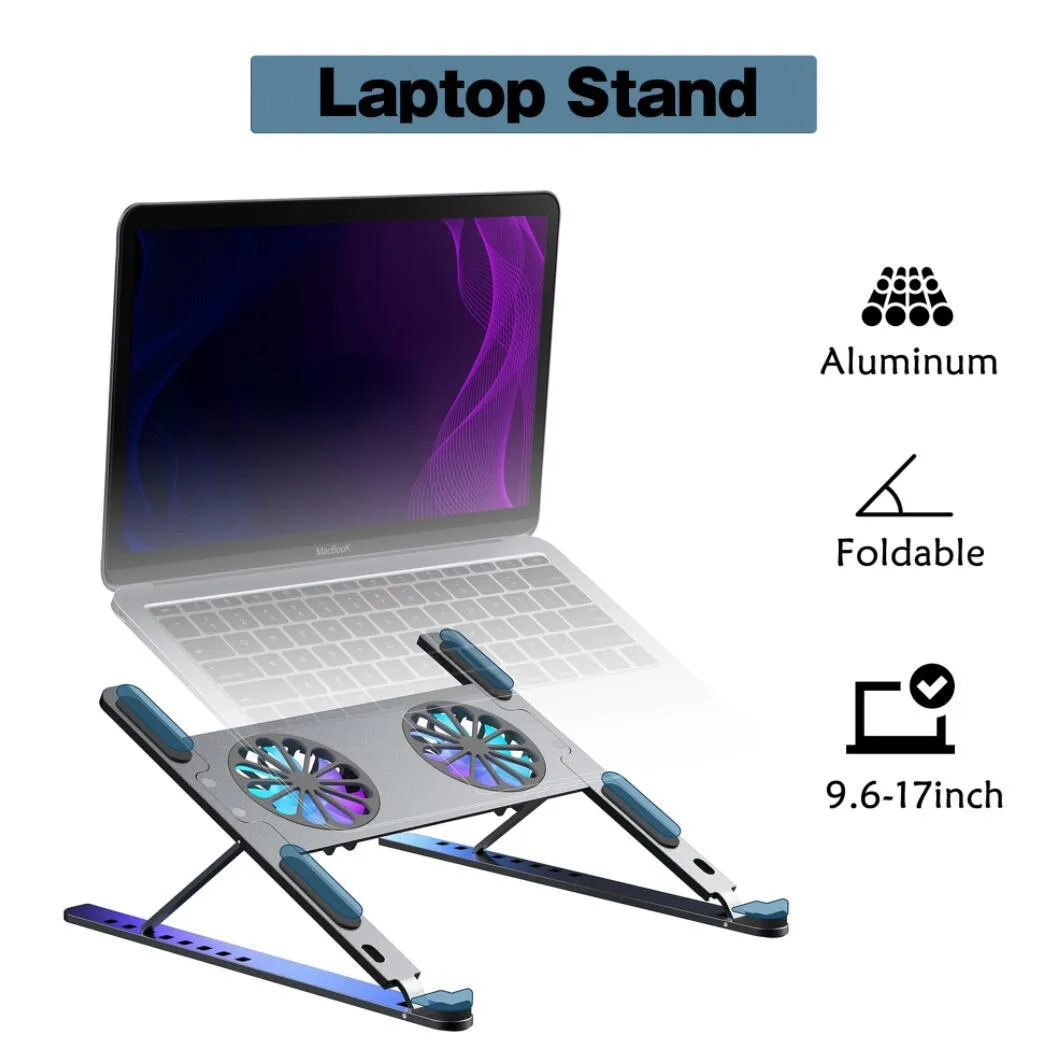
LUOM TSB02F laptop cooling pad dual fan 11-17.3 inch black
- Stand
- Black
USD 28.99
0.00035652BTC
Ada stokKami menerima kripto — jadi koin yang anda simpan boleh membeli perkakasan sebenar.Bayar dengan kripto, belanjakannya untuk perkakasan sebenar. Penghantaran berinsurans percuma ke seluruh dunia untuk belian melebihi USD 399. Kotak biasa tanpa jenama, dihantar dari Jerman.Penghantaran berinsurans percuma untuk belian melebihi USD 399. Kadar anda dikunci selama 30 minit sebaik sahaja proses pesanan bermula.Kadar dikunci selama 30 minit. Setiap item disegel, nombor sirinya disemak, dan dilindungi waranti 24 bulan.Disegel, waranti 24 bulan.


DELL
Genuine Dell replacement CPU cooling fan for Latitude XT with 3-pin connector
This OEM CPU cooling fan carries part number FW007 and is built specifically for the Dell Latitude XT laptop. It uses a 3-pin connector that matches the original motherboard header. The unit is new and intended as a direct swap for a worn or failed cooler. Installers should verify the exact model label before fitting.
The fan is engineered for efficient heat dissipation and quiet operation under typical workloads. Its 3-pin design allows the system to regulate speed based on temperature, keeping acoustic output low during everyday tasks. No independent power draw or noise figures are supplied by the manufacturer. Long-term stability relies on the original thermal design of the Latitude XT chassis.
The precision 3-pin connector ensures a secure electrical and mechanical match without adapters. OEM dimensions of 3.15 by 3.15 by .4 inches and a weight of .15 lbs mean the fan seats exactly in the factory mounting points. This eliminates cable routing issues and restores the intended airflow path. No additional brackets, screws or software are included in the package.
| Brand | Dell |
|---|---|
| Part Number | FW007 |
| Compatible Manufacturer | For Dell |
| Compatible Models | For Dell Latitude XT |
| Dimensions | 3.15" (L) x 3.15" (W) x 0.4" (H) |
| Weight | 0.15 lbs |
Remove the bottom cover, disconnect the old 3-pin connector, unscrew the fan assembly, fit the new unit, reconnect the 3-pin plug, then replace the cover. The step most often missed is fully seating the 3-pin connector so the fan spins and reports speed to the BIOS.
Dust buildup on the blades and heatsink fins reduces airflow; clean with compressed air every few months. If bearing noise appears or the fan stops spinning, replace the entire FW007 unit — it is a single field-replaceable part with no separate serviceable components.
The fan’s fixed 3-pin speed curve and compact 3.15" x 3.15" x 0.4" frame cap maximum airflow, so thermal throttling of the CPU occurs before the fan itself reaches any mechanical limit.
Juga di rak ini
Rak yang sama, checkout yang sama — lapan koin kripto dan kunci kadar 30 minit.
Apa yang anda hantar untuk membayar, dan mata wang yang anda guna untuk membaca harga.
Dihantar daripada dompet anda semasa semak keluar
Untuk paparan sahaja — katalog diberi harga dalam USD
Tiada mata wang yang sepadan.
Pilih bahasa yang digunakan oleh laman web ini.
Tiada bahasa yang sepadan.
Pengguna baharu?
Sudah mempunyai akaun?
Tiada set semula automatik: kedai ini tidak menghantar sebarang e-mel, jadi tiada pautan sekali guna untuk diminta. Biarkan alamat pada akaun tersebut, ia akan diuruskan secara manual.
Permintaan direkodkan
Tiada apa-apa akan sampai ke peti masuk anda — kedai ini tidak menghantar sebarang e-mel. Seseorang akan menguruskannya secara manual.
Sudah teringat?