LUOM
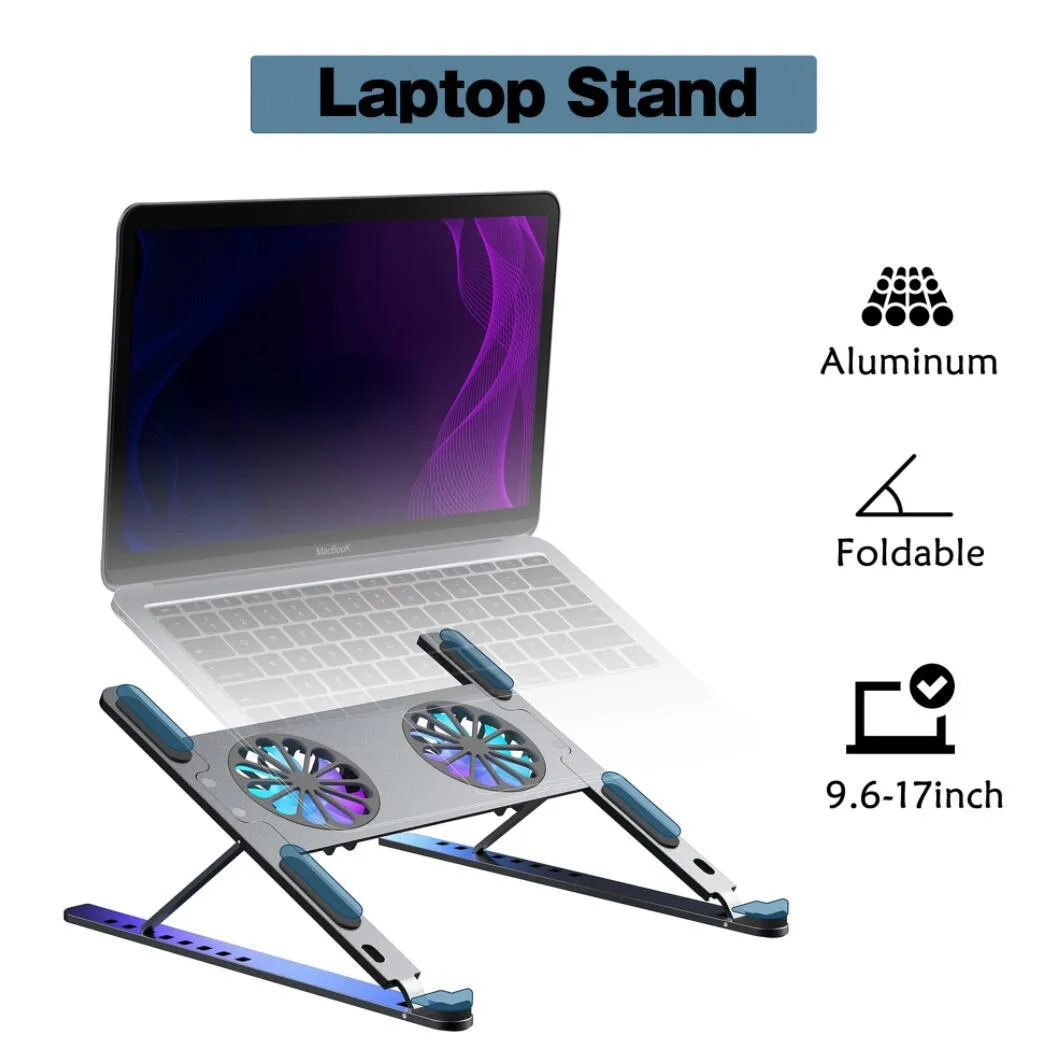
LUOM TSB02F laptop cooling pad dual fan 11-17.3 inch black
- Stand
- Black
US$28.99
0.00035652BTC
มีสินค้าเรารับชำระด้วยคริปโต — เหรียญที่คุณถืออยู่จึงนำมาซื้อฮาร์ดแวร์ของจริงได้จ่ายด้วยคริปโต แล้วนำไปซื้อฮาร์ดแวร์ของจริง จัดส่งฟรีพร้อมประกันภัยทั่วโลก เมื่อสั่งซื้อเกิน US$399 กล่องพัสดุเรียบไม่มีตราสินค้า จัดส่งจากประเทศเยอรมนีจัดส่งฟรีพร้อมประกันภัย เมื่อสั่งซื้อเกิน US$399 อัตราแลกเปลี่ยนของคุณจะถูกล็อกไว้ 30 นาที ทันทีที่เปิดหน้าชำระเงินล็อกอัตราแลกเปลี่ยน 30 นาที สินค้าทุกชิ้นปิดผนึกจากโรงงาน ตรวจสอบหมายเลขซีเรียล และรับประกัน 24 เดือนปิดผนึกจากโรงงาน รับประกัน 24 เดือน


DELL
Genuine Dell replacement CPU cooling fan for Latitude XT with 3-pin connector
This OEM CPU cooling fan carries part number FW007 and is built specifically for the Dell Latitude XT laptop. It uses a 3-pin connector that matches the original motherboard header. The unit is new and intended as a direct swap for a worn or failed cooler. Installers should verify the exact model label before fitting.
The fan is engineered for efficient heat dissipation and quiet operation under typical workloads. Its 3-pin design allows the system to regulate speed based on temperature, keeping acoustic output low during everyday tasks. No independent power draw or noise figures are supplied by the manufacturer. Long-term stability relies on the original thermal design of the Latitude XT chassis.
The precision 3-pin connector ensures a secure electrical and mechanical match without adapters. OEM dimensions of 3.15 by 3.15 by .4 inches and a weight of .15 lbs mean the fan seats exactly in the factory mounting points. This eliminates cable routing issues and restores the intended airflow path. No additional brackets, screws or software are included in the package.
| Brand | Dell |
|---|---|
| Part Number | FW007 |
| Compatible Manufacturer | For Dell |
| Compatible Models | For Dell Latitude XT |
| Dimensions | 3.15" (L) x 3.15" (W) x 0.4" (H) |
| Weight | 0.15 lbs |
Remove the bottom cover, disconnect the old 3-pin connector, unscrew the fan assembly, fit the new unit, reconnect the 3-pin plug, then replace the cover. The step most often missed is fully seating the 3-pin connector so the fan spins and reports speed to the BIOS.
Dust buildup on the blades and heatsink fins reduces airflow; clean with compressed air every few months. If bearing noise appears or the fan stops spinning, replace the entire FW007 unit — it is a single field-replaceable part with no separate serviceable components.
The fan’s fixed 3-pin speed curve and compact 3.15" x 3.15" x 0.4" frame cap maximum airflow, so thermal throttling of the CPU occurs before the fan itself reaches any mechanical limit.
อื่น ๆ ในหมวดนี้
หมวดเดียวกัน การชำระเงินแบบเดียวกัน — แปดสกุลเงินคริปโตและอัตราแลกเปลี่ยนที่ล็อกไว้ 30 นาที
สิ่งที่คุณใช้ชำระ และสิ่งที่คุณใช้อ่านราคา
ส่งจากกระเป๋าเงินของคุณเมื่อชำระเงิน
แสดงผลเท่านั้น — แคตตาล็อกสินค้าตั้งราคาเป็นดอลลาร์สหรัฐ
ไม่พบสกุลเงินที่ตรงกัน
เลือกภาษาที่ต้องการให้เว็บไซต์แสดงผล
ไม่พบภาษาที่ตรงกัน
ยังไม่เคยใช้งานใช่ไหม
มีบัญชีอยู่แล้วใช่ไหม
ไม่มีการรีเซ็ตแบบอัตโนมัติ ร้านนี้ไม่ส่งอีเมลใด ๆ จึงไม่มีลิงก์ใช้ครั้งเดียวให้ขอ ปล่อยที่อยู่อีเมลนี้ไว้ในบัญชี แล้วเจ้าหน้าที่จะดำเนินการให้ด้วยตนเอง
รับคำขอแล้ว
ไม่มีอะไรถูกส่งไปยังกล่องจดหมายของคุณ — ร้านนี้ไม่ส่งอีเมลใด ๆ เลย มีคนดำเนินการเรื่องนี้ให้ด้วยมือ
นึกออกแล้วใช่ไหม