NZXT
NZXT Kraken Z63 280mm liquid cooler RL-KRZ63-01
- Liquid Cooling Syst…
- Intel Socket LGA 20…
USD 187.99
0.0023903BTC
Ada stokKami menerima kripto — jadi koin yang anda simpan boleh membeli perkakasan sebenar.Bayar dengan kripto, belanjakannya untuk perkakasan sebenar. Penghantaran berinsurans percuma ke seluruh dunia untuk belian melebihi USD 399. Kotak biasa tanpa jenama, dihantar dari Jerman.Penghantaran berinsurans percuma untuk belian melebihi USD 399. Kadar anda dikunci selama 30 minit sebaik sahaja proses pesanan bermula.Kadar dikunci selama 30 minit. Setiap item disegel, nombor sirinya disemak, dan dilindungi waranti 24 bulan.Disegel, waranti 24 bulan.


NZXT
A 240 mm all-in-one liquid cooler with a 2.36 inch LCD screen for custom images or live data, two 120 mm fans running 500 to 2000 RPM at 21 to 36 dBA.
Fan Size 2 Fan Slots (120mm)
Color White
Model Kraken Z53 RGB
Versi yang dicoret wujud, tetapi tidak tersedia di sini.
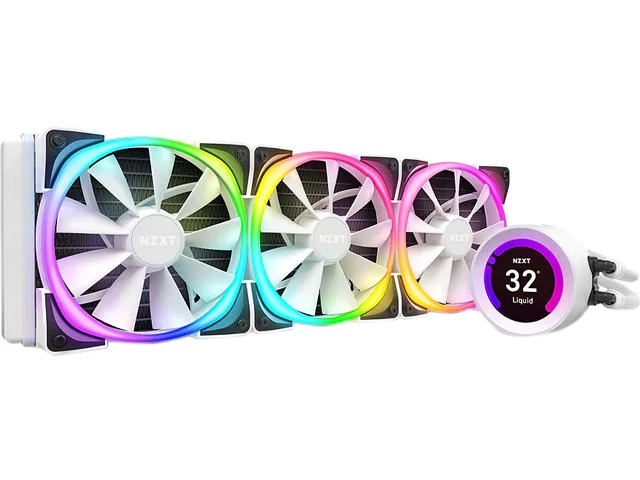
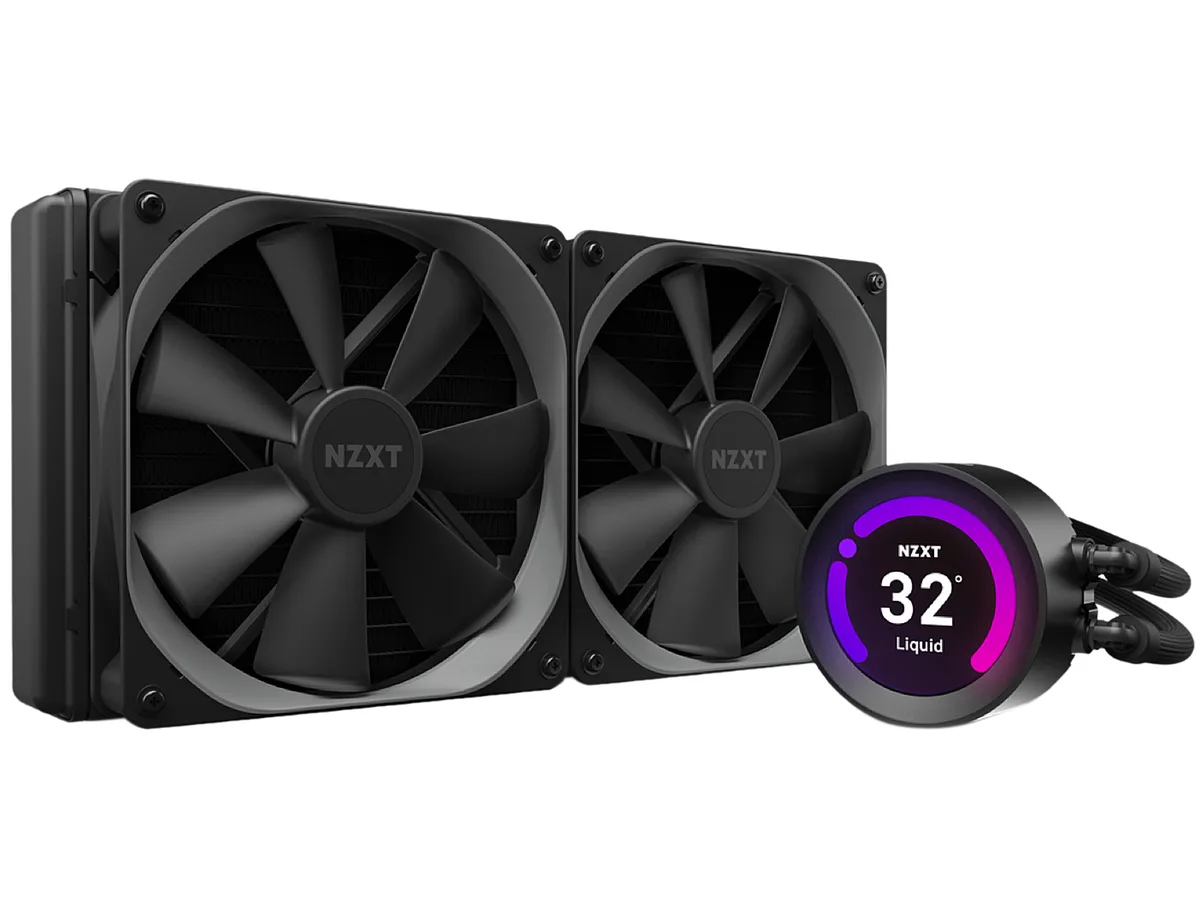
The NZXT Kraken Z53 is a 240mm all-in-one liquid cooler finished in white. It features a 2.36" LCD screen capable of 24-bit colour for custom images, GIFs or real-time CAM data. Two 120mm Aer P fans with chamfered intakes and fluid dynamic bearings handle airflow. Rubber tubing is reinforced with fine nylon mesh sleeves for durability.
Suits users who want a white AIO with a programmable LCD readout and RGB lighting controlled through NZXT CAM software. Fan speeds range from 500 to 2,000 RPM with noise between 21 and 36 dBA. Not for buyers who need Threadripper sTRX4 or TR4 support because the required bracket is not included in the box.
The cold plate mounts directly to Intel LGA 1700, 1200, 115x, 1366, 2011, 2011-3 and 2066 sockets plus AMD AM4. Threadripper sTRX4 and TR4 require a separate bracket. Radiator dimensions are 275.00 x 123.00 x 30.00 mm with 400mm tube length for case clearance planning.
| Brand | NZXT |
|---|---|
| Model | RL-KRZ53-RW |
| Type | Liquid Cooling System |
| Block Compatibility | Intel LGA 2066 / 2011-3 / 2011 / 1700 / 1366 / 1200 / 115x AMD AM4 / sTRX4* / TR4* (*Threadripper bracket not included) |
| Block Material | Copper & Plastic |
| Radiator Size | 275.00 x 123.00 x 30.00 mm |
| Radiator Material | Aluminum |
| Fan Size | 2 Fan Slots (120 mm) |
| Fan RPM | 500 - 2,000 (+/- 300) RPM |
| Fan Air Flow | 18.28 - 73.11 CFM |
| Fan Noise | 21 - 36 dBA |
| Fan Connector | 4 Pin |
| Color | White |
| LED Color | RGB |
| Tube Dim. | 400mm |
| Tube Material | Rubber with Nylon Sleeve |
| Berat penghantaran | 2.09 kg |
| Dimensi bungkusan | 349 × 210 × 156 mm |
Versi lain model ini
Keluarga yang sama, memori, penyejuk atau kelajuan jam yang berbeza — bandingkan sebelum membuat keputusan.
The cooler supports Intel LGA 1700, 1200, 115x, 2011, 2011-3 and 2066 plus AMD AM4; Threadripper sTRX4 and TR4 require a separate bracket not included.
Yes, the 120 mm fans mount on the 240 mm radiator and use standard 4-pin connectors compatible with most motherboard headers.
Open CAM, select the Kraken Z53, enable the temperature overlay and the screen will display real-time CPU or GPU readings in 24-bit colour.
Juga di rak ini
Rak yang sama, checkout yang sama — lapan koin kripto dan kunci kadar 30 minit.
Apa yang anda hantar untuk membayar, dan mata wang yang anda guna untuk membaca harga.
Dihantar daripada dompet anda semasa semak keluar
Untuk paparan sahaja — katalog diberi harga dalam USD
Tiada mata wang yang sepadan.
Pilih bahasa yang digunakan oleh laman web ini.
Tiada bahasa yang sepadan.
Pengguna baharu?
Sudah mempunyai akaun?
Tiada set semula automatik: kedai ini tidak menghantar sebarang e-mel, jadi tiada pautan sekali guna untuk diminta. Biarkan alamat pada akaun tersebut, ia akan diuruskan secara manual.
Permintaan direkodkan
Tiada apa-apa akan sampai ke peti masuk anda — kedai ini tidak menghantar sebarang e-mel. Seseorang akan menguruskannya secara manual.
Sudah teringat?