

SanDisk
SanDisk Cruzer Blade 8 GB USB 2.0 USB flash drive Black SDCZ50-008G-B35
391,99 USD
0.00497993BTC
În stocAcceptăm criptomonede — astfel, criptomonedele pe care le dețineți pot cumpăra echipamente reale.Plătiți în cripto, cheltuiți-o pe echipamente reale. Livrare asigurată gratuită oriunde în lume peste 399 $. Cartoane neutre, fără marcă, expediate din Germania.Livrare asigurată gratuită peste 399 $. Cursul dumneavoastră este blocat timp de 30 de minute de la deschiderea paginii de plată.Curs blocat 30 de minute. Fiecare articol este sigilat, numărul de serie este verificat, iar produsul este acoperit de o garanție de 24 de luni.Sigilat, garantat 24 de luni.


ASUS
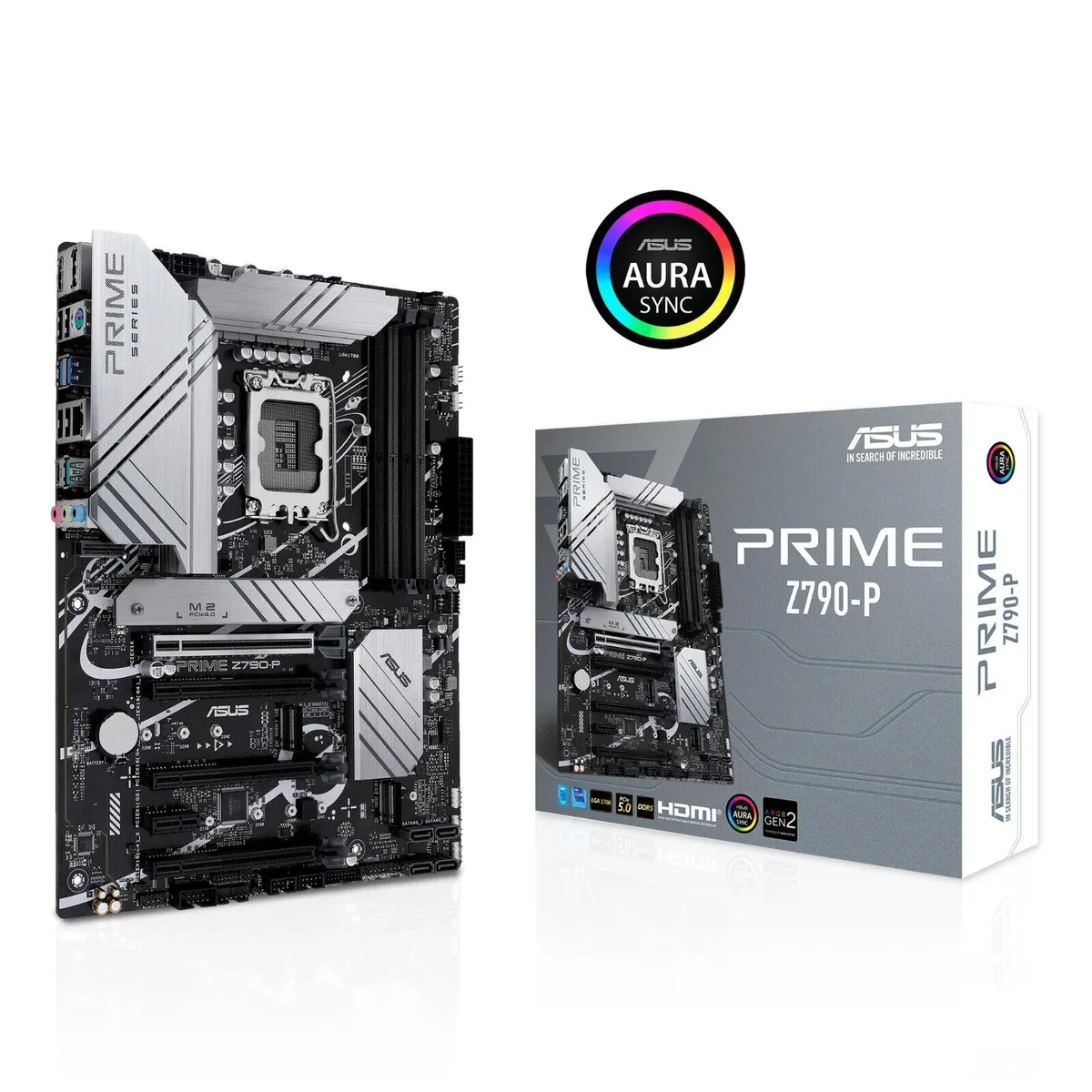
An ATX motherboard for 12th and 13th Gen Intel processors with DDR5 memory, PCIe 5.0, 2.5Gb Ethernet, USB 3.2 Gen2x2 Type-C, Thunderbolt header support and three PCIe 4.0 M.2 slots
This motherboard uses the Intel LGA 1700 socket and supports 12th and 13th Gen Intel processors. It is built for DDR5 memory and includes ASUS Enhanced Memory Profile II and OptiMem II for improved signal integrity and stability.
The board suits builders who want PCIe 5.0 for a graphics card, three PCIe 4.0 M.2 slots, USB 3.2 Gen2x2 Type-C and 2.5 Gb Ethernet. It is not for systems that require Thunderbolt or USB4 devices without adding a separate header accessory, nor for users who need integrated Wi-Fi or Bluetooth.
The single specification that decides fit is the LGA 1700 socket paired with DDR5-only memory support; if your processor uses a different socket, this motherboard will not work.
Nicio specificație publicată pentru acest articol deocamdată.
Yes, the LGA 1700 socket is ready for both 12th and 13th Gen Intel processors, so your existing CPU will install and run without a socket change.
Open the BIOS or ASUS Fan Xpert 4 utility; the main screen reports the active PCIe link width and DDR5 data rate, confirming the slot operates at 5.0 and memory at its rated frequency.
The board ships with a flexible M.2 heatsink, large VRM heatsinks, PCH heatsink and all mounting hardware; no Wi-Fi antenna is included because the board provides only wired 2.5 Gb Ethernet.
Tot din acest raion
Același raion, aceeași finalizare a comenzii — opt monede și un curs blocat 30 de minute.
În ce monedă plătiți și în ce monedă citiți prețurile.
Trimis din portofelul dumneavoastră la finalizarea comenzii
Doar pentru afișare — catalogul este exprimat în dolari
Nicio monedă nu corespunde.
Alegeți limba în care vă vorbește site-ul.
Nicio limbă nu corespunde.
Prima vizită?
Aveți deja un cont?
Nu există o resetare automată: acest magazin nu trimite niciun e-mail, deci nu există niciun link de unică folosință de solicitat. Lăsați adresa în cont. Va fi tratată manual.
Cerere înregistrată
Nu veți primi nimic în căsuța de e-mail — acest magazin nu trimite niciun e-mail. Cineva se ocupă de asta manual.
V-ați amintit-o?



