Black Diamond Memory
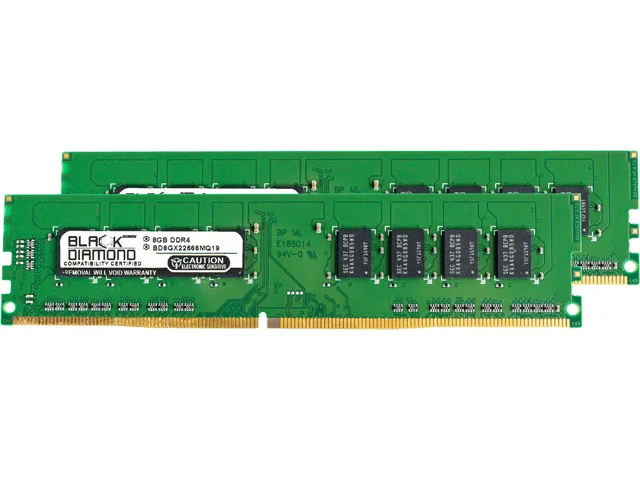
Black Diamond Memory BD16G2666MQ25 16GB DDR4 2666 desktop RAM
- 16GB
- 288-Pin PC RAM
97,99 USD
0.00123125BTC
În stocAcceptăm criptomonede — astfel, criptomonedele pe care le dețineți pot cumpăra echipamente reale.Plătiți în cripto, cheltuiți-o pe echipamente reale. Livrare asigurată gratuită oriunde în lume peste 399 $. Cartoane neutre, fără marcă, expediate din Germania.Livrare asigurată gratuită peste 399 $. Cursul dumneavoastră este blocat timp de 30 de minute de la deschiderea paginii de plată.Curs blocat 30 de minute. Fiecare articol este sigilat, numărul de serie este verificat, iar produsul este acoperit de o garanție de 24 de luni.Sigilat, garantat 24 de luni.
Black Diamond Memory
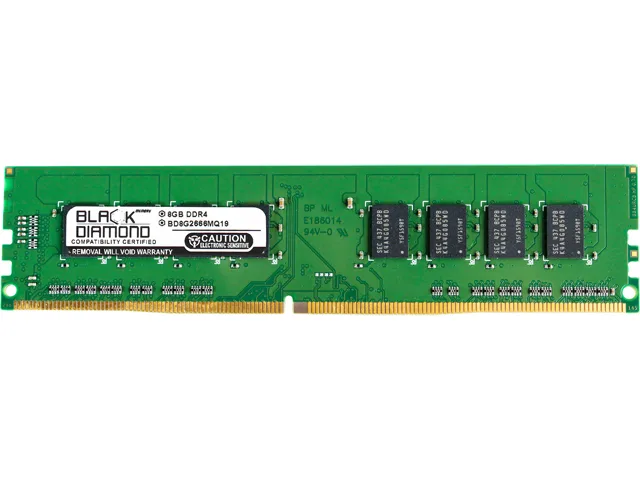
Adds 8 GB of DDR4 2666 memory with Intel XMP 2.0 support for desktop upgrades
Capacity 8GB
This 8 GB DDR4 2666 (PC4 21300) module targets desktop owners who need a straightforward capacity increase. It carries an Intel XMP 2.0 profile so the rated speed can be enabled without manual timing entry. The product suits office PCs, home workstations and older platforms that officially support DDR4 2666. Buyers who want more storage or a different memory generation should look elsewhere.
The stick uses the regular 288-pin DIMM layout that fits any desktop board with DDR4 slots. Black Diamond Memory states the line is validated across over 200000 system configurations covering enterprise servers, desktops and laptops. That breadth implies a high likelihood of trouble-free installation on mainstream consumer motherboards. No heatsink dimensions or clearance data are provided so tight spaces remain an unknown.
The bundled Intel XMP 2.0 profile lets the firmware set frequency and timings automatically at first power-on. No extra software, driver or licence key is required to activate the rated 2666 MT/s speed. The module shipped from the manufacturer in October 2019 and carries no additional accessories beyond the memory itself.
| Brand | Black Diamond Memory |
|---|---|
| Model | BD8G2666MQ22 |
| Capacity | 8GB |
| Speed | DDR4 2666 (PC4 21300) |
| BIOS/Performance Profile | Intel XMP 2.0 |
| Features | With decades of experience specializing in memory and server parts, Black Diamond Memory is a proven manufacturer in the industry. Our products currently support over 200,000 configurations as well as support for enterprise servers, desktops, laptops, and a large variety of other devices. |
| Greutate la expediere | 0.09 kg |
| Dimensiunile coletului | 203 × 102 × 51 mm |
Alte versiuni ale acestui model
Aceeași familie, memorie, radiator sau frecvență diferite — comparați înainte de a vă decide.
The module is rated DDR4 2666 (PC4 21300) and will run at that speed by default; Intel XMP 2.0 is available if the board and BIOS allow a higher profile.
It uses the regular desktop DIMM form factor, so it fits any standard DDR4 slot; no low-profile or special clearance requirements are noted.
After installing the module, enter the BIOS, locate the XMP or memory profile setting, select Profile 1, save and reboot — the common mistake is leaving the setting on Auto.
Tot din acest raion
Același raion, aceeași finalizare a comenzii — opt monede și un curs blocat 30 de minute.
În ce monedă plătiți și în ce monedă citiți prețurile.
Trimis din portofelul dumneavoastră la finalizarea comenzii
Doar pentru afișare — catalogul este exprimat în dolari
Nicio monedă nu corespunde.
Alegeți limba în care vă vorbește site-ul.
Prima vizită?
Aveți deja un cont?
Nu există o resetare automată: acest magazin nu trimite niciun e-mail, deci nu există niciun link de unică folosință de solicitat. Lăsați adresa în cont. Va fi tratată manual.
Cerere înregistrată
Nu veți primi nimic în căsuța de e-mail — acest magazin nu trimite niciun e-mail. Cineva se ocupă de asta manual.
V-ați amintit-o?