

ASUS
ASUS CR1104FTA-YZ84T Chromebook 11.6" Touch N150 8GB 64GB Mineral Gray
- 11.6"
414,99 USD
0.00532886BTC
În stocAcceptăm criptomonede — astfel, criptomonedele pe care le dețineți pot cumpăra echipamente reale.Plătiți în cripto, cheltuiți-o pe echipamente reale. Livrare asigurată gratuită oriunde în lume peste 399 $. Cartoane neutre, fără marcă, expediate din Germania.Livrare asigurată gratuită peste 399 $. Cursul dumneavoastră este blocat timp de 30 de minute de la deschiderea paginii de plată.Curs blocat 30 de minute. Fiecare articol este sigilat, numărul de serie este verificat, iar produsul este acoperit de o garanție de 24 de luni.Sigilat, garantat 24 de luni.


Lenovo
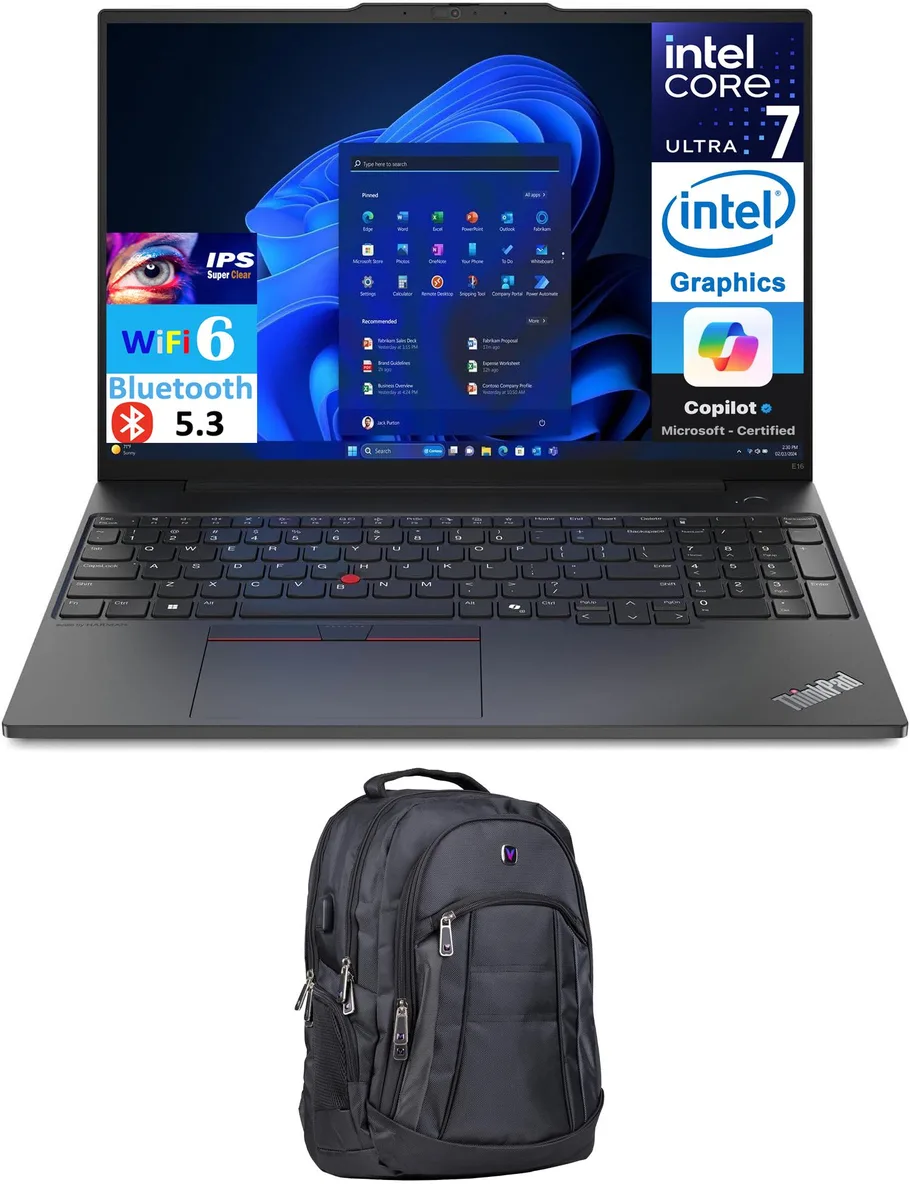
16.0-inch WUXGA business laptop with Intel Core Ultra 7 155U processor, 8GB DDR5 memory, 512GB PCIe NVMe SSD, Wi-Fi 6, Bluetooth 5.3, Thunderbolt 4, fingerprint reader.
The Lenovo ThinkPad E16 Gen 2 is a 16.0 inch business laptop running Windows 11 Pro. It uses an Intel Core Ultra 7 155U processor with a 4.8 GHz turbo frequency and 12MB cache. The system includes 8GB DDR5 memory and a 512GB PCIe NVMe SSD. Integrated Intel Graphics drive the 1920x1200 IPS display at 60Hz. A Velztorm 1680D polyester backpack is included.
This laptop suits professionals needing a 16.0 inch WUXGA screen, Thunderbolt 4 connectivity, and Windows 11 Pro for office workloads. The 8GB DDR5 memory and integrated graphics limit buyers who want more memory capacity or discrete GPU performance for creative rendering or gaming. The 512GB NVMe SSD may not satisfy buyers who want larger local storage.
The 8GB DDR5 SO-DIMM configuration is the primary factor in deciding if this model fits your workflow. It supports everyday multitasking and business applications but cannot be expanded beyond the single module without replacing it. Buyers planning heavy virtualisation, large datasets, or memory-intensive creative suites should consider a system offering higher capacity or user-accessible slots.
| Brand | Lenovo |
|---|---|
| Series | ThinkPad E16 Gen 2 |
| Color | Black |
| Operating System | Windows 11 Pro |
| CPU Type | Intel Core Ultra 7 155U |
| Turbo Frequency | 4.8 GHz |
| CPU L3 Cache | 12MB Cache |
| Screen Size | 16.0" |
| Touchscreen | No |
| Resolution | 1920x1200 |
| GPU/VPU | Intel Graphics |
| Graphic Type | Integrated Card |
| SSD | 512GB |
| HDD | No |
| Storage Spec | 512GB PCIe SSD |
| Memory | 8GB |
| Memory Speed | DDR5 |
| Optical Drive Type | No |
| WLAN | Wi-Fi 6 AX201 |
| Bluetooth | Bluetooth 5.3 |
| HDMI | 1 x HDMI 2.1 |
| Audio Ports | 1 x Headphone/Microphone Combo Jack |
| Keyboard | Standard |
| Backlit Keyboard | Backlit |
| Webcam | Yes |
| Card Reader | No |
| Style | Standard |
| Type | Work / Business |
The 65W Type-C power adapter is required; the Thunderbolt 4 port handles data and video but does not charge the system.
Yes, the HDMI 2.1 port is backwards compatible and will drive an HDMI 1.4 display at its native resolution and 60 Hz.
Open Task Manager, go to the Performance tab, select Memory and confirm the speed reads DDR5.
Tot din acest raion
Același raion, aceeași finalizare a comenzii — opt monede și un curs blocat 30 de minute.
În ce monedă plătiți și în ce monedă citiți prețurile.
Trimis din portofelul dumneavoastră la finalizarea comenzii
Doar pentru afișare — catalogul este exprimat în dolari
Nicio monedă nu corespunde.
Alegeți limba în care vă vorbește site-ul.
Nicio limbă nu corespunde.
Prima vizită?
Aveți deja un cont?
Nu există o resetare automată: acest magazin nu trimite niciun e-mail, deci nu există niciun link de unică folosință de solicitat. Lăsați adresa în cont. Va fi tratată manual.
Cerere înregistrată
Nu veți primi nimic în căsuța de e-mail — acest magazin nu trimite niciun e-mail. Cineva se ocupă de asta manual.
V-ați amintit-o?


