
Seagate
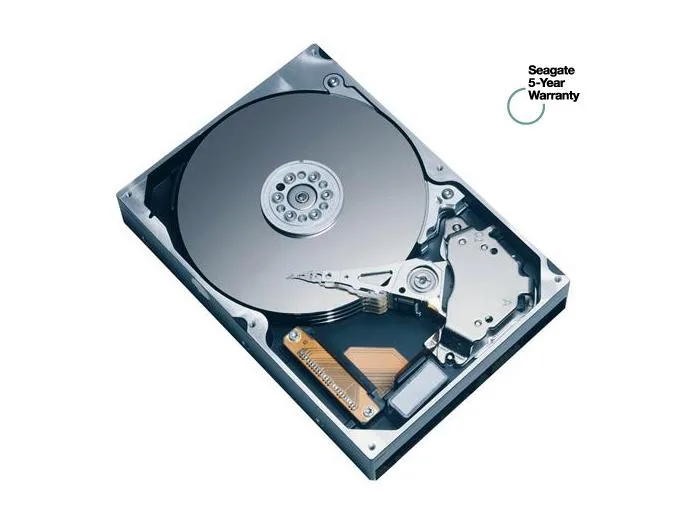
Seagate BarraCuda 7200.9 ST3500841AS 500GB 7200 RPM 8MB Cache SATA 3.0Gb/s 3.5" internal hard drive
A 500GB 3.5" desktop hard drive spinning at 7200 RPM with 8MB cache and a SATA 3.0Gb/s interface
- PackagingBare Drive
- InterfaceSATA 3.0Gb/s
- Capacity500GB
- RPM7200 RPM
- Cache8MB
- Average Seek Time11ms
- 7200 RPM spindle speed for responsive desktop performance
- 500 GB capacity stores large media libraries and backups
- 8 MB cache buffers bursts for smoother multitasking
- SATA 3.0 Gb/s interface connects to standard motherboard ports
- 5 inch form factor fits typical desktop drive bays
Capacity and interface
The Seagate BarraCuda 7200.9 ST3500841AS is a 500GB 3.5-inch desktop hard drive with a SATA 3.0Gb/s interface. It suits users adding storage to an older system or replacing a failed drive in a legacy build.
Thermals and acoustics
The 7200 RPM spindle and 11ms average seek time produce typical mechanical noise and warmth for a drive of this class. Power draw follows standard 3.5-inch SATA patterns under normal desktop workloads.
Build and connectors
Supplied as a bare drive, it uses the standard SATA data and power connectors found on desktop motherboards and power supplies. The 3.5-inch form factor fits regular drive bays and mounting points without adapters. Not for buyers who need a 2.5-inch form factor or a larger cache buffer.
Puncte forte
- 7200 RPM spindle speed for responsive desktop performance
- 500 GB capacity stores large media libraries and backups
- 8 MB cache buffers bursts for smoother multitasking
- SATA 3.0 Gb/s interface connects to standard motherboard ports
- 5 inch form factor fits typical desktop drive bays
Specificații
| Brand | Seagate |
|---|---|
| Series | BarraCuda 7200.9 |
| Model | ST3500841AS |
| Packaging | Bare Drive |
| Interface | SATA 3.0Gb/s |
| Capacity | 500GB |
| RPM | 7200 RPM |
| Cache | 8MB |
| Average Seek Time | 11ms |
| Form Factor | 3.5" |
| Greutate la expediere | 0.45 kg |
| Dimensiunile coletului | 127 × 76 × 25 mm |
Întrebări despre acest articol
How do I install the 3.5" SATA 3.0Gb/s drive and what step is often missed?
Mount the drive in a 3.5" bay, connect the SATA data cable to the motherboard and the SATA power cable from the PSU, then ensure the SATA port is enabled in BIOS so the 500GB volume appears.
What maintenance or replacement will the ST3500841AS need over time?
No routine maintenance is required; keep the system dust-free for cooling, run occasional SMART checks, and replace the drive if reallocated sectors rise or seek errors exceed the 11ms average.
What limit appears first during sustained transfers on this 7200 RPM SATA 3.0Gb/s drive?
The 8MB cache fills quickly during long writes, so sustained throughput drops to the platter speed well before the SATA 3.0Gb/s interface saturates.
Tot din acest raion
Clienții au comparat și acestea.
Același raion, aceeași finalizare a comenzii — opt monede și un curs blocat 30 de minute.




Western Digital
Western Digital G-DRIVE ArmorATD 5TB portable hard drive SDPH81G005TGBA1D
298,99 USD
0.00381628BTC
În stoc
OWC
OWC Gemini Ultra X6 12TB Thunderbolt portable SSD (OWCTB3GMA6X12)
- 12TB
- Thunderbolt
2.645,99 USD
0.03377313BTC
În stoc