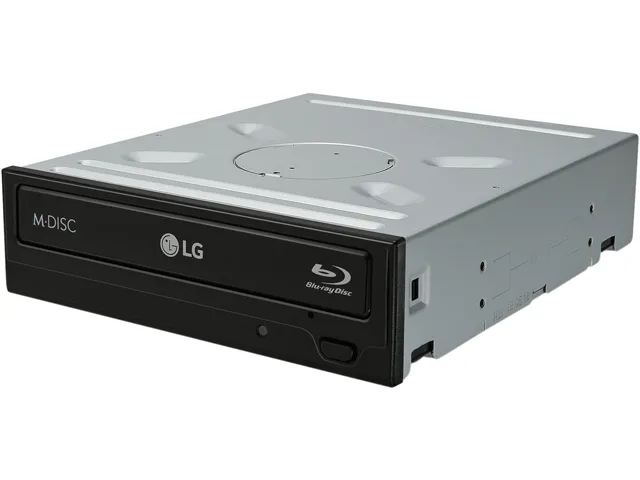
LG Electronics
LG Electronics WH16NS40 blu-ray burner 16X BD-R SATA
- Bare Drive
- 4MB
72,99 USD
0.00089856BTC
În stocAcceptăm criptomonede — astfel, criptomonedele pe care le dețineți pot cumpăra echipamente reale.Plătiți în cripto, cheltuiți-o pe echipamente reale. Livrare asigurată gratuită oriunde în lume peste 399 $. Cartoane neutre, fără marcă, expediate din Germania.Livrare asigurată gratuită peste 399 $. Cursul dumneavoastră este blocat timp de 30 de minute de la deschiderea paginii de plată.Curs blocat 30 de minute. Fiecare articol este sigilat, numărul de serie este verificat, iar produsul este acoperit de o garanție de 24 de luni.Sigilat, garantat 24 de luni.


Vszerda
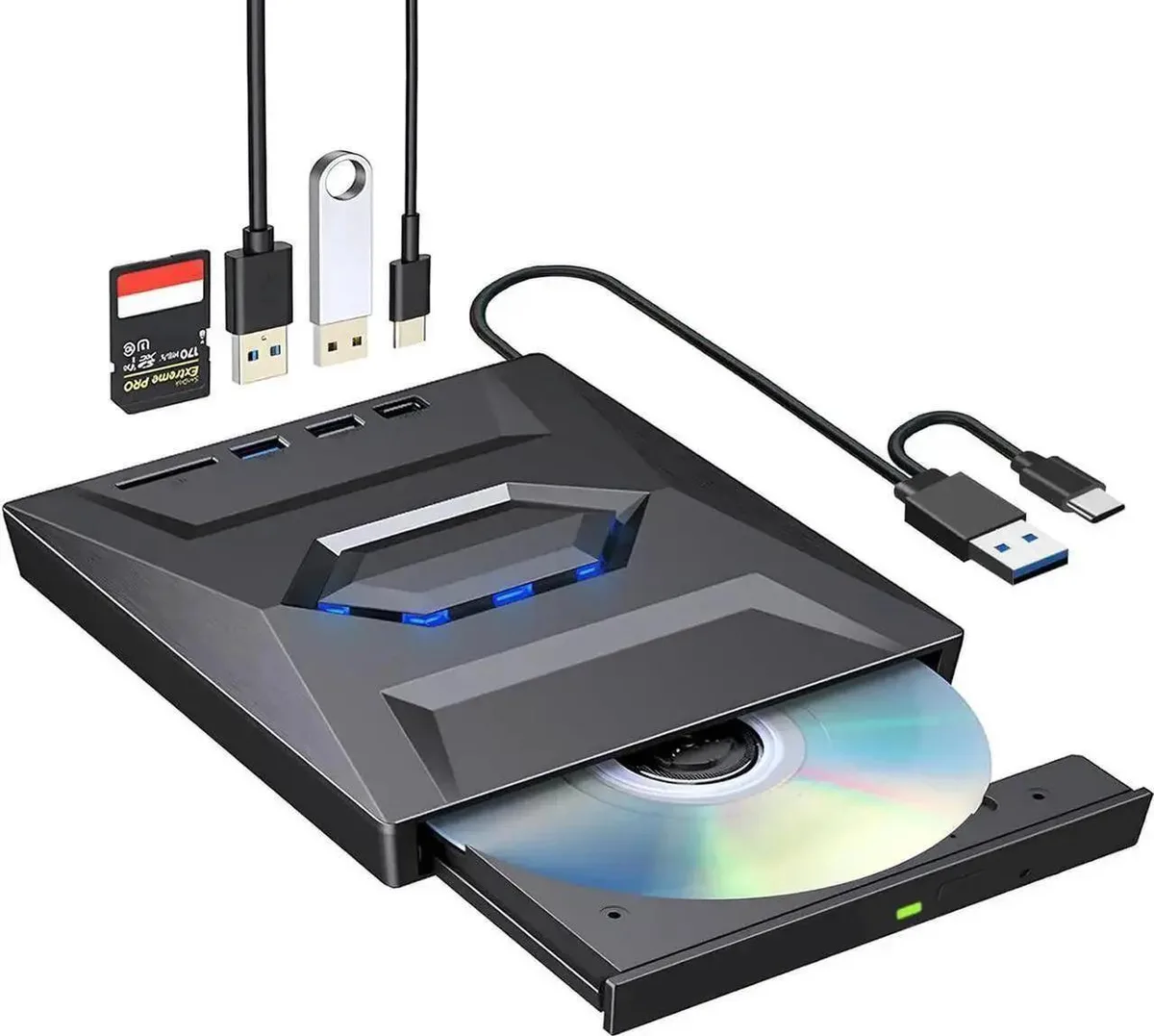
A portable duplicator that burns CDs and DVDs while adding an SD/TF card slot, one USB 3.0 port and two USB 2.0 ports for simultaneous data transfers
The Vszerda external CD DVD drive connects via USB 3.0 and USB-C while adding an SD/TF card slot, one USB 3.0 Type-A port and two USB 2.0 Type-A/C ports. It reads and writes CD and DVD media and acts as a compact hub for laptops running Windows 10, Windows 11, Mac or Linux. The unit is aimed at mobile users who still need optical disc access alongside extra peripheral ports.
The drive’s USB 3.0 link tops out at 5 Gbps and falls back to USB 2.0 or USB 1.1 when connected to older ports. Actual throughput is capped by the CD or DVD disc speed, so large file transfers will not reach the interface maximum. The hub ports share the same upstream bandwidth, so simultaneous transfers from the card reader and the USB ports compete for the single 5 Gbps pipe.
The drive uses standard OS drivers, so it appears automatically when plugged into a USB 3.0 port on supported systems. No extra software is required for basic read or write tasks. Some ultra-thin laptops cannot supply enough bus power for sustained burning, causing write failures unless a powered hub or the drive’s own power adapter is used. Occasional eject problems occur if the disc is accessed while the system enters sleep.
This model handles CD and DVD formats only; it cannot read or write Blu-ray discs. It also lacks an internal battery, so it cannot operate away from a host computer or power source. Users requiring M-DISC archival writing or dual-layer DVD-RAM support should look elsewhere.
Nicio specificație publicată pentru acest articol deocamdată.
The drive includes both USB 3.0 and USB-C cables; use whichever port your laptop has — both deliver the same 5 Gbps peak transfer rate.
5 Gbps is the USB 3.0 interface ceiling; actual burn speed will be limited by the disc media and the drive's internal write engine, not the cable.
The hub adds one USB 3.0 Type-A port, two USB 2.0 Type-A/C ports and an SD/TF card reader, all powered from the single host connection.
Tot din acest raion
Același raion, aceeași finalizare a comenzii — opt monede și un curs blocat 30 de minute.
În ce monedă plătiți și în ce monedă citiți prețurile.
Trimis din portofelul dumneavoastră la finalizarea comenzii
Doar pentru afișare — catalogul este exprimat în dolari
Nicio monedă nu corespunde.
Alegeți limba în care vă vorbește site-ul.
Nicio limbă nu corespunde.
Prima vizită?
Aveți deja un cont?
Nu există o resetare automată: acest magazin nu trimite niciun e-mail, deci nu există niciun link de unică folosință de solicitat. Lăsați adresa în cont. Va fi tratată manual.
Cerere înregistrată
Nu veți primi nimic în căsuța de e-mail — acest magazin nu trimite niciun e-mail. Cineva se ocupă de asta manual.
V-ați amintit-o?