DELL
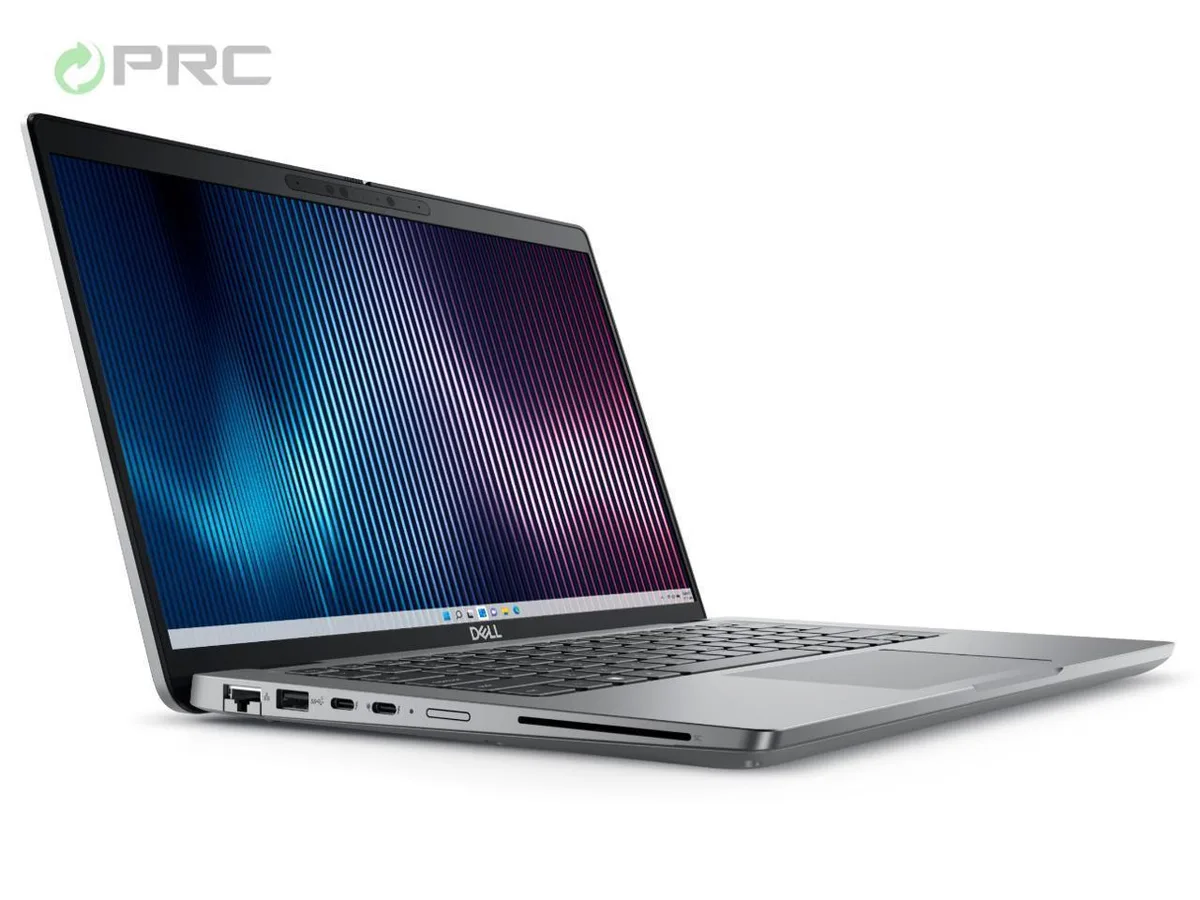
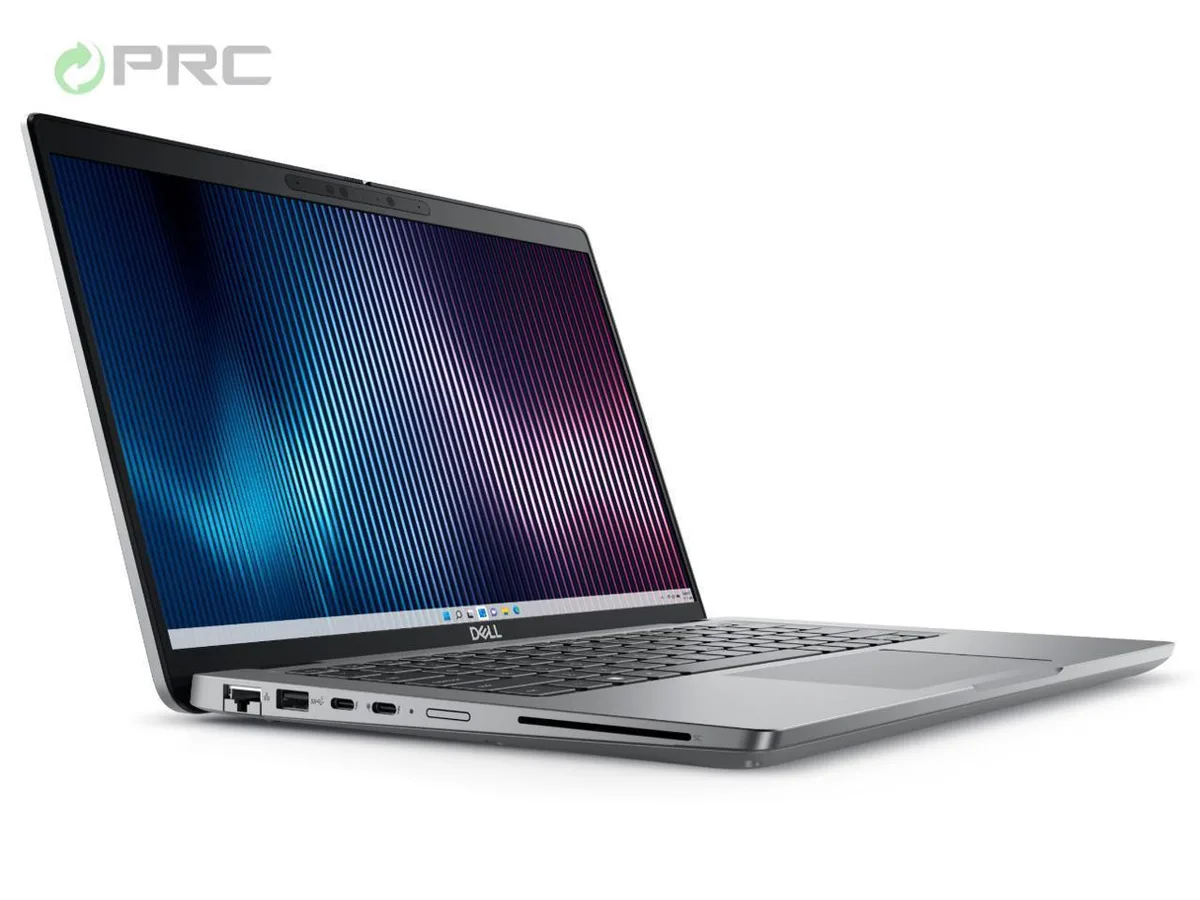
DELL Latitude 5000 5440 laptop 14.0" FHD i5-1335U 8GB DDR4 256GB SSD
- Gray
- Windows 11 Pro
478,99 $
0.00619122BTC
Na zalogiSprejemamo kriptovalute — tako lahko sredstva, ki jih imate, kupijo pravo strojno opremo.Plačajte v kriptovaluti, zapravite jo za pravo strojno opremo. Brezplačna zavarovana dostava po vsem svetu nad 399 $. Nevtralni kartoni brez znamke, poslani iz Nemčije.Brezplačna zavarovana dostava nad 399 $. Vaš tečaj je zaklenjen za 30 minut, takoj ko se odpre blagajna.Tečaj zaklenjen 30 minut. Vsak izdelek je zapečaten, njegova serijska številka preverjena, in krit z 24-mesečno garancijo.Zapečateno, 24-mesečna garancija.


DELL
A 14 inch Windows 11 Pro laptop with a 13th Gen Intel Core i7-1355U, 16 GB DDR4 RAM, 256 GB NVMe SSD, FHD display, Wi-Fi 6 and Bluetooth 5.2
Options i7-1365U 16GB/256GB W11P
The Dell Latitude 5440 is a 14.0 inch Full HD notebook built around a 13th Gen Intel Core i7-1355U processor with 10 cores and 12 threads. It ships with 16 GB of DDR4 memory and a 256 GB NVMe SSD. Windows 11 Pro is pre-installed and the chassis weighs 1.39 kg.
The system provides one HDMI 2.0 port, two USB 3.2 Gen 1 Type-A ports, one USB Type-C 3.2 Gen2 port and one USB 3.2 Gen1 port with PowerShare. A built-in RJ-45 Ethernet jack and Intel Wi-Fi 6 with Bluetooth 5.2 handle wired and wireless networking. The 65 W AC adapter is included.
The bundled OEM power supply delivers 65 W for charging and operation. Windows 11 Pro activates immediately without extra licencing steps. The manufacturer warranty runs until 2025, covering hardware defects during that period.
| Brand | DELL |
|---|---|
| Series | 5000 |
| Model | Latitude |
| Part Number | 5440 |
| Color | Gray |
| Operating System | Windows 11 Pro |
| CPU Type | Intel Core i7 13th Gen |
| Processor Name | Intel Core i7-1355U |
| CPU L2 Cache | 6MB |
| Screen Size | 14.0" |
| Touchscreen | Non-Touch Screen |
| Display Type | FHD |
| Resolution | 1920 x 1080 |
| GPU/VPU | Intel Iris Xe Graphics |
| Graphic Type | Integrated Card |
| SSD | 256GB |
| HDD | No |
| Storage Spec | 256 GB SSD |
| Memory | 16GB |
| Memory Speed | DDR4 |
| Memory Spec | 8 GB x 2 |
| Memory Slot (Total) | 2 |
| Memory Slot (Available) | 0 |
| Max Memory Supported | 64 GB |
| Optical Drive Type | No |
| LAN | 10/100/1000Mbps |
| WiFi Generation | Wi-Fi 6 |
| Bluetooth | Yes |
| USB | 2 x USB 3.2 Gen 1, 1 x USB 3.2 (PowerShare), 1 x USB-C 3.2 Gen 2 |
| Video Port | 1 x HDMI 2.0 |
| HDMI | 1 x HDMI 2.0 |
| Audio Ports | 1 x Microphone Jack, 1 x Headphone Jack |
| Audio | Integrated Sound card |
| Touchpad | Yes |
| Keyboard | Standard |
| Webcam | Yes |
| Style | Ultrabook |
| Type | Mainstream |
| Usage | Consumer |
| AC Adapter/Charger | 65-watt AC Adapter |
| Weight | 3 - 3.9 lbs. |
Druge različice tega modela
Ista družina, različen pomnilnik, hladilnik ali takt — primerjajte, preden se odločite.
The 14.0" chassis uses a single fan and vapour chamber; sustained turbo will throttle to base clocks once the 65 W adapter limit is reached, so expect lower multi-core speeds after several minutes.
Under light load the fan stays off; during continuous compilation or video export it spins up to an audible but not intrusive level, and the palm-rest area remains warm rather than hot.
You need one HDMI 2.0 cable for the HDMI port and a USB-C 3.2 Gen 2 cable or dock that supports DisplayPort Alt Mode for the Type-C port; the two USB-A ports carry data only.
Tudi v tem oddelku
Ista polica, ista blagajna — osem kriptovalut in 30-minutni zaklep tečaja.
V čem plačujete in v čem berete cene.
Poslano iz Vaše denarnice ob blagajni
Samo za prikaz — katalog je cenovno izražen v dolarjih
Nobena valuta ne ustreza.
Izberite jezik, v katerem Vam govori spletna stran.
Ni ustreznega jezika.
Prvič tu?
Že imate račun?
Samodejne ponastavitve ni: ta trgovina ne pošilja e-pošte, zato ni enkratne povezave, ki bi jo lahko zahtevali. Pustite naslov na računu — nekdo ga bo obravnaval ročno.
Zahteva zabeležena
V Vašo elektronsko pošto ne prihaja nič — ta trgovina ne pošilja nobene e-pošte. Zahteve nekdo obravnava ročno.
Ste se spomnili?