

SanDisk
SanDisk Cruzer Blade 8 GB USB 2.0 USB flash drive Black SDCZ50-008G-B35
391,99 $
0.00501343BTC
LaosMe võtame vastu krüptoraha — nii saab teie hoitav krüptoraha osta päris riistvara.Makske krüptorahaga, kulutage seda päris riistvarale. Tasuta kindlustatud tarne kogu maailmas, üle 399 $. Lihtsad, kaubamärgita väliskarbid, saadetud Saksamaalt.Tasuta kindlustatud tarne üle 399 $. Teie kurss lukustatakse 30 minutiks kohe, kui kassa avaneb.Kurss lukustatud 30 minutiks. Iga toode on pitseeritud, selle seerianumber on kontrollitud ja sellel kehtib 24-kuuline garantii.Pitseeritud, 24-kuulise garantiiga.


LORDWORLD
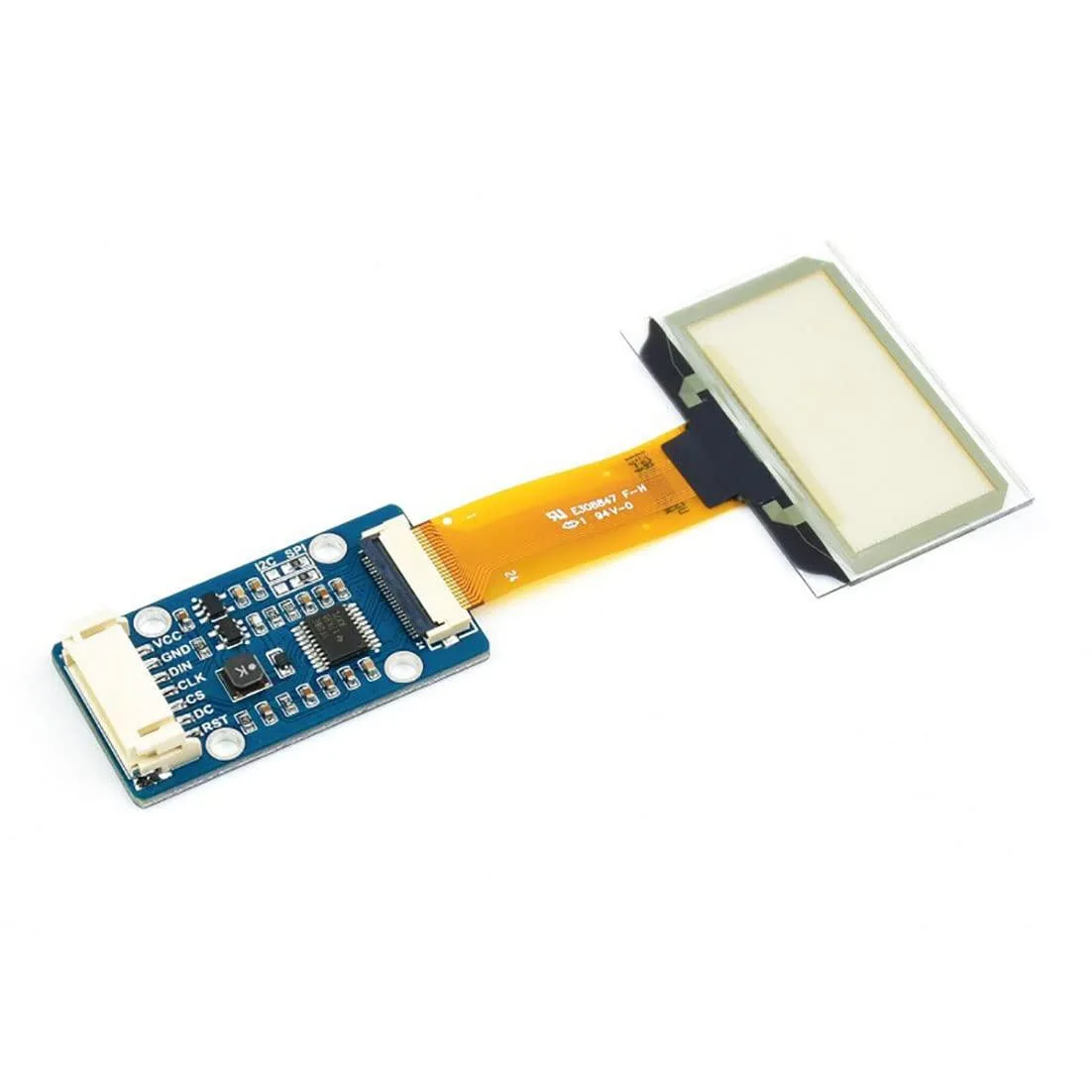
Transparent 1.51inch OLED shows 128x64 light-blue graphics over SPI or I2C for Raspberry Pi, Arduino and STM32 projects
This 1.51-inch transparent OLED development board shows light-blue graphics on a see-through panel with a 128 by 64 resolution. It targets makers and engineers building wearable devices, augmented-reality prototypes or transparent dashboard overlays.
The module uses a 4-wire SPI bus plus an I2C option, so wiring takes only four to six jumper wires on a Raspberry Pi, Arduino or STM32 board. Example code from the supplier wiki covers both interfaces, but the small pin pitch can make breadboard connections fragile without a breakout adapter.
Transparency reduces contrast in bright ambient light, so the display works best in dim or indoor settings. The 128 by 64 pixel grid limits detailed graphics, and the SPI or I2C bandwidth caps animation frame rates for full-screen updates.
| Brand | LORDWORLD |
|---|
Run the example code for Raspberry Pi, Arduino or STM32 from the Waveshare wiki; the 128×64 light-blue display should show graphics immediately if SPI or I2C connections are correct.
The development board itself is included; you must provide a Raspberry Pi, Arduino or STM32 host board plus jumper wires for the 4-wire SPI or I2C interface.
Both 4-wire SPI and I2C are available on the same board; pick SPI for faster data rates or I2C to save GPIO pins on your Raspberry Pi, Arduino or STM32.
Veel samast osakonnast
Sama osakond, sama kassa — kaheksa krüptovaluutat ja 30-minutiline kursilukk.
See, millega maksate, ja see, milles vaatate hindu.
Saadetud teie rahakotist kassas
Ainult kuvamiseks — kataloogi hinnad on dollarites
Ükski vääring ei vasta sellele.
Valige keel, milles sait teiega räägib.
Ükski keel ei vasta.
Esimest korda siin?
Teil on juba konto?
Automaatset lähtestamist ei ole: see pood ei saada ühtegi e-kirja, seega pole ka ühekordset linki, mida küsida. Jätke aadress kontole alles, seda käsitletakse käsitsi.
Päring registreeritud
Teie postkasti ei jõua midagi — see pood ei saada e-kirju üldse. Keegi tegeleb sellega käsitsi.
Tuli meelde?



