

SanDisk
SanDisk Cruzer Blade 8 GB USB 2.0 USB flash drive Black SDCZ50-008G-B35
$391.99
0.00500875BTC
In stockWe take cryptocurrency — so the coins you hold can buy real hardware.Pay in crypto, spend it on real hardware. Free insured shipping worldwide over $399. Plain, unbranded boxes, sent from Germany.Free insured shipping over $399. Your rate is locked for 30 minutes once checkout opens.Rate locked 30 minutes. Every item sealed, serial-checked and covered by a 24-month warranty.Sealed, 24-month warranty.


LORDWORLD
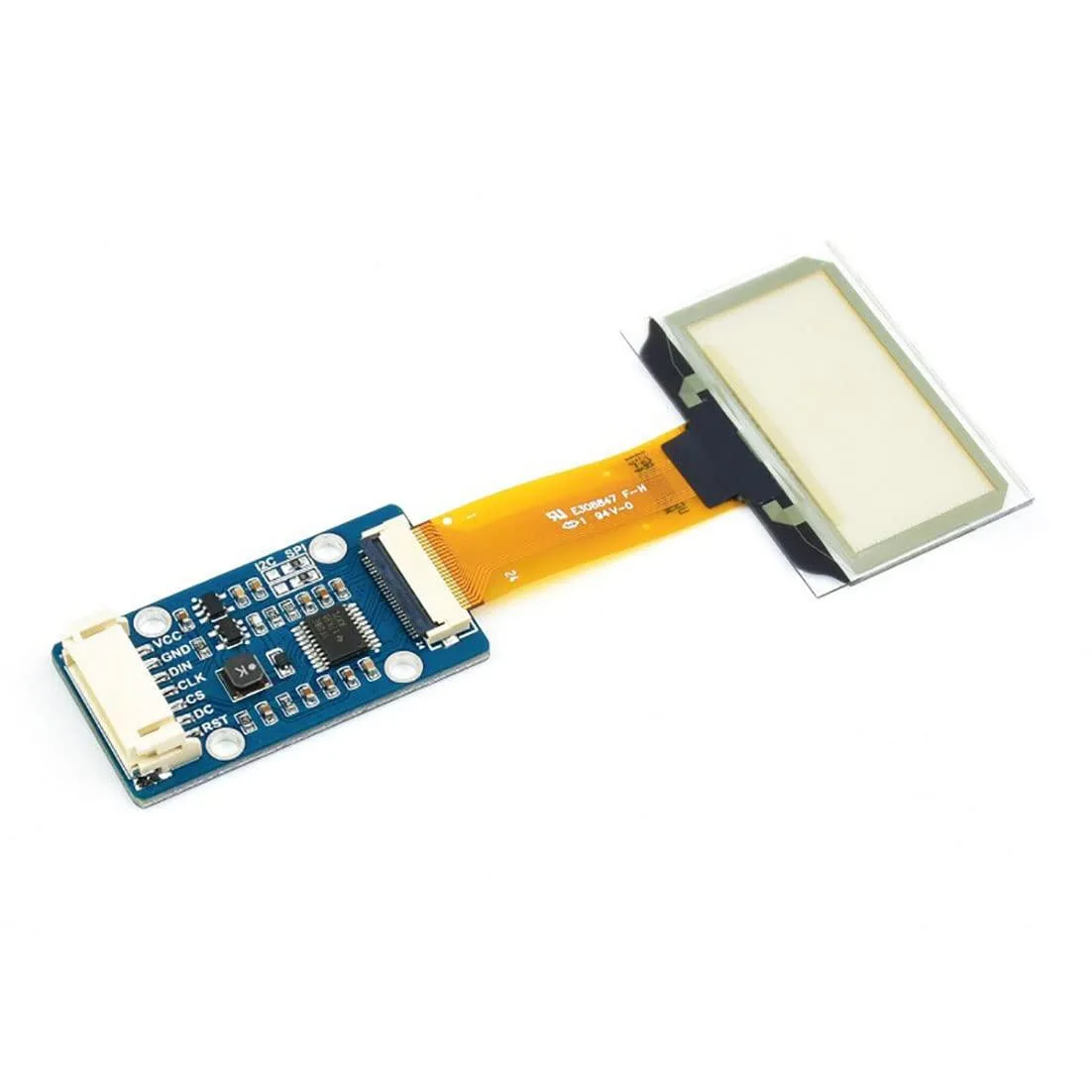
Transparent 1.51inch OLED shows 128x64 light-blue graphics over SPI or I2C for Raspberry Pi, Arduino and STM32 projects
This 1.51-inch transparent OLED development board shows light-blue graphics on a see-through panel with a 128 by 64 resolution. It targets makers and engineers building wearable devices, augmented-reality prototypes or transparent dashboard overlays.
The module uses a 4-wire SPI bus plus an I2C option, so wiring takes only four to six jumper wires on a Raspberry Pi, Arduino or STM32 board. Example code from the supplier wiki covers both interfaces, but the small pin pitch can make breadboard connections fragile without a breakout adapter.
Transparency reduces contrast in bright ambient light, so the display works best in dim or indoor settings. The 128 by 64 pixel grid limits detailed graphics, and the SPI or I2C bandwidth caps animation frame rates for full-screen updates.
| Brand | LORDWORLD |
|---|
Run the example code for Raspberry Pi, Arduino or STM32 from the Waveshare wiki; the 128×64 light-blue display should show graphics immediately if SPI or I2C connections are correct.
The development board itself is included; you must provide a Raspberry Pi, Arduino or STM32 host board plus jumper wires for the 4-wire SPI or I2C interface.
Both 4-wire SPI and I2C are available on the same board; pick SPI for faster data rates or I2C to save GPIO pins on your Raspberry Pi, Arduino or STM32.
Also in this aisle
Same shelf, same checkout — eight coins and a 30-minute rate lock.
What you pay in, and what you read prices in.
Sent from your wallet at checkout
Display only — the catalogue is priced in USD
No currency matches that.
Pick the language the site speaks to you in.
No language matches that.
New here?
Already have one?
There is no automatic reset: this shop sends no mail, so there is no one-time link to ask for. Leave the address on the account and it gets picked up by hand.
Request noted
Nothing is on its way to your inbox — this shop sends no mail at all. Someone picks these up by hand.
Remembered it?



