

SanDisk
SanDisk Cruzer Blade 8 GB USB 2.0 USB flash drive Black SDCZ50-008G-B35
391.99 $
0.00501696BTC
במלאיאנחנו מקבלים תשלום בקריפטו — כך שמטבעות הקריפטו שברשותך יכולים לקנות ציוד אמיתי.שלם בקריפטו, קנה איתו ציוד אמיתי. משלוח חינם ומבוטח לכל העולם מעל 399 $. קרטונים ניטרליים וללא מיתוג, נשלחים מגרמניה.משלוח חינם ומבוטח מעל 399 $. השער שלך ננעל ל-30 דקות מרגע פתיחת הקופה.שער נעול ל-30 דקות. כל פריט אטום, המספר הסידורי שלו נבדק, והוא מכוסה באחריות ל-24 חודשים.אטום, באחריות ל-24 חודשים.


LORDWORLD
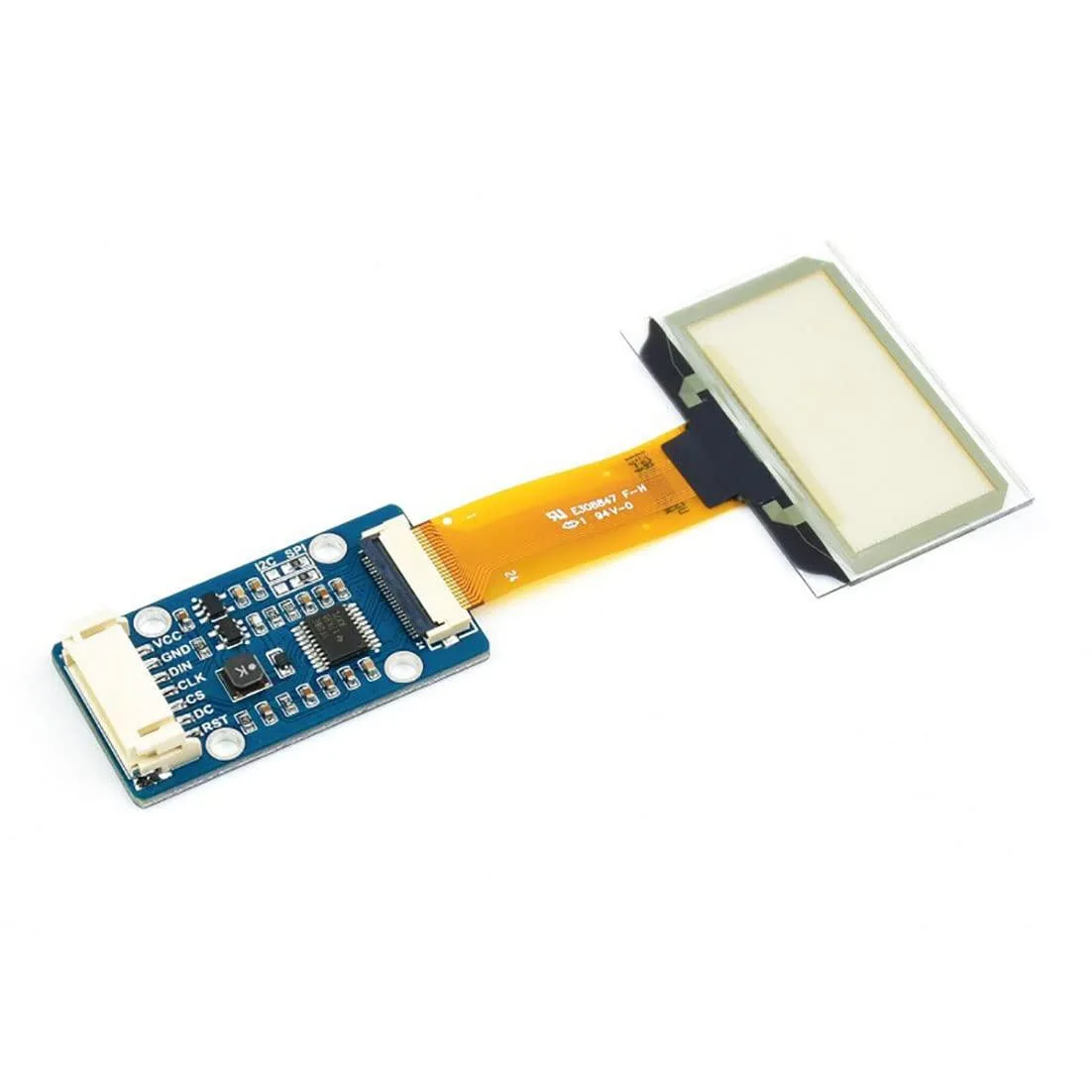
Transparent 1.51inch OLED shows 128x64 light-blue graphics over SPI or I2C for Raspberry Pi, Arduino and STM32 projects
This 1.51-inch transparent OLED development board shows light-blue graphics on a see-through panel with a 128 by 64 resolution. It targets makers and engineers building wearable devices, augmented-reality prototypes or transparent dashboard overlays.
The module uses a 4-wire SPI bus plus an I2C option, so wiring takes only four to six jumper wires on a Raspberry Pi, Arduino or STM32 board. Example code from the supplier wiki covers both interfaces, but the small pin pitch can make breadboard connections fragile without a breakout adapter.
Transparency reduces contrast in bright ambient light, so the display works best in dim or indoor settings. The 128 by 64 pixel grid limits detailed graphics, and the SPI or I2C bandwidth caps animation frame rates for full-screen updates.
| Brand | LORDWORLD |
|---|
Run the example code for Raspberry Pi, Arduino or STM32 from the Waveshare wiki; the 128×64 light-blue display should show graphics immediately if SPI or I2C connections are correct.
The development board itself is included; you must provide a Raspberry Pi, Arduino or STM32 host board plus jumper wires for the 4-wire SPI or I2C interface.
Both 4-wire SPI and I2C are available on the same board; pick SPI for faster data rates or I2C to save GPIO pins on your Raspberry Pi, Arduino or STM32.
גם במדף הזה
אותו מדף, אותה קופה — שמונה מטבעות קריפטו ונעילת שער ל-30 דקות.
באיזה מטבע משלמים, ובאיזה מטבע מוצגים המחירים.
נשלח מהארנק שלך בקופה
לתצוגה בלבד — הקטלוג מתומחר בדולר ארה״ב
לא נמצא מטבע מתאים.
בחר את השפה שבה האתר פונה אליך.
אף שפה לא תואמת.
חדש כאן?
כבר יש לך חשבון?
אין כאן איפוס אוטומטי: החנות הזו לא שולחת אימייל, ולכן אין קישור חד-פעמי לבקש. השאר את הכתובת בחשבון, והיא תטופל ידנית.
הבקשה נקלטה
שום דבר לא בדרך לתיבת האימייל שלך — החנות הזו לא שולחת אימייל בכלל. מישהו אוסף את הבקשות האלה ידנית.
נזכרת בה?



