

SanDisk
SanDisk Cruzer Blade 8 GB USB 2.0 USB flash drive Black SDCZ50-008G-B35
$391.99
0.00501805BTC
在庫あり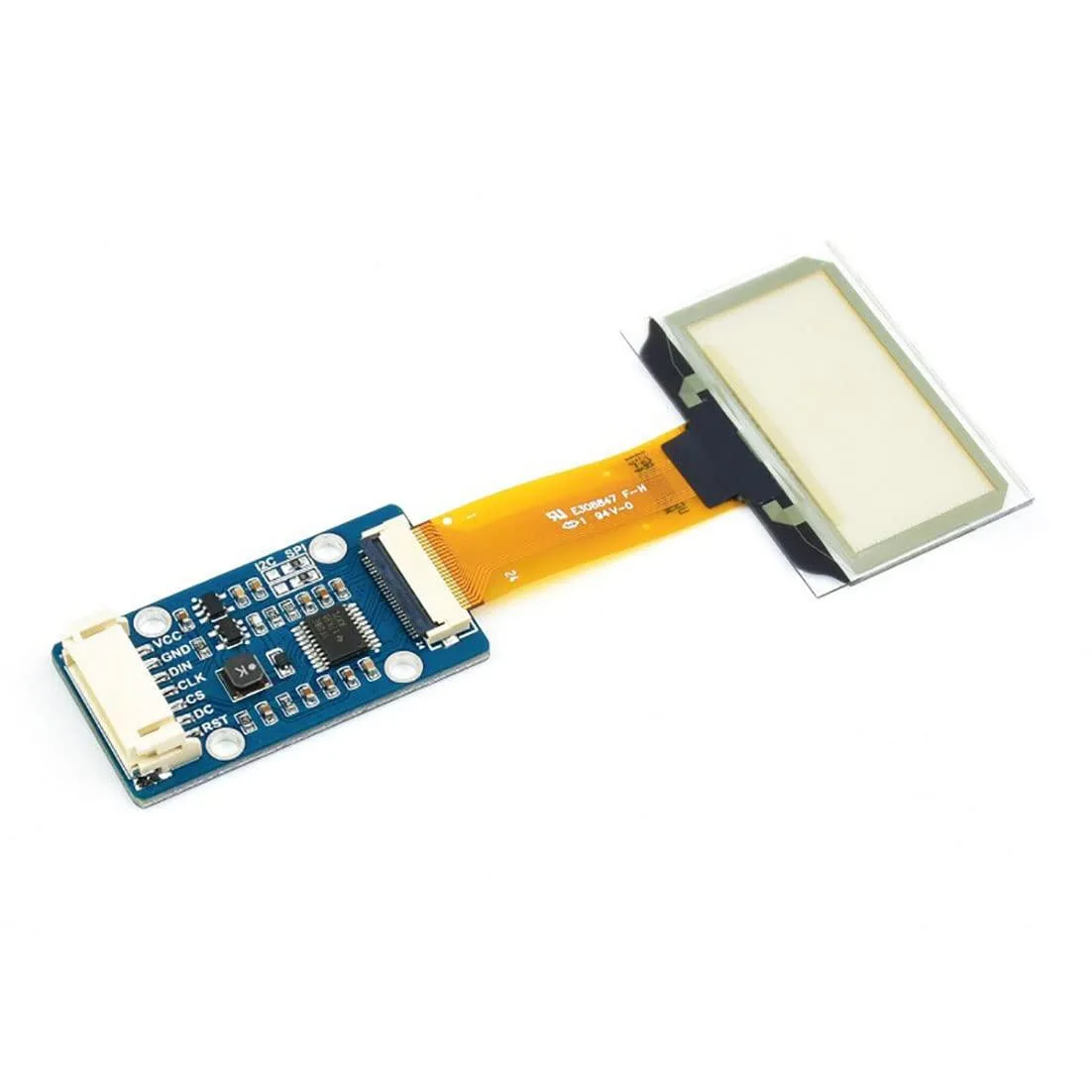


LORDWORLD
Transparent 1.51inch OLED shows 128x64 light-blue graphics over SPI or I2C for Raspberry Pi, Arduino and STM32 projects
This 1.51-inch transparent OLED development board shows light-blue graphics on a see-through panel with a 128 by 64 resolution. It targets makers and engineers building wearable devices, augmented-reality prototypes or transparent dashboard overlays.
The module uses a 4-wire SPI bus plus an I2C option, so wiring takes only four to six jumper wires on a Raspberry Pi, Arduino or STM32 board. Example code from the supplier wiki covers both interfaces, but the small pin pitch can make breadboard connections fragile without a breakout adapter.
Transparency reduces contrast in bright ambient light, so the display works best in dim or indoor settings. The 128 by 64 pixel grid limits detailed graphics, and the SPI or I2C bandwidth caps animation frame rates for full-screen updates.
| Brand | LORDWORLD |
|---|
Run the example code for Raspberry Pi, Arduino or STM32 from the Waveshare wiki; the 128×64 light-blue display should show graphics immediately if SPI or I2C connections are correct.
The development board itself is included; you must provide a Raspberry Pi, Arduino or STM32 host board plus jumper wires for the 4-wire SPI or I2C interface.
Both 4-wire SPI and I2C are available on the same board; pick SPI for faster data rates or I2C to save GPIO pins on your Raspberry Pi, Arduino or STM32.
同じ売り場の商品
同じ売り場、同じレジ — 8種類のコインと30分間のレートロック。
お支払いに使うコインと、価格表示に使う通貨です。
チェックアウト時にウォレットから送信されます。
表示のみ—カタログの価格は米ドル建てです。
該当する通貨がありません。
サイトの表示言語を選択してください。
一致する言語がありません。
初めてのご利用ですか?
すでにお持ちですか?
自動的な再設定はありません。当店はメールを送信しないため、ワンタイムリンクをお送りすることもできません。アカウントにメールアドレスを残しておいていただければ、担当者が手作業で確認いたします。
リクエストを受け付けました
受信箱に何かが届くことはありません — 当店はメールを一切送信していません。担当者が手作業で確認いたします。
思い出しましたか?



