

SanDisk
SanDisk Cruzer Blade 8 GB USB 2.0 USB flash drive Black SDCZ50-008G-B35
US$391.99
0.00501542BTC
재고 있음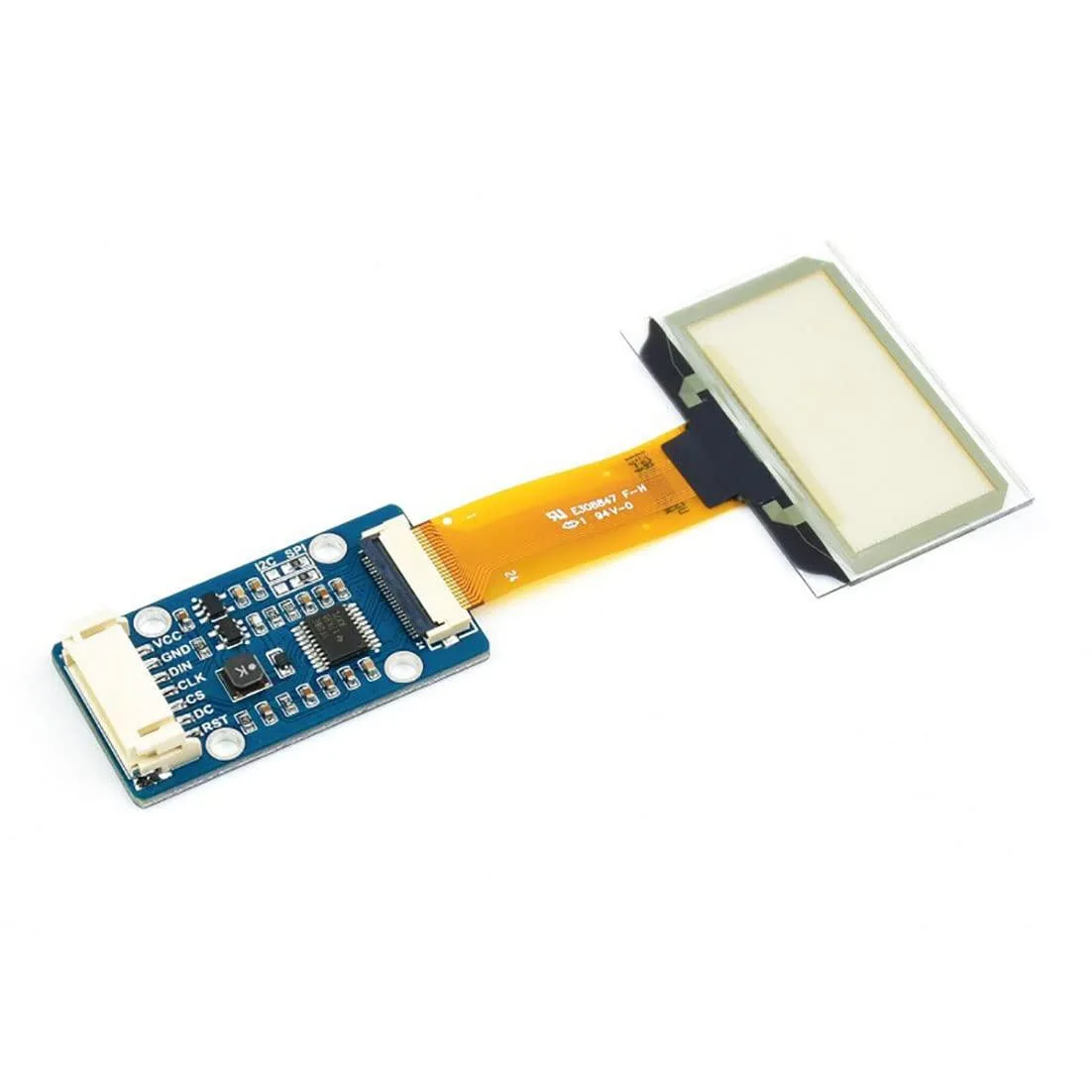


LORDWORLD
Transparent 1.51inch OLED shows 128x64 light-blue graphics over SPI or I2C for Raspberry Pi, Arduino and STM32 projects
This 1.51-inch transparent OLED development board shows light-blue graphics on a see-through panel with a 128 by 64 resolution. It targets makers and engineers building wearable devices, augmented-reality prototypes or transparent dashboard overlays.
The module uses a 4-wire SPI bus plus an I2C option, so wiring takes only four to six jumper wires on a Raspberry Pi, Arduino or STM32 board. Example code from the supplier wiki covers both interfaces, but the small pin pitch can make breadboard connections fragile without a breakout adapter.
Transparency reduces contrast in bright ambient light, so the display works best in dim or indoor settings. The 128 by 64 pixel grid limits detailed graphics, and the SPI or I2C bandwidth caps animation frame rates for full-screen updates.
| Brand | LORDWORLD |
|---|
Run the example code for Raspberry Pi, Arduino or STM32 from the Waveshare wiki; the 128×64 light-blue display should show graphics immediately if SPI or I2C connections are correct.
The development board itself is included; you must provide a Raspberry Pi, Arduino or STM32 host board plus jumper wires for the 4-wire SPI or I2C interface.
Both 4-wire SPI and I2C are available on the same board; pick SPI for faster data rates or I2C to save GPIO pins on your Raspberry Pi, Arduino or STM32.
이 진열대의 다른 상품
같은 진열대, 같은 체크아웃 — 코인 8종, 환율 잠금 30분.
결제할 코인과 가격을 확인할 통화입니다.
체크아웃 시 지갑에서 전송됩니다.
표시 전용 — 카탈로그 가격은 달러 기준입니다.
일치하는 통화가 없습니다.
사이트에서 사용할 언어를 선택하십시오.
일치하는 언어가 없습니다.
처음 방문하셨나요?
이미 계정이 있으신가요?
자동 재설정 기능은 없습니다. 이 쇼핑몰은 어떠한 메일도 보내지 않으므로 요청할 일회용 링크 자체가 없습니다. 계정에 등록된 이메일 주소를 그대로 두시면 담당자가 직접 확인해 처리합니다.
요청 접수
받은편지함으로 오는 것은 아무것도 없습니다 — 이 쇼핑몰은 메일을 전혀 보내지 않습니다. 담당자가 직접 확인해 처리합니다.
기억나셨나요?



