partaker
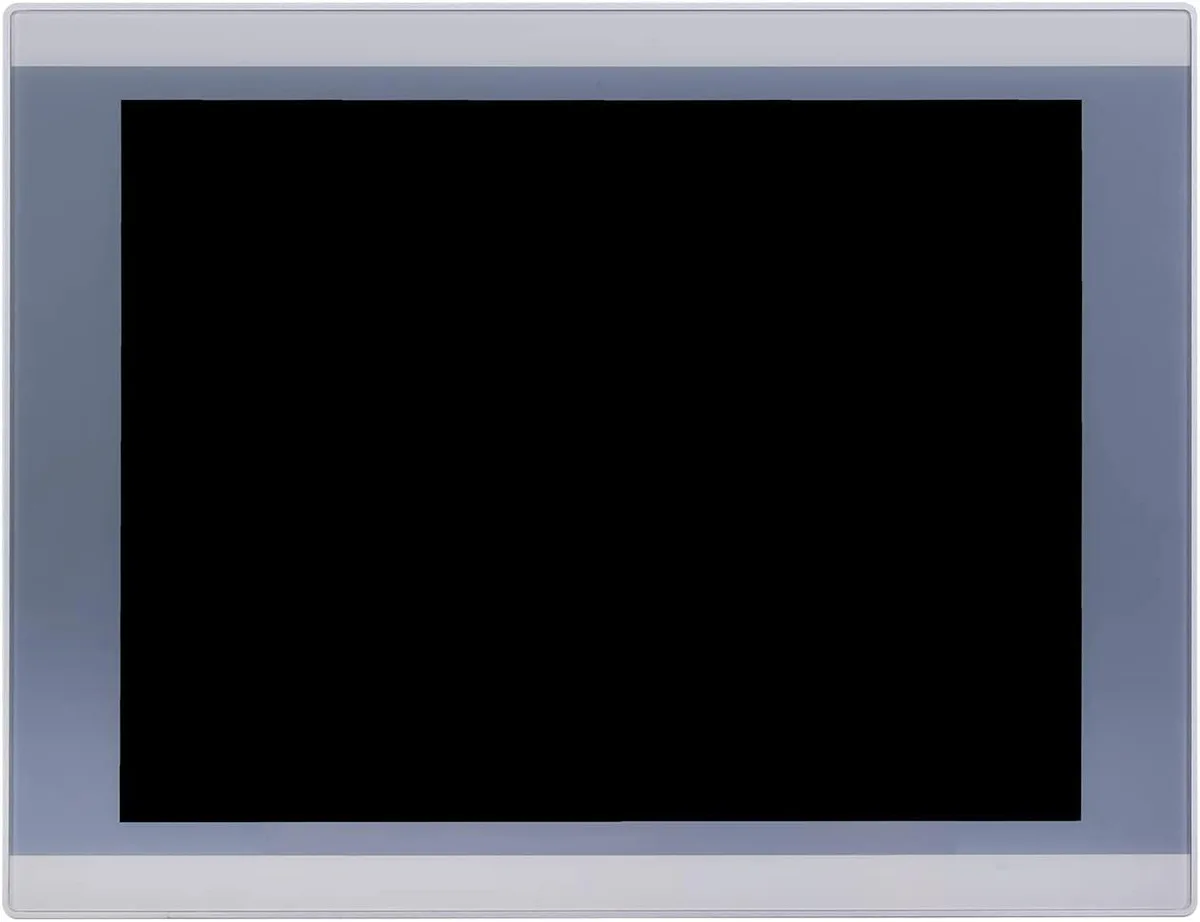
partaker A2-PA-121TPC-CE5B(J19)-4G64G 12.1" industrial panel PC
- All-in-One
- Silver
553,99 $
0.00702712BTC
LaosMe võtame vastu krüptoraha — nii saab teie hoitav krüptoraha osta päris riistvara.Makske krüptorahaga, kulutage seda päris riistvarale. Tasuta kindlustatud tarne kogu maailmas, üle 399 $. Lihtsad, kaubamärgita väliskarbid, saadetud Saksamaalt.Tasuta kindlustatud tarne üle 399 $. Teie kurss lukustatakse 30 minutiks kohe, kui kassa avaneb.Kurss lukustatud 30 minutiks. Iga toode on pitseeritud, selle seerianumber on kontrollitud ja sellel kehtib 24-kuuline garantii.Pitseeritud, 24-kuulise garantiiga.


partaker
18.5 inch IP65 front panel PC with 10-point capacitive touch, Intel Celeron J1900, 4GB DDR3L and 128GB mSATA SSD, fanless aluminium chassis, VGA, triple COM, USB 3.0, dual USB 2.0, LAN, audio.
CPU Type Celeron
Läbikriipsutatud versioonid on olemas, kuid neid pole siin saadaval.
CPU Name 2.00GHz
Läbikriipsutatud versioonid on olemas, kuid neid pole siin saadaval.
GPU Intel HD Graphics
Memory 4GB DDR3
SSD
HDD None
Läbikriipsutatud versioonid on olemas, kuid neid pole siin saadaval.
The Partaker A12-PA-190TPC-CE6B(J19) integrates an 18.5 inch TFT LED display with an Intel Celeron J1900 quad-core processor, 4GB DDR3L memory and a 128GB mSATA SSD. It targets machine-vision, kiosk and gateway deployments that need a compact all-in-one unit ready for 24/7 operation. Windows 10 Pro is pre-installed so the system boots straight to a familiar desktop.
The sealed front panel meets IP65 against dust and water jets while the fanless aluminium body runs silently in noise-sensitive environments. Connectors include 12V DC input, VGA output, three COM ports, one USB3.0, three USB2.0, LAN, audio in/out and a power switch, all arranged for tidy cable routing in cabinets. Embedded buckle kits simplify flush mounting into a 454 x 276.5 mm cut-out.
Consolidating compute, display and touch into one device removes the need for a separate industrial PC and screen, cutting cabling and footprint. The jump is worthwhile when space is tight, when a silent fanless design is required, or when the 1366 x 768 projected capacitive touch interface streamlines operator interaction. Systems needing higher CPU performance or more than 8GB RAM should evaluate alternative platforms.
| Model | A12-PA-190TPC-CE6B(J19)-4G128G |
|---|---|
| Form Factor | All-in-One |
| Color | Silver |
| Operating System | Windows 10 Pro |
| CPU Type | Celeron |
| CPU Name | 2.00GHz |
| GPU/VGA Type | Intel HD Graphics |
| Memory Capacity | 4GB DDR3 |
| HDD | No |
| Screen Size | 18.5" |
| Touchscreen | Yes |
Selle mudeli teised versioonid
Sama seeria, erinev mälumaht, jahutus või taktsagedus — võrrelge enne otsustamist.
The 18.5 inch TFT LED panel runs at 1366 x 768 resolution with 250 cd/m2 brightness and 1000 contrast ratio.
The embedded mounting cut-out is 454 x 276.5 mm and the unit weighs 6 kg with 54.5 mm depth.
Open the chassis, insert the mSATA SSD into the Mini PCIe slot or mount a 2.5 inch SATA drive, then secure both; the common mistake is forgetting to seat the mSATA retaining screw.
Veel samast osakonnast
Sama osakond, sama kassa — kaheksa krüptovaluutat ja 30-minutiline kursilukk.
See, millega maksate, ja see, milles vaatate hindu.
Saadetud teie rahakotist kassas
Ainult kuvamiseks — kataloogi hinnad on dollarites
Ükski vääring ei vasta sellele.
Valige keel, milles sait teiega räägib.
Ükski keel ei vasta.
Esimest korda siin?
Teil on juba konto?
Automaatset lähtestamist ei ole: see pood ei saada ühtegi e-kirja, seega pole ka ühekordset linki, mida küsida. Jätke aadress kontole alles, seda käsitletakse käsitsi.
Päring registreeritud
Teie postkasti ei jõua midagi — see pood ei saada e-kirju üldse. Keegi tegeleb sellega käsitsi.
Tuli meelde?