partaker
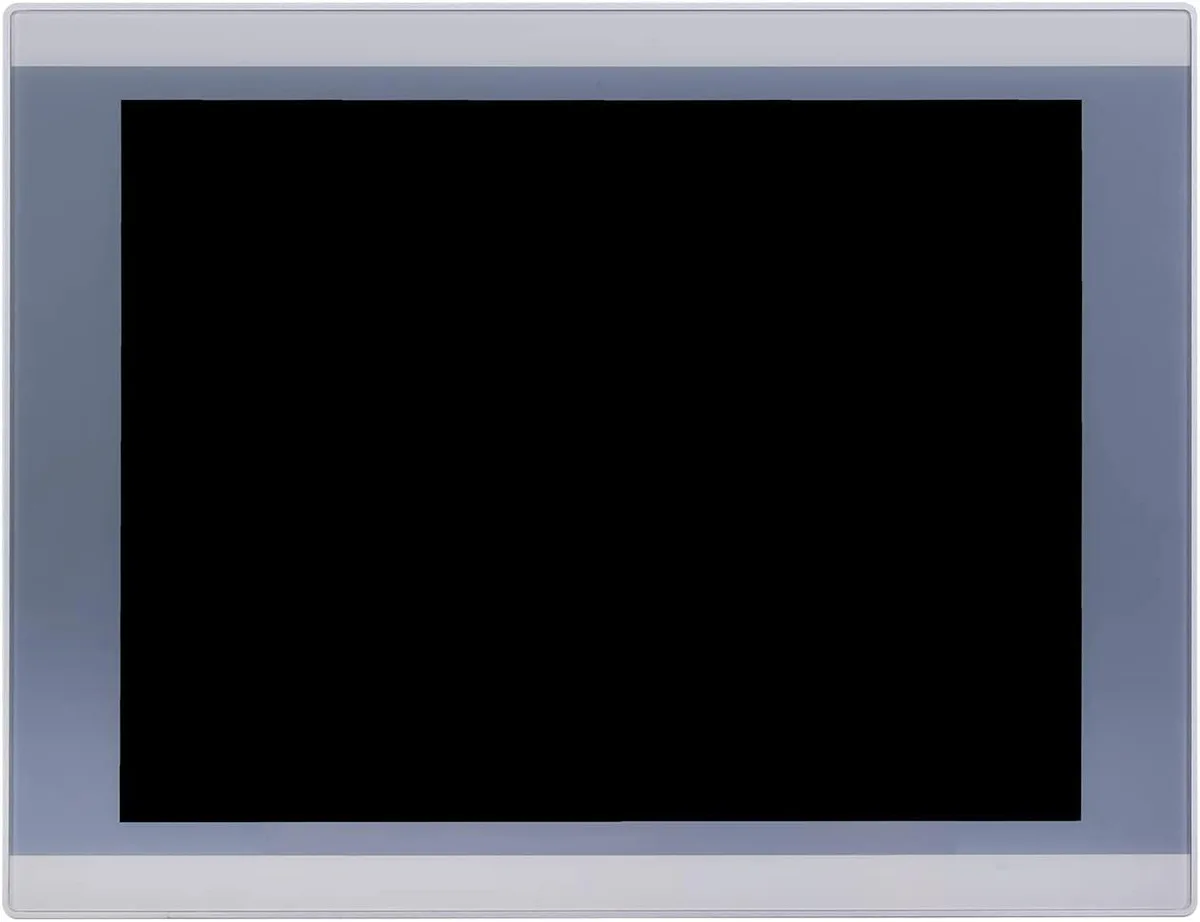
partaker A2-PA-121TPC-CE5B(J19)-4G64G 12.1" industrial panel PC
- All-in-One
- Silver
USD 553.99
0.00703676BTC
Ada stokKami menerima kripto — jadi koin yang anda simpan boleh membeli perkakasan sebenar.Bayar dengan kripto, belanjakannya untuk perkakasan sebenar. Penghantaran berinsurans percuma ke seluruh dunia untuk belian melebihi USD 399. Kotak biasa tanpa jenama, dihantar dari Jerman.Penghantaran berinsurans percuma untuk belian melebihi USD 399. Kadar anda dikunci selama 30 minit sebaik sahaja proses pesanan bermula.Kadar dikunci selama 30 minit. Setiap item disegel, nombor sirinya disemak, dan dilindungi waranti 24 bulan.Disegel, waranti 24 bulan.


partaker
18.5 inch IP65 front panel PC with 10-point capacitive touch, Intel Celeron J1900, 4GB DDR3L and 128GB mSATA SSD, fanless aluminium chassis, VGA, triple COM, USB 3.0, dual USB 2.0, LAN, audio.
CPU Type Celeron
Versi yang dicoret wujud, tetapi tidak tersedia di sini.
CPU Name 2.00GHz
Versi yang dicoret wujud, tetapi tidak tersedia di sini.
GPU Intel HD Graphics
Memory 4GB DDR3
SSD
HDD None
Versi yang dicoret wujud, tetapi tidak tersedia di sini.
The Partaker A12-PA-190TPC-CE6B(J19) integrates an 18.5 inch TFT LED display with an Intel Celeron J1900 quad-core processor, 4GB DDR3L memory and a 128GB mSATA SSD. It targets machine-vision, kiosk and gateway deployments that need a compact all-in-one unit ready for 24/7 operation. Windows 10 Pro is pre-installed so the system boots straight to a familiar desktop.
The sealed front panel meets IP65 against dust and water jets while the fanless aluminium body runs silently in noise-sensitive environments. Connectors include 12V DC input, VGA output, three COM ports, one USB3.0, three USB2.0, LAN, audio in/out and a power switch, all arranged for tidy cable routing in cabinets. Embedded buckle kits simplify flush mounting into a 454 x 276.5 mm cut-out.
Consolidating compute, display and touch into one device removes the need for a separate industrial PC and screen, cutting cabling and footprint. The jump is worthwhile when space is tight, when a silent fanless design is required, or when the 1366 x 768 projected capacitive touch interface streamlines operator interaction. Systems needing higher CPU performance or more than 8GB RAM should evaluate alternative platforms.
| Model | A12-PA-190TPC-CE6B(J19)-4G128G |
|---|---|
| Form Factor | All-in-One |
| Color | Silver |
| Operating System | Windows 10 Pro |
| CPU Type | Celeron |
| CPU Name | 2.00GHz |
| GPU/VGA Type | Intel HD Graphics |
| Memory Capacity | 4GB DDR3 |
| HDD | No |
| Screen Size | 18.5" |
| Touchscreen | Yes |
Versi lain model ini
Keluarga yang sama, memori, penyejuk atau kelajuan jam yang berbeza — bandingkan sebelum membuat keputusan.
The 18.5 inch TFT LED panel runs at 1366 x 768 resolution with 250 cd/m2 brightness and 1000 contrast ratio.
The embedded mounting cut-out is 454 x 276.5 mm and the unit weighs 6 kg with 54.5 mm depth.
Open the chassis, insert the mSATA SSD into the Mini PCIe slot or mount a 2.5 inch SATA drive, then secure both; the common mistake is forgetting to seat the mSATA retaining screw.
Juga di rak ini
Rak yang sama, checkout yang sama — lapan koin kripto dan kunci kadar 30 minit.
Apa yang anda hantar untuk membayar, dan mata wang yang anda guna untuk membaca harga.
Dihantar daripada dompet anda semasa semak keluar
Untuk paparan sahaja — katalog diberi harga dalam USD
Tiada mata wang yang sepadan.
Pilih bahasa yang digunakan oleh laman web ini.
Tiada bahasa yang sepadan.
Pengguna baharu?
Sudah mempunyai akaun?
Tiada set semula automatik: kedai ini tidak menghantar sebarang e-mel, jadi tiada pautan sekali guna untuk diminta. Biarkan alamat pada akaun tersebut, ia akan diuruskan secara manual.
Permintaan direkodkan
Tiada apa-apa akan sampai ke peti masuk anda — kedai ini tidak menghantar sebarang e-mel. Seseorang akan menguruskannya secara manual.
Sudah teringat?