partaker
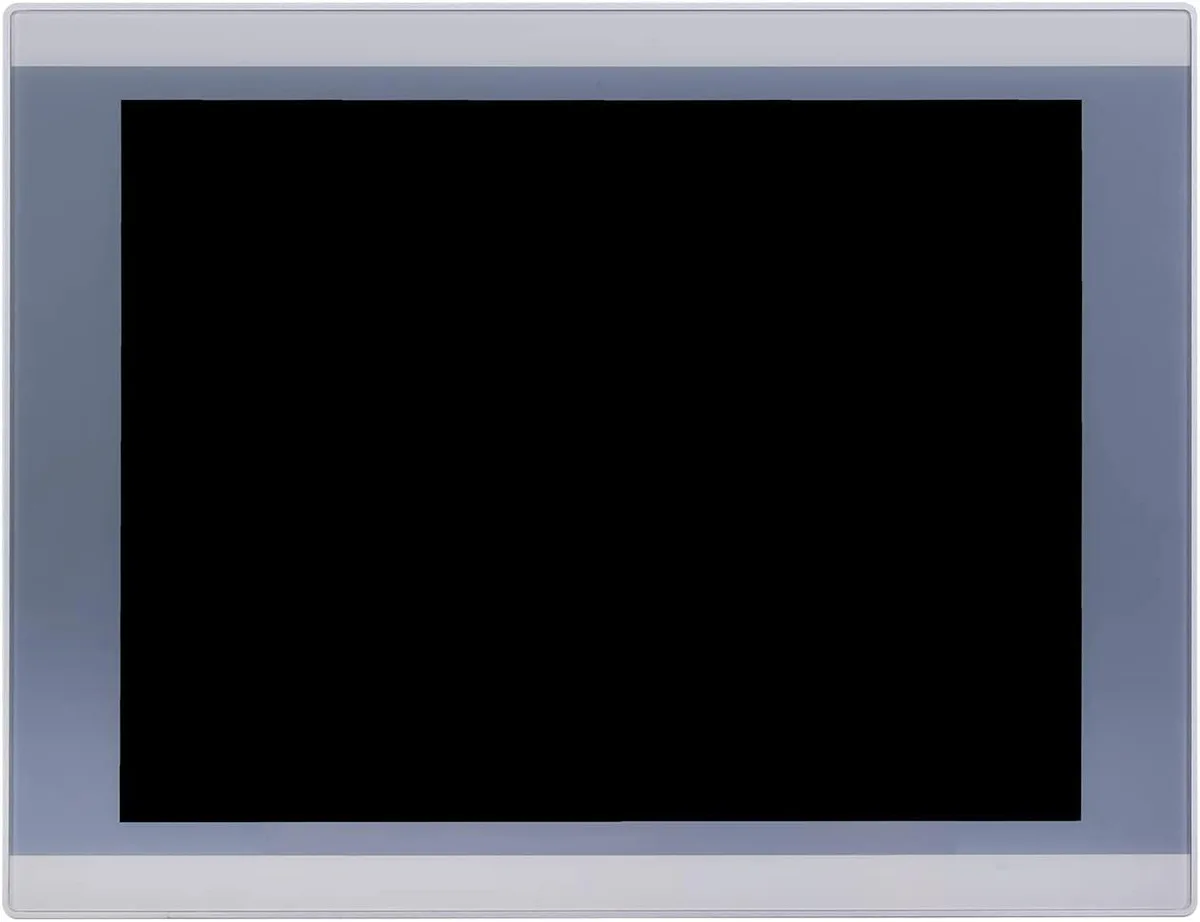
partaker A2-PA-121TPC-CE5B(J19)-4G64G 12.1" industrial panel PC
- All-in-One
- Silver
553,99 $
0.00702409BTC
KrājumāMēs pieņemam kriptovalūtu — lai tā, kas Jums pieder, varētu nopirkt īstu aparatūru.Maksājiet kriptovalūtā, iztērējiet to īstai aparatūrai. Bezmaksas apdrošināta piegāde visā pasaulē virs 399 $. Vienkāršas, nemarķētas kastes, sūtītas no Vācijas.Bezmaksas apdrošināta piegāde virs 399 $. Jūsu kurss tiek fiksēts uz 30 minūtēm, tiklīdz atveras kase.Kurss fiksēts uz 30 minūtēm. Katra prece ir aizzīmogota, tās sērijas numurs ir pārbaudīts, un uz to attiecas 24 mēnešu garantija.Aizzīmogots, 24 mēnešu garantija.


partaker
18.5 inch IP65 front panel PC with 10-point capacitive touch, Intel Celeron J1900, 4GB DDR3L and 128GB mSATA SSD, fanless aluminium chassis, VGA, triple COM, USB 3.0, dual USB 2.0, LAN, audio.
CPU Type Celeron
Pārsvītrotās versijas pastāv, taču šeit nav pieejamas.
CPU Name 2.00GHz
Pārsvītrotās versijas pastāv, taču šeit nav pieejamas.
GPU Intel HD Graphics
Memory 4GB DDR3
SSD
HDD None
Pārsvītrotās versijas pastāv, taču šeit nav pieejamas.
The Partaker A12-PA-190TPC-CE6B(J19) integrates an 18.5 inch TFT LED display with an Intel Celeron J1900 quad-core processor, 4GB DDR3L memory and a 128GB mSATA SSD. It targets machine-vision, kiosk and gateway deployments that need a compact all-in-one unit ready for 24/7 operation. Windows 10 Pro is pre-installed so the system boots straight to a familiar desktop.
The sealed front panel meets IP65 against dust and water jets while the fanless aluminium body runs silently in noise-sensitive environments. Connectors include 12V DC input, VGA output, three COM ports, one USB3.0, three USB2.0, LAN, audio in/out and a power switch, all arranged for tidy cable routing in cabinets. Embedded buckle kits simplify flush mounting into a 454 x 276.5 mm cut-out.
Consolidating compute, display and touch into one device removes the need for a separate industrial PC and screen, cutting cabling and footprint. The jump is worthwhile when space is tight, when a silent fanless design is required, or when the 1366 x 768 projected capacitive touch interface streamlines operator interaction. Systems needing higher CPU performance or more than 8GB RAM should evaluate alternative platforms.
| Model | A12-PA-190TPC-CE6B(J19)-4G128G |
|---|---|
| Form Factor | All-in-One |
| Color | Silver |
| Operating System | Windows 10 Pro |
| CPU Type | Celeron |
| CPU Name | 2.00GHz |
| GPU/VGA Type | Intel HD Graphics |
| Memory Capacity | 4GB DDR3 |
| HDD | No |
| Screen Size | 18.5" |
| Touchscreen | Yes |
Citas šī modeļa versijas
Viena saime, taču atšķirīga atmiņa, dzesētājs vai frekvence — salīdziniet, pirms izlemjat.
The 18.5 inch TFT LED panel runs at 1366 x 768 resolution with 250 cd/m2 brightness and 1000 contrast ratio.
The embedded mounting cut-out is 454 x 276.5 mm and the unit weighs 6 kg with 54.5 mm depth.
Open the chassis, insert the mSATA SSD into the Mini PCIe slot or mount a 2.5 inch SATA drive, then secure both; the common mistake is forgetting to seat the mSATA retaining screw.
Arī šajā sadaļā
Tas pats plaukts, tā pati kase — astoņas kriptovalūtas un kursa fiksēšana uz 30 minūtēm.
Kriptovalūta, kurā maksājat, un valūta, kurā redzat cenas.
Nosūtīts no Jūsu maciņa, noformējot pasūtījumu
Tikai informatīvi — katalogā cenas norādītas ASV dolāros
Neviena valūta neatbilst.
Izvēlieties valodu, kurā vietne sarunājas ar Jums.
Neviena valoda neatbilst.
Pirmo reizi šeit?
Jau ir konts?
Automātiskas atiestatīšanas nav: šis veikals nesūta e-pastus, tāpēc nav arī vienreizējas saites, ko pieprasīt. Atstājiet adresi kontā, un tā tiks apstrādāta manuāli.
Pieprasījums saņemts
Uz Jūsu e-pastu nekas neatnāks — šis veikals vispār nesūta e-pastus. Kāds šos pieprasījumus apstrādā manuāli.
Atcerējāties?