


COUGAR
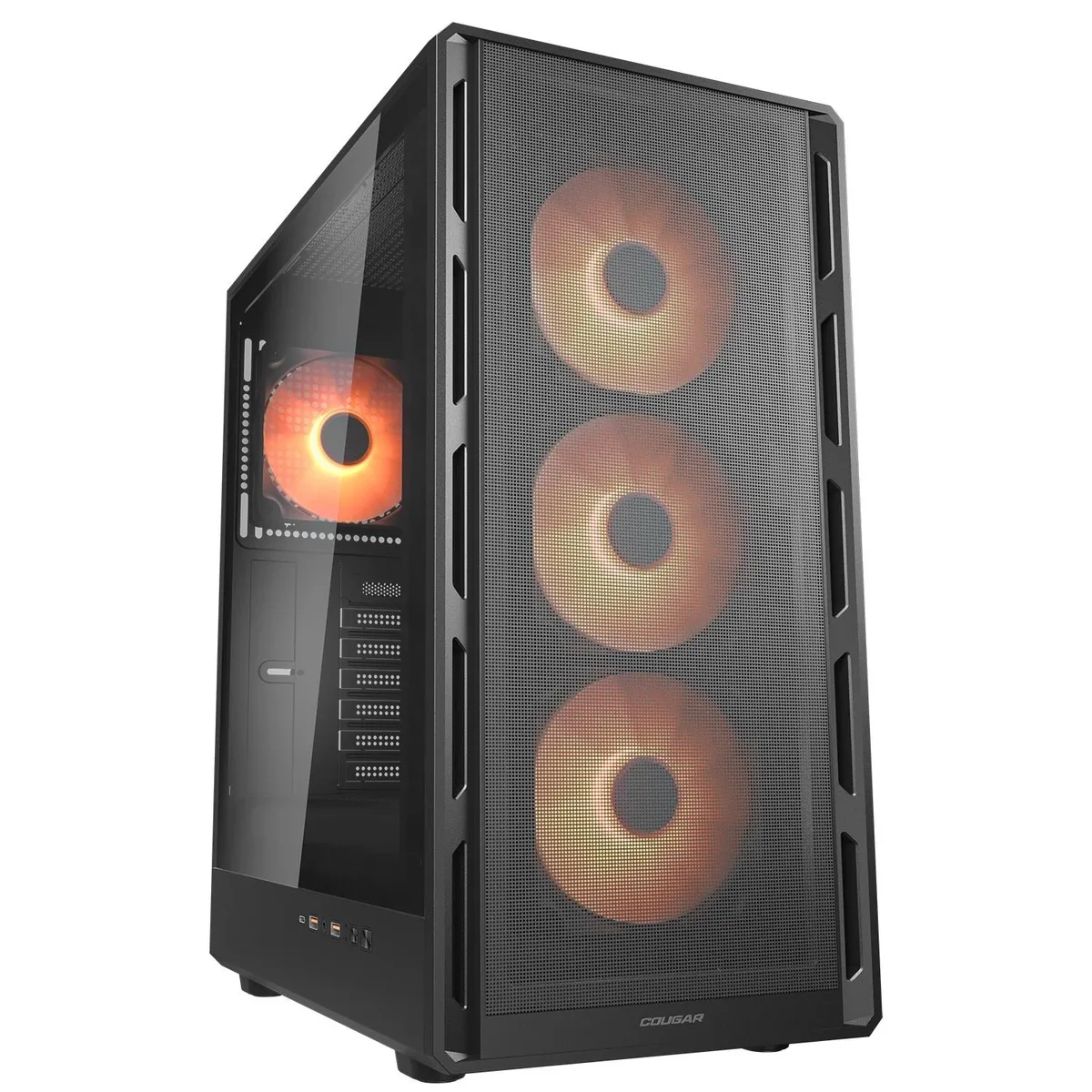
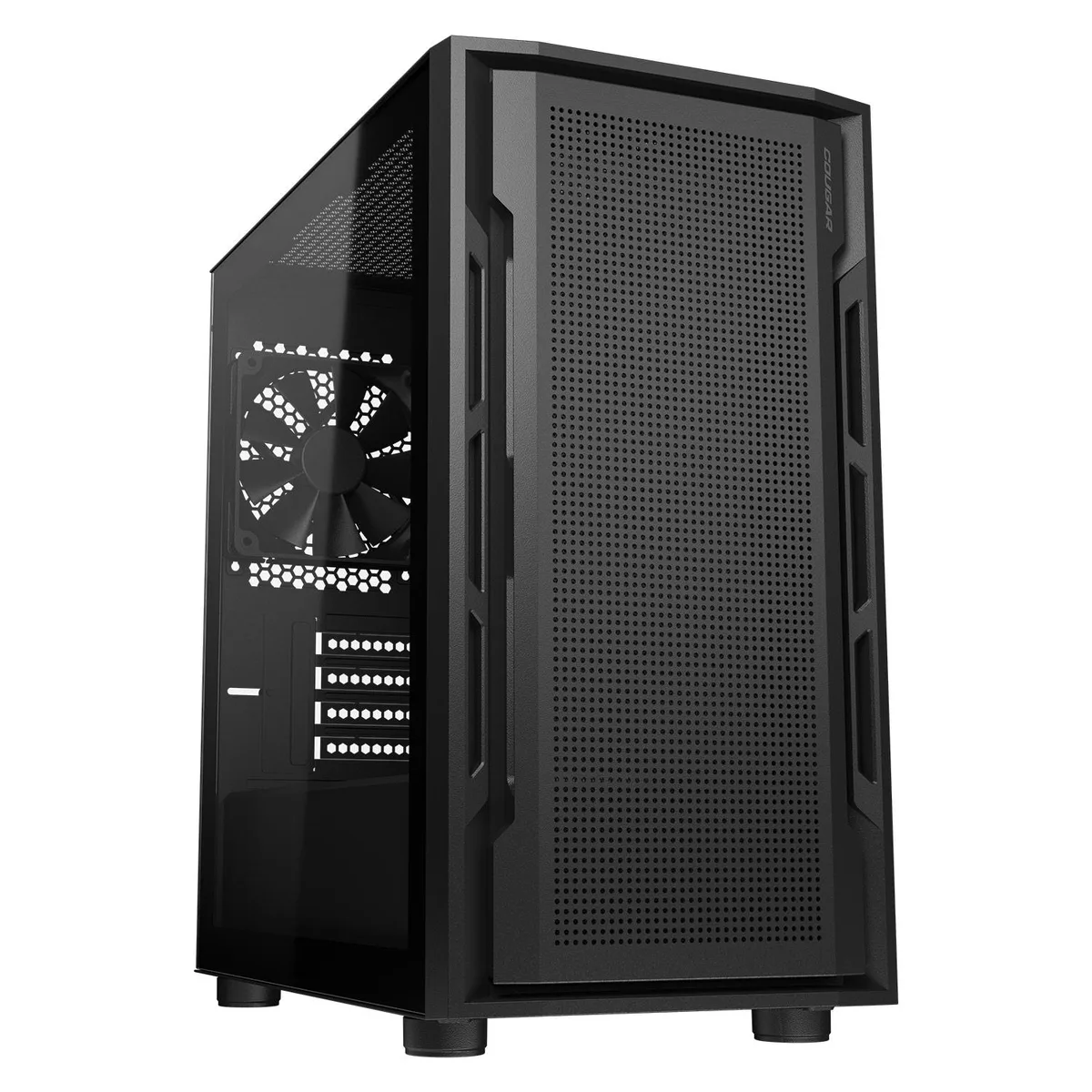
COUGAR Airface Pure Pro Mid Tower ATX PC Case Black
Mid-tower ATX case with four pre-installed 120 mm ARGB PWM fans, room for eight fans total, 320 mm GPU clearance and a 175 mm CPU cooler limit
- TypeATX Mid Tower
- ColorBlack
- Case MaterialSPCC / Tempered Glass / Plastic
- Motherboard CompatibilityMini ITX / Micro ATX / ATX
- Side Panelwith Side Window
- LEDARGB
Color Black
- Black
- White
- Compact ATX footprint saves desk space with ultraslim 8.7-inch width
- Four pre-installed 120mm ARGB PWM fans deliver instant cooling out of the box
- Supports up to eight fans including 140mm upgrades for flexible thermal headroom
- Fits 320mm graphics cards and 175mm CPU coolers for high-end builds
- Front USB 3.2 Gen 2 Type-C plus dual USB 3.0 Type-A for fast peripheral access
Compact ATX Mid Tower
The COUGAR Airface Pure Pro is a black mid-tower case built around an ultraslim front panel that keeps the desk footprint small while still accepting standard ATX, Micro-ATX and Mini-ITX motherboards. Four 120 mm ARGB PWM fans come pre-installed, three at the front and one at the rear, and the chassis supports up to eight fans in total. A tempered-glass side window shows the interior lighting. Front I/O includes one USB 3.2 Gen 2 Type-C port, two USB 3.0 Type-A ports and a 4-pole headset jack.
Builders who value desk space and ARGB cooling
This case suits builders who want a compact ATX layout with strong out-of-the-box airflow and addressable RGB lighting already fitted. It is not for builders who need radiator support beyond 240 mm, graphics cards longer than 320 mm, CPU coolers taller than 175 mm, or power supplies longer than 160 mm. Systems requiring more than seven expansion slots or additional front-panel connectivity should look elsewhere.
320 mm maximum graphics-card length
The single specification that decides fitment is the 320 mm GPU length limit. Any card longer than this will not install, regardless of other clearances. This figure is the hard constraint for high-end graphics card selection in this chassis.
Kohokohdat
- Compact ATX footprint saves desk space with ultraslim 8.7-inch width
- Four pre-installed 120mm ARGB PWM fans deliver instant cooling out of the box
- Supports up to eight fans including 140mm upgrades for flexible thermal headroom
- Fits 320mm graphics cards and 175mm CPU coolers for high-end builds
- Front USB 3.2 Gen 2 Type-C plus dual USB 3.0 Type-A for fast peripheral access
Tekniset tiedot
| Series | Airface Pure |
|---|---|
| Model | Airface Pure Pro |
| Part Number | CGR-2GA5B-P |
| Type | ATX Mid Tower |
| Color | Black |
| Case Material | SPCC / Tempered Glass / Plastic |
| Motherboard Compatibility | Mini ITX / Micro ATX / ATX |
| Side Panel | with Side Window |
| LED | ARGB |
| Expansion Slots | 7 |
| Front Ports | USB 3.2 Gen 2 Type-C x1, USB 3.0 Type-A x 2, 4 Pole Headset Audio Jack x 1 |
| 120mm Fans | 4 |
| Max GPU Length | 320 mm |
| Max CPU Cooler Height | 175 mm |
| Max PSU Length | 160 mm |
| Dimensions | 18.1 x 8.7 x 14.8 (in) |
Tämän mallin muut versiot
5 lisää samasta mallistosta
Sama tuoteperhe, eri muisti, jäähdytin tai kellotaajuus — vertaile ennen päätöstä.


COUGAR
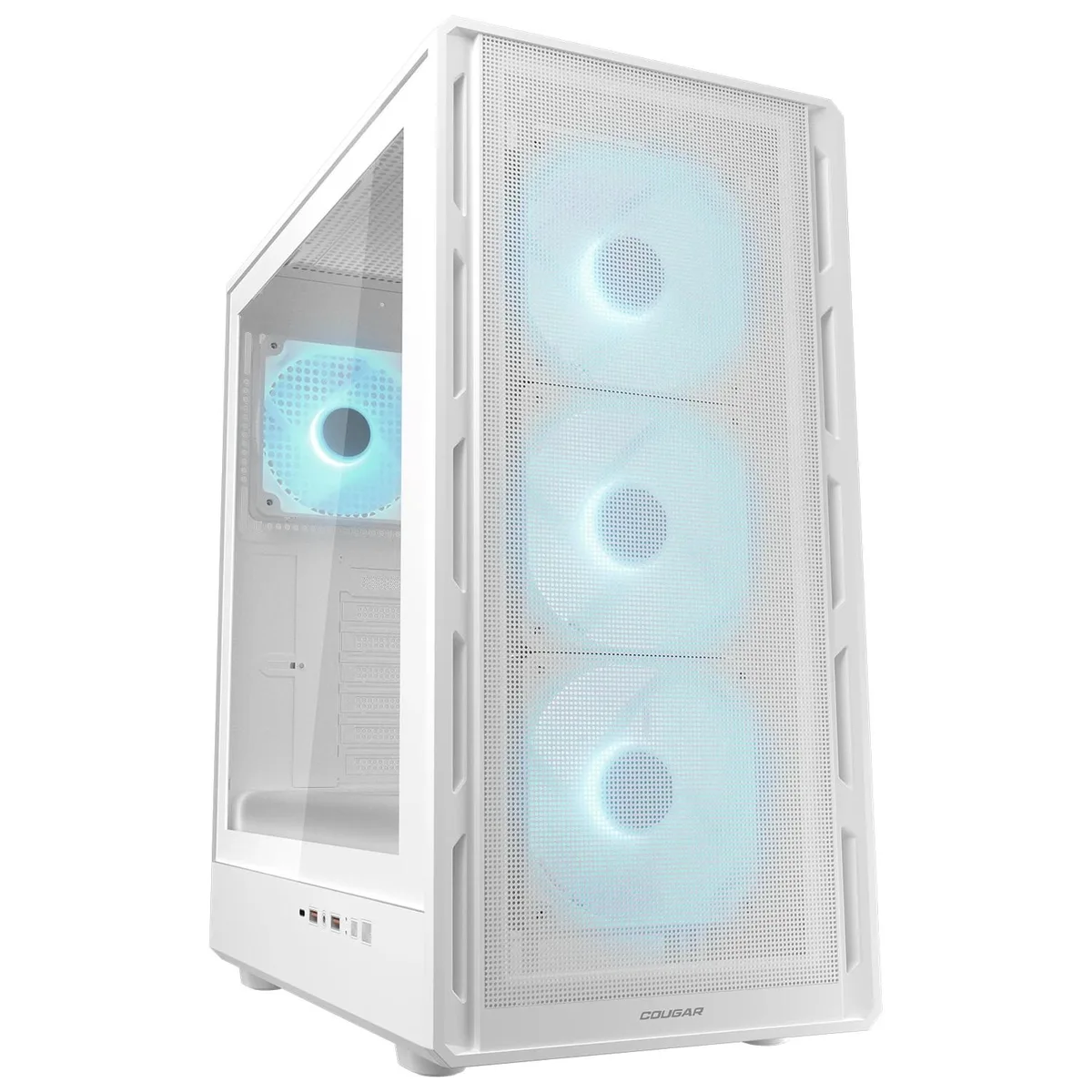
COUGAR Airface Pure Pro White Mid Tower ATX PC Case
- ATX Mid Tower
- White
61,99 $
0.00077117BTC
Varastossa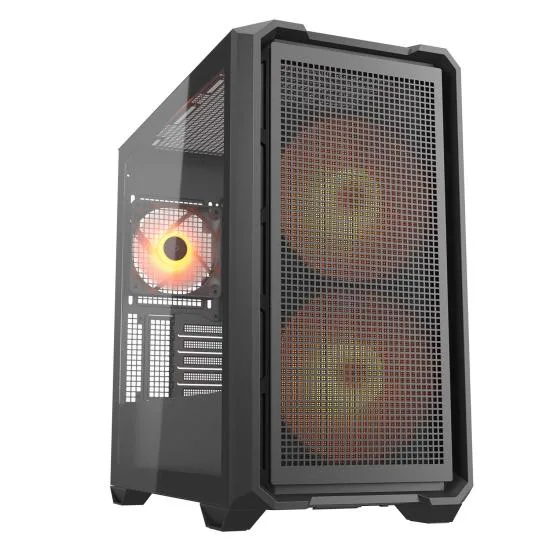
COUGAR
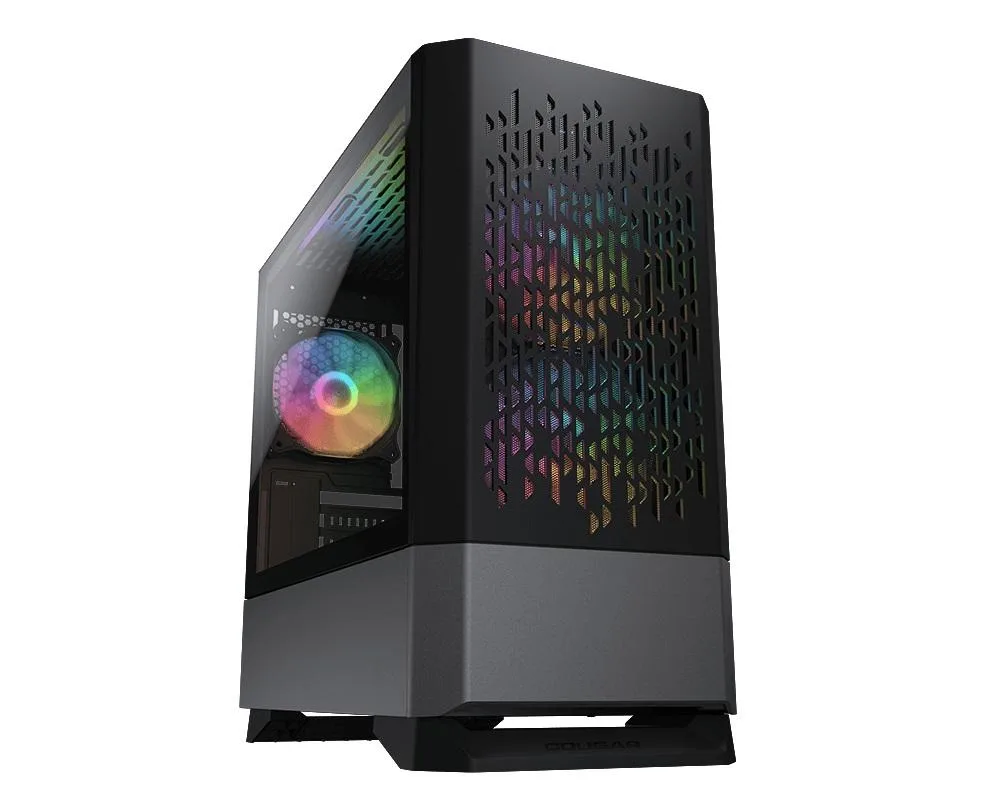
COUGAR MX600 Mini RGB Mini-Tower PC Case 2x 160mm PWM ARGB Fans 360mm Radiator 380mm GPU Reverse Connector
65,99 $
0.00082093BTC
VarastossaKysymyksiä tästä tuotteesta
Does the case need a motherboard with a USB 3.2 Gen 2 Type-C header for the front port to work?
Yes, the front USB 3.2 Gen 2 Type-C port requires a matching motherboard header; without it the port will not function.
Can I keep my 140 mm fans and still fit a 240 mm radiator in the top?
The top supports either two 140 mm fans or a 240 mm radiator, so you must choose one configuration.
How do I confirm the four pre-installed ARGB PWM fans are running at the correct speeds?
Connect the PWM cables to the motherboard and use BIOS or fan-control software to verify each fan reports its RPM.
Myös tällä osastolla
Asiakkaat vertailivat myös näitä
Sama osasto, sama kassa — kahdeksan kryptovaluuttaa ja 30 minuutin kurssilukko.

NEMIX RAM
NEMIX RAM DDR5-5600 2TB (16x128GB) ECC RDIMM CL46 1.1V Supermicro H14SST-G memory upgrade
- 2TB (16 x 128GB)
- 288-Pin DDR5 RDIMM
62 908,99 $
0.78260587BTC
Varastossa
NEMIX RAM
NEMIX RAM DDR5 ECC RDIMM 1.5TB 12x128GB 6400MHz CL52 1.1V 2Rx4 288-Pin Supermicro H14SST-GE
- 1.5TB (12 x 128GB)
- 288-Pin DDR5 RDIMM
57 634,99 $
0.7169958BTC
Varastossa
NEMIX RAM
NEMIX RAM DDR5 6400 ECC Registered RDIMM 1.5TB 12x128GB 2Rx4 CL52 1.1V Supermicro H14DSH memory upgrade
- 1.5TB (12 x 128GB)
- 288-Pin DDR5 RDIMM
53 038,99 $
0.65982024BTC
Varastossa
NEMIX RAM
NEMIX RAM DDR5 ECC RDIMM 2TB 16x128GB 6400MHz CL52 1.1V 2Rx4 Supermicro H14DSH
- 2TB (16 x 128GB)
- 288-Pin DDR5 RDIMM
70 395,99 $
0.87574629BTC
Varastossa