DELL
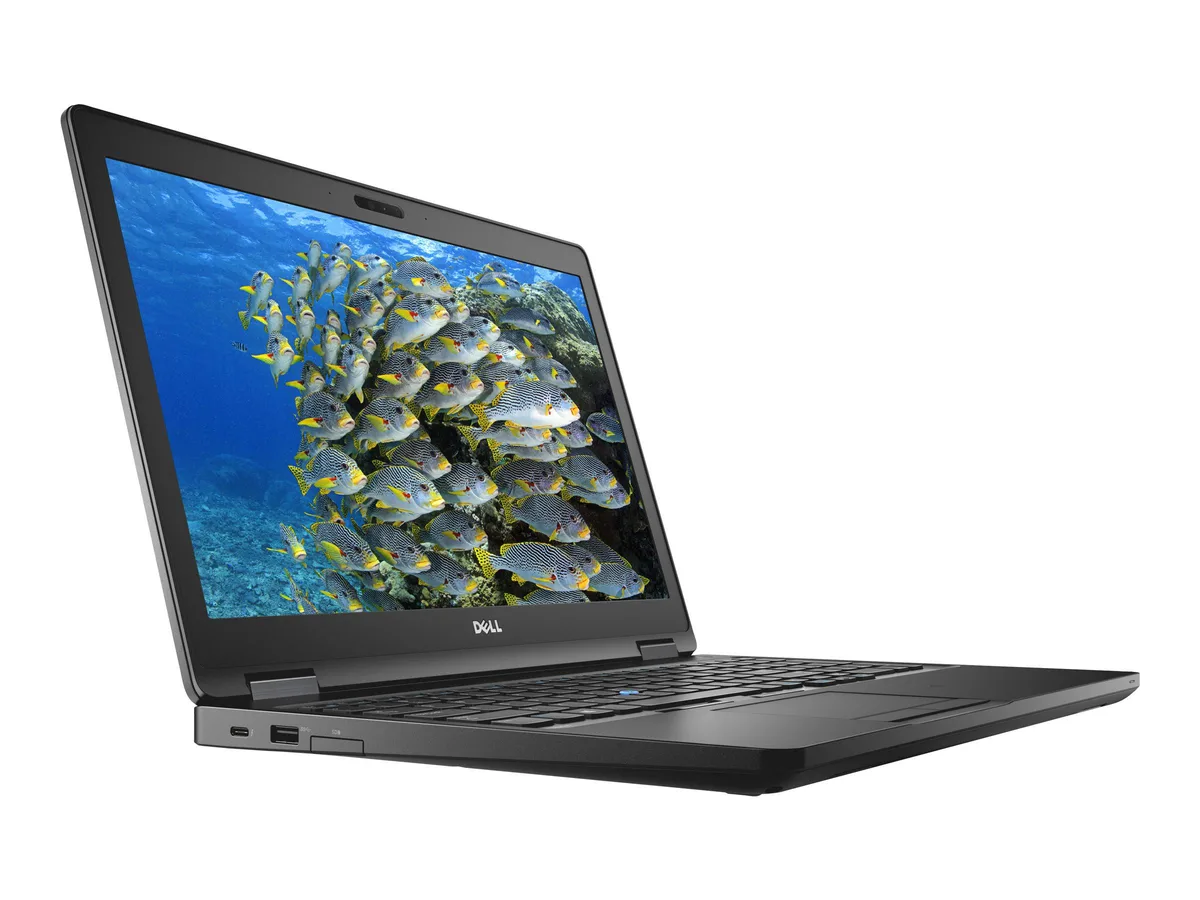
DELL Latitude 5590 14.0" i5-8350U 8 GB 512 GB laptop
- Black
- Windows 11 Pro
255,99 $
0.00326418BTC
VarastossaHyväksymme kryptoa — hallussasi olevat kolikot voivat näin ostaa oikeaa laitteistoa.Maksa kryptolla, käytä se oikeaan laitteistoon. Ilmainen vakuutettu toimitus maailmanlaajuisesti yli 399 $. Neutraalit, tuotemerkittömät ulkopakkaukset, lähetetään Saksasta.Ilmainen vakuutettu toimitus yli 399 $. Kurssisi lukitaan 30 minuutiksi heti, kun kassa avautuu.Kurssi lukittu 30 minuutiksi. Jokainen tuote on sinetöity, sen sarjanumero on tarkistettu, ja sillä on 24 kuukauden takuu.Sinetöity, 24 kuukauden takuu.


DELL
A 14.0-inch touchscreen ultrabook with an 8th Gen Intel Core i7-8650U, 16 GB DDR4 and a 512 GB SSD
Options 16GB/512GB W10P Touch
The Dell Latitude 5590 combines an 8th Gen Intel Core i7-8650U quad-core processor with 16 GB DDR4 RAM and a 512 GB SSD. A 14.0 inch FHD IPS touchscreen provides clear visuals and direct input. Windows 10 Pro is installed for immediate deployment in managed environments.
This configuration fits organisations needing vPro-grade management, TPM security and a spill-resistant keyboard for field use. Buyers requiring discrete graphics for rendering, CAD or modern gaming titles should look elsewhere, as the integrated Intel UHD 620 handles only baseline display tasks.
The 1.90 GHz processor reaches 4.20 GHz turbo across four cores and eight threads, paired with dual-channel DDR4 memory. This spec determines whether the laptop meets your multi-threaded workload threshold or if a higher-core-count alternative is required.
| Brand | DELL |
|---|---|
| Series | 5000 |
| Model | Latitude |
| Part Number | 5590 |
| Color | Black |
| Operating System | Windows 10 Pro |
| CPU Type | Intel Core i7 8th Gen |
| Processor Name | Intel Core i7-8650U |
| Number of Cores | Quad-core Processor |
| CPU L2 Cache | 8MB |
| Screen Size | 14.0" |
| Touchscreen | Touch Screen |
| Display Type | FHD |
| Resolution | 1920 x 1080 |
| Panel | IPS |
| GPU/VPU | Intel UHD Graphics 620 |
| Graphic Type | Integrated Card |
| SSD | 512GB |
| HDD | No |
| Storage Spec | 512 GB SSD |
| Memory | 16GB |
| Memory Speed | DDR4 |
| Memory Spec | 8 GB x 2 |
| Memory Slot (Total) | 2 |
| Memory Slot (Available) | 0 |
| Max Memory Supported | 32 GB |
| Optical Drive Type | No |
| LAN | 10/100/1000Mbps |
| WiFi Generation | Wi-Fi 4 and earlier generation |
| Bluetooth | Yes |
| USB | 3x USB 3.1 Gen1 (one with PowerShare) , 1 x USB Type-C (DisplayPort) |
| Thunderbolt | 1 x Thunderbolt |
| Video Port | 1 x HDMI 1.4 - DisplayPort over USB Type-C(optional Thunderbolt 3(1) |
| HDMI | 1 x HDMI |
| Ethernet | 1 x RJ-45 (1Gbps) |
| Audio Ports | 1 x Microphone Jack, 1 x Headphone Jack |
| Audio | Integrated Sound card |
| Touchpad | Yes |
| Keyboard | Standard |
| Webcam | Yes |
| Style | Ultrabook |
| Type | Mainstream |
| Usage | Consumer |
| AC Adapter/Charger | 65-watt AC Adapter |
| Weight | 3 - 3.9 lbs. |
Tämän mallin muut versiot
Sama tuoteperhe, eri muisti, jäähdytin tai kellotaajuus — vertaile ennen päätöstä.
Yes, the USB Type-C port carries a DisplayPort signal so a USB-C monitor or a USB-C-to-DisplayPort cable will drive an external display without a dock.
Absolutely — the three USB 3.1 Gen1 ports are fully backward compatible with USB 3.0 and USB 2.0 devices, so legacy drives and hubs work at their rated speeds.
Open Settings > Devices > Touch and confirm "Touch support" is listed, then open Device Manager > Display adapters and check that Intel UHD Graphics 620 appears without a warning icon.
Myös tällä osastolla
Sama osasto, sama kassa — kahdeksan kryptovaluuttaa ja 30 minuutin kurssilukko.
Valuutta, jolla maksetaan, sekä valuutta, jossa hinnat näytetään.
Lähetetään lompakostasi kassalla
Vain näyttöä varten — hinnat ovat Yhdysvaltain dollareissa
Valuuttaa ei löytynyt.
Valitse kieli, jolla sivusto puhuu sinulle.
Ei vastaavaa kieltä.
Uusi täällä?
Onko sinulla jo tili?
Automaattista palautusta ei ole: kauppa ei lähetä sähköpostia lainkaan, joten kertakäyttöistä linkkiä ei ole mistä pyytää. Jätä osoite tilille, niin se käsitellään käsin.
Pyyntö kirjattu
Mikään ei ole tulossa sähköpostiisi — tämä kauppa ei lähetä sähköpostia lainkaan. Joku käsittelee nämä pyynnöt käsin.
Muistitko sen?