


DELL
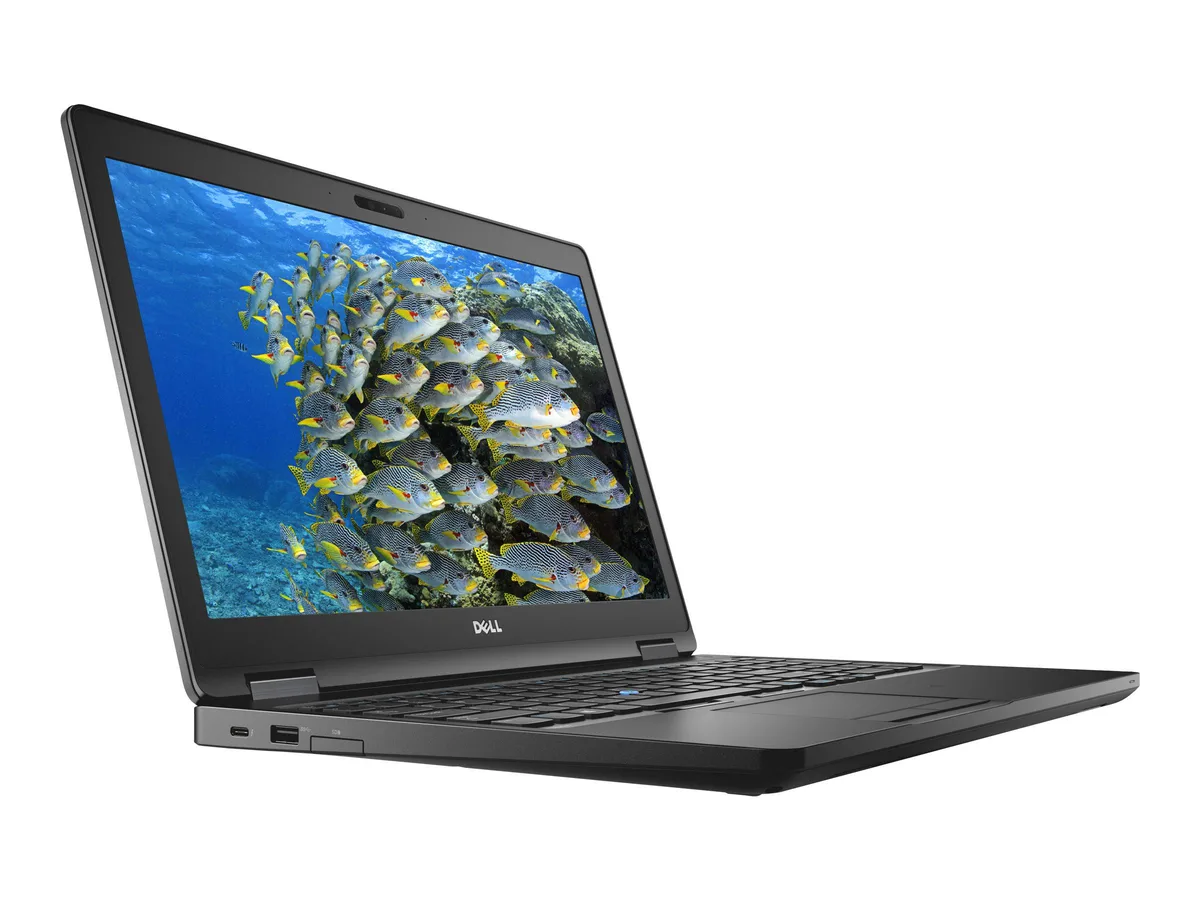
DELL Latitude 5590 14.0" Touchscreen i7-8650U 16 GB 512 GB SSD laptop
A 14.0-inch touchscreen ultrabook with an 8th Gen Intel Core i7-8650U, 16 GB DDR4 and a 512 GB SSD
- ColorBlack
- Operating SystemWindows 10 Pro
- CPU TypeIntel Core i7 8th Gen
- Processor NameIntel Core i7-8650U
- Number of CoresQuad-core Processor
- CPU L2 Cache8MB
Options 16GB/512GB W10P Touch
- Quad-core i7-8650U reaches 4.20 GHz for demanding workloads
- 16 GB DDR4 RAM keeps multiple apps responsive
- 512 GB SSD provides fast storage and quick boot
- 0 inch FHD IPS touchscreen delivers clear visuals
- HDMI, USB 3.1 Gen1 and USB-C with DisplayPort connect peripherals
14" Touch Ultrabook for Mobile Professionals
The Dell Latitude 5590 combines an 8th Gen Intel Core i7-8650U quad-core processor with 16 GB DDR4 RAM and a 512 GB SSD. A 14.0 inch FHD IPS touchscreen provides clear visuals and direct input. Windows 10 Pro is installed for immediate deployment in managed environments.
Suits Secure Enterprise Deployments.
This configuration fits organisations needing vPro-grade management, TPM security and a spill-resistant keyboard for field use. Buyers requiring discrete graphics for rendering, CAD or modern gaming titles should look elsewhere, as the integrated Intel UHD 620 handles only baseline display tasks.
Quad-Core i7-8650U with 16 GB RAM Decides Fit
The 1.90 GHz processor reaches 4.20 GHz turbo across four cores and eight threads, paired with dual-channel DDR4 memory. This spec determines whether the laptop meets your multi-threaded workload threshold or if a higher-core-count alternative is required.
特長
- Quad-core i7-8650U reaches 4.20 GHz for demanding workloads
- 16 GB DDR4 RAM keeps multiple apps responsive
- 512 GB SSD provides fast storage and quick boot
- 0 inch FHD IPS touchscreen delivers clear visuals
- HDMI, USB 3.1 Gen1 and USB-C with DisplayPort connect peripherals
仕様
| Brand | DELL |
|---|---|
| Series | 5000 |
| Model | Latitude |
| Part Number | 5590 |
| Color | Black |
| Operating System | Windows 10 Pro |
| CPU Type | Intel Core i7 8th Gen |
| Processor Name | Intel Core i7-8650U |
| Number of Cores | Quad-core Processor |
| CPU L2 Cache | 8MB |
| Screen Size | 14.0" |
| Touchscreen | Touch Screen |
| Display Type | FHD |
| Resolution | 1920 x 1080 |
| Panel | IPS |
| GPU/VPU | Intel UHD Graphics 620 |
| Graphic Type | Integrated Card |
| SSD | 512GB |
| HDD | No |
| Storage Spec | 512 GB SSD |
| Memory | 16GB |
| Memory Speed | DDR4 |
| Memory Spec | 8 GB x 2 |
| Memory Slot (Total) | 2 |
| Memory Slot (Available) | 0 |
| Max Memory Supported | 32 GB |
| Optical Drive Type | No |
| LAN | 10/100/1000Mbps |
| WiFi Generation | Wi-Fi 4 and earlier generation |
| Bluetooth | Yes |
| USB | 3x USB 3.1 Gen1 (one with PowerShare) , 1 x USB Type-C (DisplayPort) |
| Thunderbolt | 1 x Thunderbolt |
| Video Port | 1 x HDMI 1.4 - DisplayPort over USB Type-C(optional Thunderbolt 3(1) |
| HDMI | 1 x HDMI |
| Ethernet | 1 x RJ-45 (1Gbps) |
| Audio Ports | 1 x Microphone Jack, 1 x Headphone Jack |
| Audio | Integrated Sound card |
| Touchpad | Yes |
| Keyboard | Standard |
| Webcam | Yes |
| Style | Ultrabook |
| Type | Mainstream |
| Usage | Consumer |
| AC Adapter/Charger | 65-watt AC Adapter |
| Weight | 3 - 3.9 lbs. |
このモデルの他のバージョン
同シリーズにさらに 5点
同じファミリーで、メモリ・クーラー・クロックが異なります — 購入前に比較してください。


DELL
DELL Latitude 5590 14.0" FHD i5-8350U 16 GB 512 GB SSD laptop
- Black
- Windows 11 Pro
$302.99
0.0038493BTC
在庫あり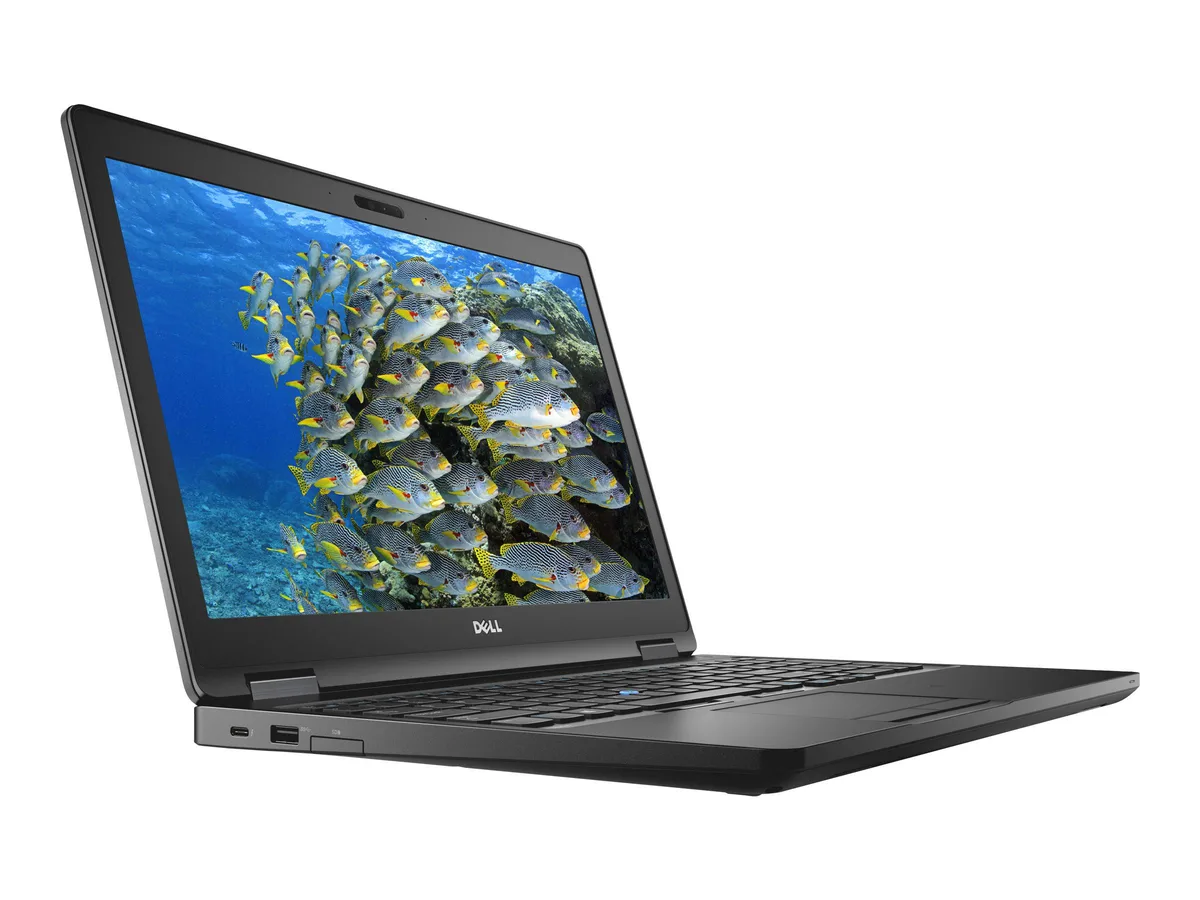
DELL
DELL Latitude 5590 14.0" Touchscreen i5-8350U 8GB 512GB SSD laptop
- Black
- Windows 10 Pro
$305.99
0.00388741BTC
在庫あり
この商品に関する質問
Will my existing USB-C monitor work with the DisplayPort-over-Type-C port on this Latitude 5590?
Yes, the USB Type-C port carries a DisplayPort signal so a USB-C monitor or a USB-C-to-DisplayPort cable will drive an external display without a dock.
Can I keep using my older USB 3.0 flash drives and hubs with the three USB 3.1 Gen1 ports?
Absolutely — the three USB 3.1 Gen1 ports are fully backward compatible with USB 3.0 and USB 2.0 devices, so legacy drives and hubs work at their rated speeds.
How do I verify the touchscreen and Intel UHD Graphics 620 are active after first boot?
Open Settings > Devices > Touch and confirm "Touch support" is listed, then open Device Manager > Display adapters and check that Intel UHD Graphics 620 appears without a warning icon.
同じ売り場の商品
よく比較されている商品
同じ売り場、同じレジ — 8種類のコインと30分間のレートロック。

ASUS
ASUS CR1104FTA-YZ84T Chromebook 11.6" Touch N150 8GB 64GB Mineral Gray
- 11.6"
$414.99
0.00527219BTC
在庫あり
ASUS
ASUS Vivobook 16" WUXGA i7-1255U 40GB 2.28TB business laptop
- Windows 11 Pro
- 10
$1,065.99
0.01354274BTC
在庫あり
ASUS
ASUS Vivobook 16" WUXGA i7-1255U 16GB 800GB (512GB+288GB Dock) Win 11 Pro Black
- Windows 11 Pro
- 10
$649.99
0.00825772BTC
在庫あり
ASUS
ASUS Vivobook 16" FHD WUXGA i7-1255U 40GB 2.28TB Storage Docking Station Set Black
- Windows 11 Home
- 10
$966.99
0.01228501BTC
在庫あり