Lenovo
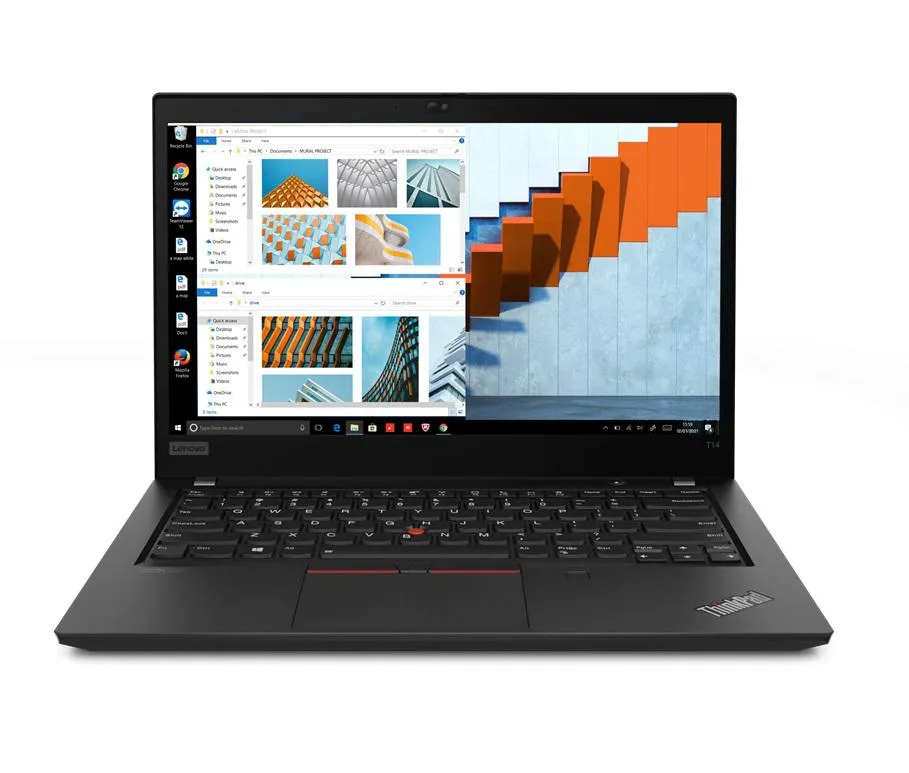
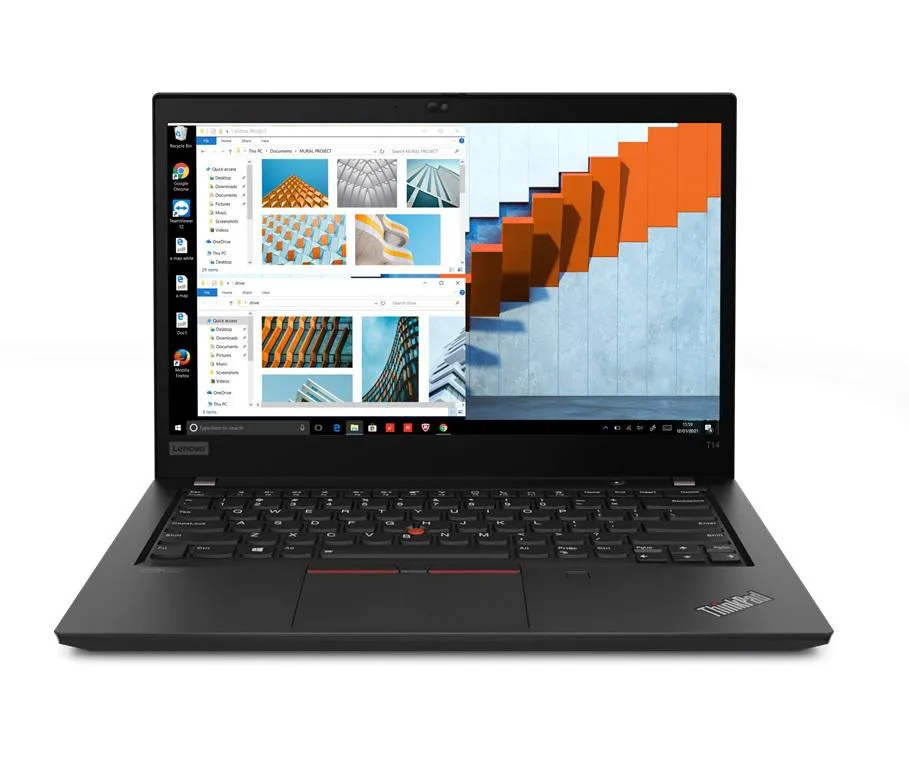
Lenovo ThinkPad T14 Gen 2 i5-1135G7 8GB 256GB 14" FHD Windows 11 Pro
- 8GB
- DDR4
600,99 $
0.00772709BTC
VarastossaHyväksymme kryptoa — hallussasi olevat kolikot voivat näin ostaa oikeaa laitteistoa.Maksa kryptolla, käytä se oikeaan laitteistoon. Ilmainen vakuutettu toimitus maailmanlaajuisesti yli 399 $. Neutraalit, tuotemerkittömät ulkopakkaukset, lähetetään Saksasta.Ilmainen vakuutettu toimitus yli 399 $. Kurssisi lukitaan 30 minuutiksi heti, kun kassa avautuu.Kurssi lukittu 30 minuutiksi. Jokainen tuote on sinetöity, sen sarjanumero on tarkistettu, ja sillä on 24 kuukauden takuu.Sinetöity, 24 kuukauden takuu.


Lenovo
14.0-inch Full HD IPS business laptop with 11th Gen Intel Core i5, 8GB DDR4, 256GB PCIe SSD, Wi-Fi 6 and dual-boot Windows 10 Pro and Linux Mint
Options 8GB/256GB
The Lenovo ThinkPad T14 Gen 2 is a new business laptop built around an 11th Gen Intel Core i5-1135G7 processor with four cores and a maximum turbo frequency of 4.2 GHz. It ships with 8GB of DDR4 memory and a 256GB PCIe SSD. A 14.0" Full HD IPS display at 1920 x 1080 resolution and Intel Iris Xe integrated graphics complete the core specification. Dual-boot Windows 10 Pro and Linux Mint 20 Cinnamon let you choose an operating system at startup.
This configuration suits professionals who need a lightweight chassis for office applications, web-based workflows and Linux development environments. The 3.23 lb weight and 50 WHr battery support mobile productivity. Buyers who need more than 8GB of memory for virtual machines or large datasets should look elsewhere. Users requiring a dedicated graphics processor for 3D rendering or GPU-accelerated workloads will not find it here. The 720p webcam covers basic video calls but not high-resolution streaming.
Under continuous load the quad-core processor can maintain elevated clocks within the 65W power envelope, while the integrated Iris Xe graphics share system memory bandwidth. The single 50 WHr battery will drain faster during prolonged compile jobs or video playback than during intermittent office tasks. Thermal management relies on the slim 0.70" profile, so surface temperatures rise during extended sessions. Thunderbolt 4 ports and Wi-Fi 6 maintain connectivity throughput without throttling.
| Memory | 8GB |
|---|---|
| Memory Speed | DDR4 |
| Type | Work / Business |
| Resolution | 1920 x 1080 |
| Screen Size | 14.0" |
| Display Type | Full HD |
| Touchscreen | No |
| SSD | 256 GB |
| HDD | No |
| Storage Spec | 256GB PCIe SSD |
| Brand | Lenovo |
| Series | Thinkpad T14 Gen 2 |
| Part Number | T14 |
| Model | Thinkpad |
| Color | Black |
| GPU/VPU | Intel Iris Xe Graphics |
| Operating System | Linux |
| WiFi Generation | Wi-Fi 6 |
| LAN | 10/100/1000Mbps |
| WLAN | Wi-Fi 6 |
| Bluetooth | Bluetooth 5.2 |
| CPU Type | Intel Core i5 11th Gen |
| Optical Drive Type | No |
| Webcam | Yes |
| Touchpad | ThinkPad UltraNav |
| Keyboard | Standard |
| Card Reader | Micro SD |
| Battery | Lithium Polymer |
| USB | 2 x USB 3.2 Gen 1 |
| Thunderbolt | 2 x Thunderbolt 4 |
| Video Port | 1 x HDMI |
| Ethernet | 1 x RJ-45 |
| Audio Ports | 1 x Headphone/Microphone Combo Jack |
| Audio | Integrated Sound card |
| Speaker | Integrated Stereo Speakers |
Tämän mallin muut versiot
Sama tuoteperhe, eri muisti, jäähdytin tai kellotaajuus — vertaile ennen päätöstä.
The laptop uses 8GB DDR4 SO-DIMM memory; any additional module must be DDR4 SO-DIMM to fit the slot.
Yes, the two USB-A 3.2 Gen1 ports are backward compatible with USB 3.0 and USB 2.0 devices.
Open Device Manager in Windows or run lspci in Linux Mint; both will list Intel Iris Xe as the display adapter.
Myös tällä osastolla
Sama osasto, sama kassa — kahdeksan kryptovaluuttaa ja 30 minuutin kurssilukko.
Valuutta, jolla maksetaan, sekä valuutta, jossa hinnat näytetään.
Lähetetään lompakostasi kassalla
Vain näyttöä varten — hinnat ovat Yhdysvaltain dollareissa
Valuuttaa ei löytynyt.
Valitse kieli, jolla sivusto puhuu sinulle.
Ei vastaavaa kieltä.
Uusi täällä?
Onko sinulla jo tili?
Automaattista palautusta ei ole: kauppa ei lähetä sähköpostia lainkaan, joten kertakäyttöistä linkkiä ei ole mistä pyytää. Jätä osoite tilille, niin se käsitellään käsin.
Pyyntö kirjattu
Mikään ei ole tulossa sähköpostiisi — tämä kauppa ei lähetä sähköpostia lainkaan. Joku käsittelee nämä pyynnöt käsin.
Muistitko sen?