DELL
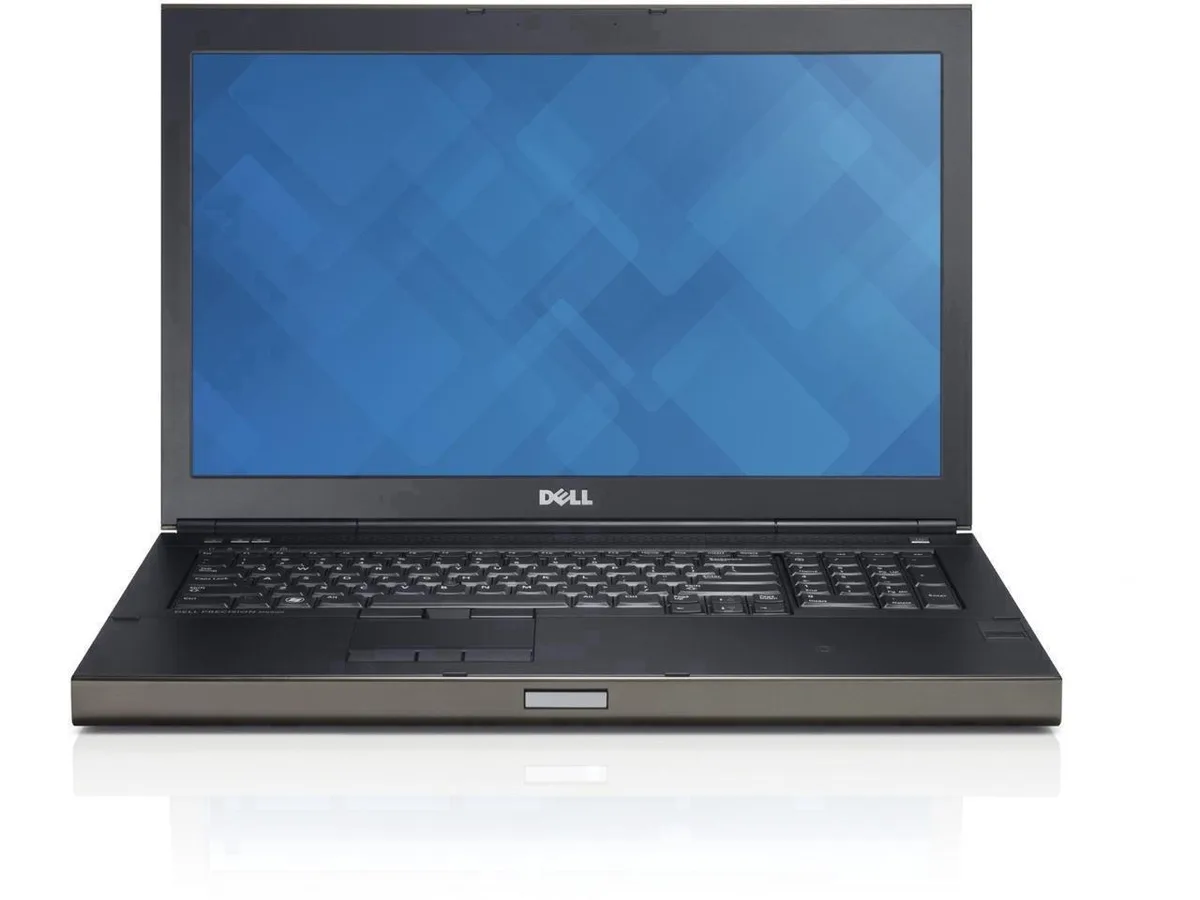
DELL Precision M6800 business laptop 17.3" FHD i7-4800MQ 32GB DDR3L 1TB SSD 1TB HDD
- Windows 10 Pro
- Intel Core i7 4th G…
527.99 $
0.00650146BTC
במלאיאנחנו מקבלים תשלום בקריפטו — כך שמטבעות הקריפטו שברשותך יכולים לקנות ציוד אמיתי.שלם בקריפטו, קנה איתו ציוד אמיתי. משלוח חינם ומבוטח לכל העולם מעל 399 $. קרטונים ניטרליים וללא מיתוג, נשלחים מגרמניה.משלוח חינם ומבוטח מעל 399 $. השער שלך ננעל ל-30 דקות מרגע פתיחת הקופה.שער נעול ל-30 דקות. כל פריט אטום, המספר הסידורי שלו נבדק, והוא מכוסה באחריות ל-24 חודשים.אטום, באחריות ל-24 חודשים.


DELL
A 15.6" Full HD IPS touchscreen business laptop with an Intel Core i5-1155G7 quad-core processor, 16 GB DDR4 memory, 512 GB NVMe storage and Windows 11 Home in S Mode
SSD 512 GB NVMe
Memory 16GB
The Dell Inspiron 3520 is a 15.6 inch Full HD touchscreen laptop built for office work and college courses. It runs Windows 11 Home in S Mode on an Intel Core i5-1155G7 four-core processor with 16 GB DDR4 memory and a 512 GB NVMe drive. The carbon-black chassis includes a numeric keypad for faster data entry.
Military-grade testing and rubber feet on the hinge add stability on hard surfaces. The narrow-bezel IPS panel reaches 220 nits and uses ComfortView software to reduce blue light during long sessions. Connectivity covers two USB 3.2 Gen 1 Type-A ports, one USB 2.0 port, HDMI 1.4, an SD card reader and a headset jack. Wireless uses Wi-Fi 5 and Bluetooth.
That single solid-state drive sets the storage ceiling for documents, media and applications. Buyers who need more local capacity or a second drive bay should look elsewhere. The integrated Intel graphics handle standard productivity and video playback but are not suited to heavy 3D or creative rendering workloads.
| Brand | DELL |
|---|---|
| Series | Inspiron |
| Model | ?Inspiron 3520 |
| Color | Carbon Black |
| Other Features | Numeric Keypad |
| Operating System | Windows 11 Home in S Mode |
| CPU Type | Intel Core i5 11th Gen |
| Processor Name | Intel Core i5-1155G7 |
| Number of Cores | 4-cores Processor |
| CPU L3 Cache | 8 MB |
| Screen Size | 15.6" |
| Touchscreen | Touch Screen |
| Display Type | FHD |
| Panel | IPS |
| Resolution | 1920 x 1080 |
| Refresh Rate | 60 Hz |
| Display Features | Narrow-Bezel |
| GPU/VPU | Intel Graphics |
| Graphic Type | Integrated Card |
| SSD | 512GB NVMe |
| Memory | 16GB |
| Memory Speed | DDR4 3200 |
| Memory Slot (Total) | 2 |
| Max Memory Supported | 32 GB |
| WLAN | 802.11ac Wireless LAN |
| Bluetooth | Yes |
| USB | 2 × USB 3.2 Gen 1 Type-A , 1 × USB 2.0 Type-A |
| HDMI | 1 x HDMI 1.4 |
| Other port | 1x Headphone/Microphone combo jack (3.5mm) |
| Audio Ports | 1x Headphone/Microphone combo jack (3.5mm) |
| Audio | High Definition (HD) Audio |
| Speaker | 2 x 2W Stereo Speaker |
| Touchpad | Yes |
| Backlit Keyboard | Non-backlit |
| Card Reader | SD Card Reader |
| Webcam | 720p HD |
| AC Adapter/Charger | 65-watt AC Adapter |
| Battery | 3 Cell, integrated 41 Wh |
| Dimensions (W x D x H) | 4.11 x 9.27 x 0.83 inches |
| Weight | 3.65 lbs |
| Package Content | Inspiron 15 3520 Laptop 65 W AC Adapter with Power Cord User Manual |
גרסאות נוספות של דגם זה
אותה משפחה, זיכרון, קירור או תדר שונים — השווה לפני שתחליט.
The HDMI 1.4 port drives an external digital monitor at up to 1920 x 1080 resolution at 60 Hz.
The laptop uses an M.2 form-factor slot for the 512GB PCIe NVMe SSD.
Open Settings, go to Activation, select Switch to Windows 11 Home and follow the on-screen steps; no reinstall is required.
גם במדף הזה
אותו מדף, אותה קופה — שמונה מטבעות קריפטו ונעילת שער ל-30 דקות.
באיזה מטבע משלמים, ובאיזה מטבע מוצגים המחירים.
נשלח מהארנק שלך בקופה
לתצוגה בלבד — הקטלוג מתומחר בדולר ארה״ב
לא נמצא מטבע מתאים.
בחר את השפה שבה האתר פונה אליך.
אף שפה לא תואמת.
חדש כאן?
כבר יש לך חשבון?
אין כאן איפוס אוטומטי: החנות הזו לא שולחת אימייל, ולכן אין קישור חד-פעמי לבקש. השאר את הכתובת בחשבון, והיא תטופל ידנית.
הבקשה נקלטה
שום דבר לא בדרך לתיבת האימייל שלך — החנות הזו לא שולחת אימייל בכלל. מישהו אוסף את הבקשות האלה ידנית.
נזכרת בה?