


DELL
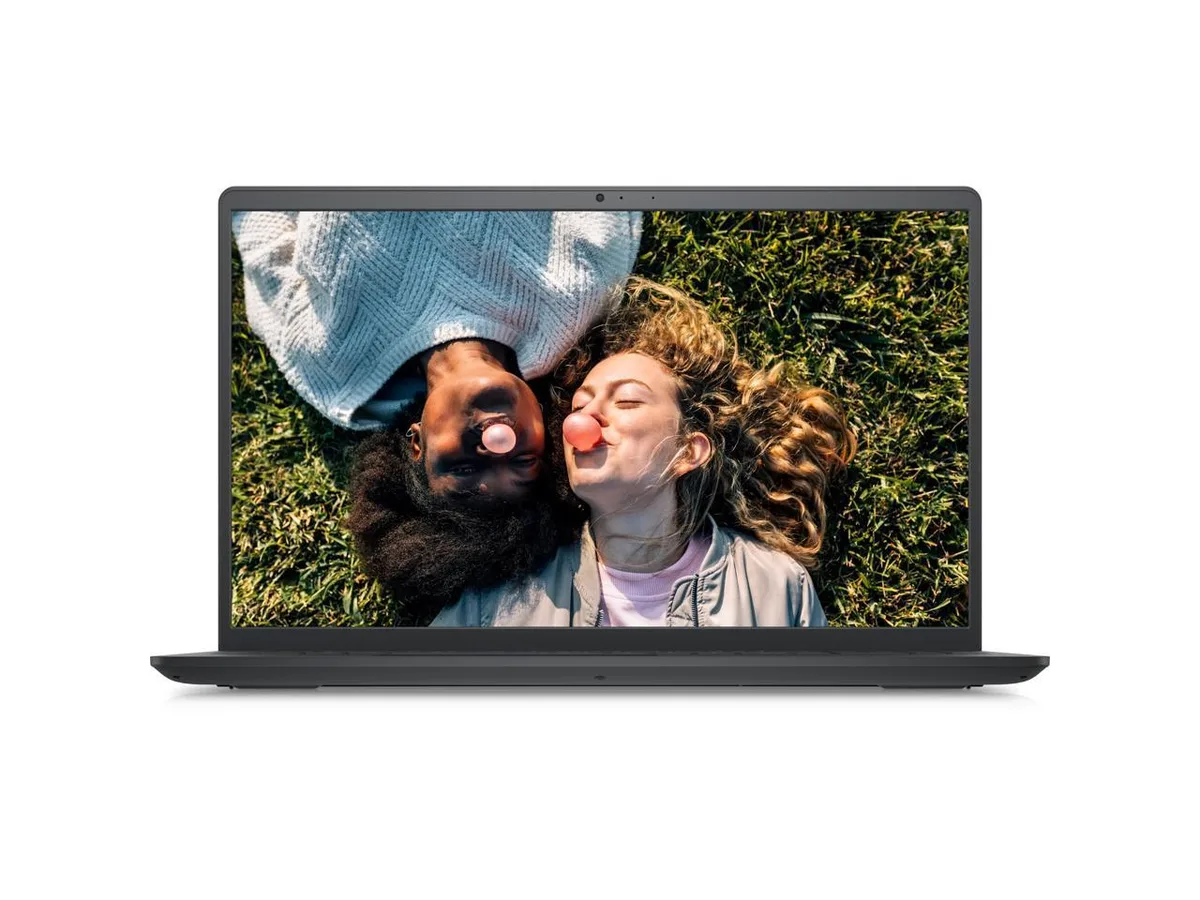
DELL Inspiron 3520 laptop Core i5-1235U 32GB 1TB SSD 15.6" Full HD
A 15.6 inch Full HD laptop with a 12th Gen Intel Core i5 10-core processor, 32GB DDR4 memory and a 1TB SSD running Windows 11 Pro
- ColorBlack
- Operating SystemWindows 11 Pro
- CPU TypeIntel Core i5 12th Gen
- Turbo Frequency4.40GHz
- Number of Cores10-core Processor
- CPU L3 Cache12MB
- 10-core processor reaches 4.40 GHz for responsive multitasking
- 32 GB DDR4 memory keeps many apps open smoothly
- 1 TB SSD stores large projects and boots Windows 11 Pro fast
- 6 inch Full HD LED screen shows 1920 x 1080 detail
- Intel Iris Xe graphics handles everyday media and light creative work
Core i5-1235U laptop for everyday work
The Dell Inspiron 3520 is a 15.6 inch laptop built around a 12th generation Intel Core i5-1235U processor with ten cores and a 4.40 GHz turbo frequency. It ships with 32 GB of DDR4 memory and a 1 TB SSD running Windows 11 Pro. Integrated Intel Iris Xe graphics drive the 1920 x 1080 full HD LED display.
Suits office users; not for heavy GPU loads
This configuration suits professionals and students who need responsive multitasking, ample memory and fast storage for documents, web apps and video calls. The non-touch screen keeps the chassis simple. Buyers who need discrete graphics performance for rendering, modern gaming or GPU-accelerated workloads should look at a different class of machine.
Ready to use with standard peripherals
Wi-Fi 802.11AC and Bluetooth 4.2 handle wireless connectivity while two USB 3.2 ports and one USB 2.0 port cover wired accessories. An HDMI output allows an external monitor without adapters. The 1 TB SSD leaves no mechanical drive to manage, freeing internal space and reducing noise for a clean desk setup.
נקודות עיקריות
- 10-core processor reaches 4.40 GHz for responsive multitasking
- 32 GB DDR4 memory keeps many apps open smoothly
- 1 TB SSD stores large projects and boots Windows 11 Pro fast
- 6 inch Full HD LED screen shows 1920 x 1080 detail
- Intel Iris Xe graphics handles everyday media and light creative work
מפרט טכני
| Brand | DELL |
|---|---|
| Series | Inspiron |
| Model | 3520 |
| Color | Black |
| Operating System | Windows 11 Pro |
| CPU Type | Intel Core i5 12th Gen |
| Turbo Frequency | 4.40GHz |
| Number of Cores | 10-core Processor |
| CPU L3 Cache | 12MB |
| Screen Size | 15.6" |
| Touchscreen | Non-Touch Screen |
| Wide Screen Support | Yes |
| Display Type | 15.6" Full HD LED Display (1920 x 1080) |
| Resolution | 1920 x 1080 |
| Display Features | 15.6" Full HD LED Display (1920x1080) |
| GPU/VPU | Intel Iris Xe Graphics |
| Graphic Type | Integrated |
| SSD | 1TB |
| HDD | No |
| Storage Spec | 1TB SSD |
| Memory | 32GB |
| Memory Speed | DDR4 |
| Memory Spec | 32GB DDR4 |
| Optical Drive Type | No |
| LAN | No |
| WLAN | 802.11ac Wireless LAN |
| Bluetooth | 4.2 |
| USB | 2 x USB 3.2, 1 x USB 2.0 |
| Video Port | HDMI |
| HDMI | 1 x HDMI |
| Audio Ports | 1 x Headphone/Microphone Combo Jack |
| Audio | Waves MaxxAudio Pro |
| Speaker | Integrated Stereo Speakers |
| Touchpad | Yes |
| Keyboard | Full Size Keyboard with Numeric Keypad |
| Backlit Keyboard | No |
| Webcam | Integrated Widescreen HD Webcam with Dual Digital Microphone Array |
| Card Reader | 1x SD Media Card Reader |
| Style | Thin and Light |
| Type | Work / Business |
| Usage | Business |
| Battery | 3-Cell Battery, 41WHr |
| Battery Life | Up to 6 Hours |
| Dimensions (W x D x H) | 14.11 x 9.27 x .70 |
| Weight | 4 |
| Package Content | Laptop, Power Adapter, Power Cord |
שאלות על הפריט הזה
What type of RAM must I already have if I want to add more memory to the 32GB DDR4 installed in this Inspiron 3520?
You need DDR4 modules that match the existing 32GB configuration; the laptop uses DDR4 memory so any upgrade must be the same type.
Will the USB 2.0 port on this Inspiron 3520 work with my older USB 2.0 peripherals such as a mouse or printer?
Yes, the single USB 2.0 port is backward compatible and will run older USB 2.0 devices at their native speed.
How can I confirm the 15.6" Full HD screen is showing the correct 1920 x 1080 resolution after I set up Windows 11 Pro?
Open Settings, choose System then Display, and verify the resolution slider reads 1920 x 1080 for the built-in display.
גם במדף הזה
לקוחות השוו בין אלה
אותו מדף, אותה קופה — שמונה מטבעות קריפטו ונעילת שער ל-30 דקות.


Microsoft
Microsoft Surface 3 1657 128GB CRB 2-in-1 laptop
- Silver
- Windows 10 Pro
244.99 $
0.00316668BTC
במלאי
Microsoft
Microsoft Surface Pro FGG-2D-00001-RFB 2-in-1 laptop 16 GB 512 GB 12.0" touchscreen 2736 x 1824 refurbished
- 12.0"
- Touch Screen
687.99 $
0.00889278BTC
במלאי
Lenovo
Lenovo Chromebook 500e Gen 5 M89 83TA0004US 12.2" MediaTek 8GB 64GB
- 12.2"
392.99 $420.99 $−7%
0.00507969BTC
במלאי