


DELL
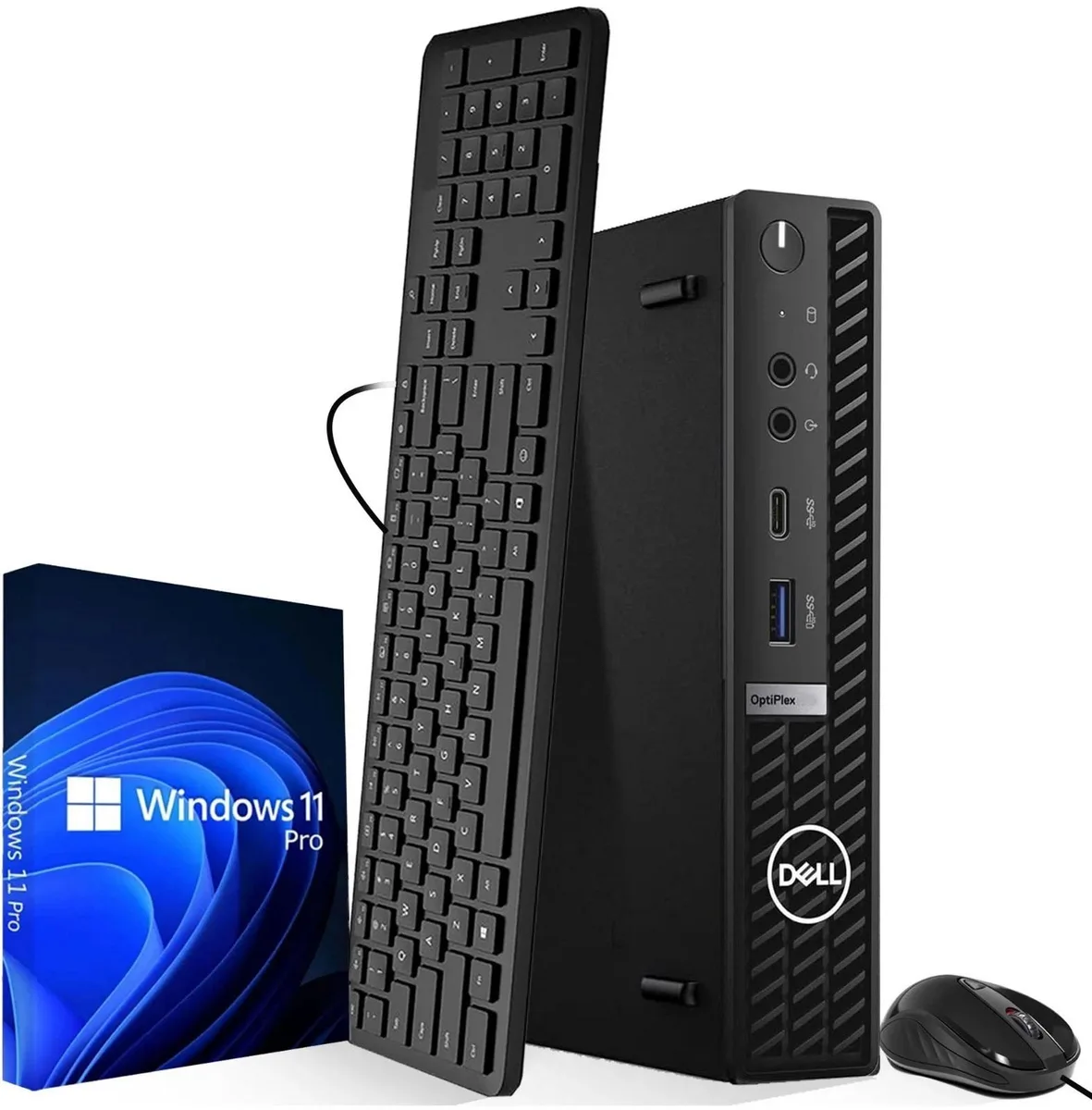
DELL OptiPlex 7080 SFF i5-10500 16GB 128GB NVMe
A compact SFF desktop with a 3.10 GHz Intel Core i5-10500, 16 GB DDR4, 128 GB NVMe and Windows 11 Pro for business workspaces
- TypeDesktop PC
- Form FactorSFF
- UsageBusiness
- ColorBlack
- ProcessorIntel Core i5-10500
- Storage128GB
- Six-core Intel i5-10500 reaches 4.5 GHz turbo for responsive multitasking
- 16 GB DDR4 memory keeps multiple business apps running smoothly
- 128 GB NVMe SSD boots Windows 11 Pro in seconds
- Compact SFF chassis fits tight desk spaces and supports dual DisplayPort 1.4 monitors
- Front USB-C and USB 3.2 Gen 2 ports connect peripherals at high speed
Compact business desktop for office and education
The Dell OptiPlex 7080 SFF uses an Intel Core i5-10500 processor with a 3.10GHz base and 4.5GHz turbo frequency. Sixteen gigabytes of DDR4 memory and a 128GB NVMe drive provide responsive multitasking for productivity applications. Windows 11 Pro comes pre-installed for immediate deployment in professional environments.
Micro chassis with front USB-C and dual DisplayPort
The tiny form factor allows mounting behind a monitor or under a desk to save workspace. Front-facing USB-C and USB 3.2 Gen 2 ports give quick access for peripherals, while four rear USB 3.2 ports and two DisplayPort 1.4 outputs support multi-display setups. Wired keyboard and mouse are included for a ready-to-use package.
Integrated graphics and 180W supply limit expansion
Intel UHD Graphics 630 handles office tasks and video playback but is not suited for demanding 3D workloads. The 180W power supply and compact chassis restrict the addition of discrete graphics cards or high-wattage components. Buyers who need more storage or dedicated GPU performance should consider a larger workstation platform.
נקודות עיקריות
- Six-core Intel i5-10500 reaches 4.5 GHz turbo for responsive multitasking
- 16 GB DDR4 memory keeps multiple business apps running smoothly
- 128 GB NVMe SSD boots Windows 11 Pro in seconds
- Compact SFF chassis fits tight desk spaces and supports dual DisplayPort 1.4 monitors
- Front USB-C and USB 3.2 Gen 2 ports connect peripherals at high speed
מפרט טכני
| Brand | DELL |
|---|---|
| Series | OptiPlex |
| Model | 7080 |
| Type | Desktop PC |
| Form Factor | SFF |
| Usage | Business |
| Color | Black |
| Processor | Intel Core i5-10500 |
| Storage | 128GB |
| Power Supply | 180W |
| Keyboard | wired Keyboard |
| Mouse | Wired mouse |
| Operating System | Windows 11 Pro |
| Windows 11 | Ready |
| Software Included | Windows 11 Pro |
| CPU Type | intel Core i5 10th Gen |
| CPU Name | Intel Core i5-10500 |
| CPU Base Frequency | 3.10GHz |
| Turbo Frequency | 4.5GHz |
| CPU Socket Type | LGA 1200 |
| GPU/VGA Type | Intel UHD Graphics 630 |
| Memory Capacity | 128GB DDR4 |
| Memory Spec | 16 GB |
| SSD | 128GB |
| Cooling Installed | Air cooling System |
| Mouse Type | Wired Mouse |
| Keyboard Type | Wired Keyboard |
שאלות על הפריט הזה
What DisplayPort version do the rear video outputs use, and what resolution does that standard cap in practice?
The rear panel provides two DisplayPort 1.4 connections, which support 4K and higher resolutions on compatible monitors.
What clearance and mounting options does the OptiPlex 7080 SFF chassis require?
The small form factor case fits standard SFF bays and can be mounted vertically or horizontally; a VESA bracket is optional for behind-monitor installation.
How is the NVMe drive installed, and which step do builders often miss?
Insert the M.2 128 GB NVMe SSD into the keyed slot at a 30-degree angle, press down, and secure it with the single retention screw — forgetting the screw is the common error.
גם במדף הזה
לקוחות השוו בין אלה
אותו מדף, אותה קופה — שמונה מטבעות קריפטו ונעילת שער ל-30 דקות.



Higole
Higole 11.6" Touch All-in-One PC Celeron N5095 8GB 128GB
- 11.6"
- 1366 x 768
307.99 $
0.00394717BTC
במלאי
Toemaagic
Toemaagic All-in-One PC 24" FHD i7 4.0GHz 16GB 512GB White
- Toemaagic
- 16 GB
318.99 $
0.00408815BTC
במלאי
Lenovo
Lenovo A100 23.8" FHD All-in-One PC Intel N100 32GB DDR4 2TB SSD 1TB Dock Windows 11 Pro White
- All-in-One PC
- All-in-One
930.99 $
0.01193149BTC
במלאי