


DELL
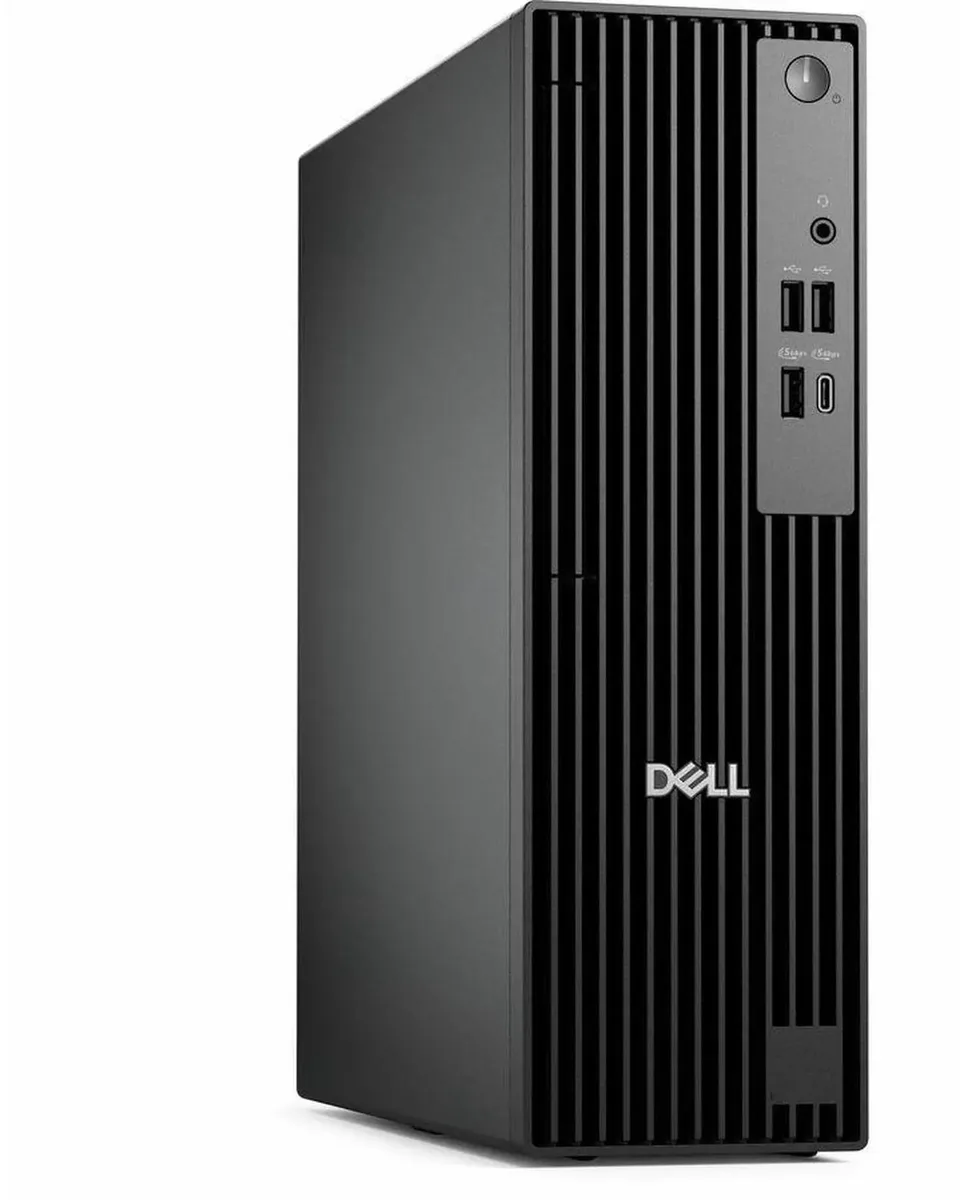
DELL Pro Slim QCS1250 desktop PC i5-14500 8GB DDR5 512GB SSD
Compact business desktop with 14-core Intel i5-14500, 8 GB DDR5, 512 GB SSD and dual-monitor support
- TypeBusiness Desktops & Workstations
- Form FactorSmall Form Factor
- UsageBusiness
- Processor14th Generation Intel Core i5-14500 14-Core Processor 2.60GH
- Processor Main Features64 bit 14-Core Processor
- Cache Per Processor24MB Intel Smart Cache
- 14-core Intel i5-14500 up to 5.00 GHz powers demanding workloads
- 8 GB DDR5 memory accelerates multitasking and data processing
- 512 GB SSD delivers quick boot and fast file access
- Intel HD Graphics drives dual monitors via DisplayPort and HDMI
- 180 W supply supports versatile USB 2.0, 3.2 and Type-C connectivity
Dell Pro Slim QCS1250 Business Desktop
The Dell Pro Slim QCS1250 is a small-form-factor business desktop built around a 14-core Intel Core i5-14500 processor with 24MB cache. It ships with 8GB DDR5 memory and a 512GB SSD for quick boot times and responsive application loading. Integrated Intel HD Graphics drives two displays via DisplayPort and HDMI. Windows 11 Pro is pre-installed for business-grade security and management.
Thermals, Noise and Power Draw
The system relies on a 180W power supply and Dell’s advanced cooling design within the Pro chassis. In typical office workloads the compact form factor runs quietly while maintaining stable temperatures. Power consumption stays modest during everyday productivity tasks such as document editing, web browsing and video conferencing.
Sustained Load Behaviour
Under prolonged multi-threaded workloads the 14-core processor can reach up to 5.00GHz while the cooling system manages heat without aggressive fan speeds. The DDR5 memory and SSD maintain consistent throughput during extended rendering, compilation or data-analysis sessions. The 180W supply limits total system draw, so very heavy continuous compute may throttle before peak frequencies are sustained indefinitely.
נקודות עיקריות
- 14-core Intel i5-14500 up to 5.00 GHz powers demanding workloads
- 8 GB DDR5 memory accelerates multitasking and data processing
- 512 GB SSD delivers quick boot and fast file access
- Intel HD Graphics drives dual monitors via DisplayPort and HDMI
- 180 W supply supports versatile USB 2.0, 3.2 and Type-C connectivity
מפרט טכני
| Brand | DELL |
|---|---|
| Series | Dell Pro |
| Model | QCS1250 |
| Type | Business Desktops & Workstations |
| Form Factor | Small Form Factor |
| Usage | Business |
| Processor | 14th Generation Intel Core i5-14500 14-Core Processor 2.60GHz Up to 5.00GHz |
| Processor Main Features | 64 bit 14-Core Processor |
| Cache Per Processor | 24MB Intel Smart Cache |
| Memory | 8GB DDR5 |
| Storage | 512GB SSD |
| Optical Drive | No |
| Optical Drive 2 | No |
| Graphics | Intel HD Graphics |
| Ethernet | Gigabit Ethernet |
| Power Supply | 180W |
| Monitor | Monitor not included |
| Keyboard | Dell USB keyboard |
| Mouse | Dell USB Mouse |
| Operating System | Windows 11 Pro |
| CPU Type | Intel Core i5 14th Gen |
| L3 Cache Per CPU | 24MB Intel Smart Cache |
| CPU Main Features | 64 bit 14-Core Processor |
| GPU/VGA Type | Intel HD Graphics |
| Graphics Card | Intel HD Graphics |
| Graphics Interface | Integrated |
| Memory Capacity | 8GB DDR5 |
| Memory Speed | DDR5 |
| Memory Spec | 8GB DDR5 |
| SSD | 512 GB |
| HDD | No |
| Storage Spec | 512GB SSD |
| Optical Drive Type | No |
| Screen Size | No Screen |
| Display Feature | Dual Monitor Capable |
| LAN Speed | 10/100/1000Mbps |
| WLAN | No Wifi |
| Bluetooth | No |
| Front USB | 2 x USB 2.0,1 x USB 3.2, 1 x USB Type-C 3.2 |
| Front Audio Ports | 1 x Headphone Jack |
| Card Reader | No |
| Video Ports | HDMI,DisplayPort |
| Rear USB | 2 x USB 3.2, 2 x USB 2.0 |
| RJ45 | 1 port |
| Keyboard Type | Dell Keyboard |
| Mouse Type | Dell Mouse |
| Dimensions (H x W x D) | 18 x 16 x 14 |
| Weight | 15 |
| Package Type | Dell Brown Box |
| Package Contents | Small Form Factor PC, Power cord |
שאלות על הפריט הזה
How do I install the DDR5 memory modules in the Dell Pro Slim QCS1250, and which step do people often get wrong?
Power off and unplug the system, open the small-form-factor chassis, align the notch on the DDR5 module with the slot key, press firmly until the retention clips click, then reassemble; the step often missed is fully seating both clips so the module locks flat.
What maintenance or replacement will the 512GB SSD or 8GB DDR5 memory need later?
The SSD has no moving parts and requires no scheduled maintenance; the DDR5 memory is fixed at 8GB and is not user-upgradeable, so no replacement is expected unless a fault occurs.
What limit appears first during sustained heavy workloads on the i5-14500 with the 180W power supply?
The 180W power supply and compact cooling cap the processor at its base power, so frequencies drop from the 5.00GHz turbo toward the 2.60GHz base under prolonged load.
גם במדף הזה
לקוחות השוו בין אלה
אותו מדף, אותה קופה — שמונה מטבעות קריפטו ונעילת שער ל-30 דקות.



Higole
Higole 11.6" Touch All-in-One PC Celeron N5095 8GB 128GB
- 11.6"
- 1366 x 768
307.99 $
0.00390835BTC
במלאי
Toemaagic
Toemaagic All-in-One PC 24" FHD i7 4.0GHz 16GB 512GB White
- Toemaagic
- 16 GB
318.99 $
0.00404794BTC
במלאי
Lenovo
Lenovo A100 23.8" FHD All-in-One PC Intel N100 32GB DDR4 2TB SSD 1TB Dock Windows 11 Pro White
- All-in-One PC
- All-in-One
930.99 $
0.01181414BTC
במלאי