


DELL
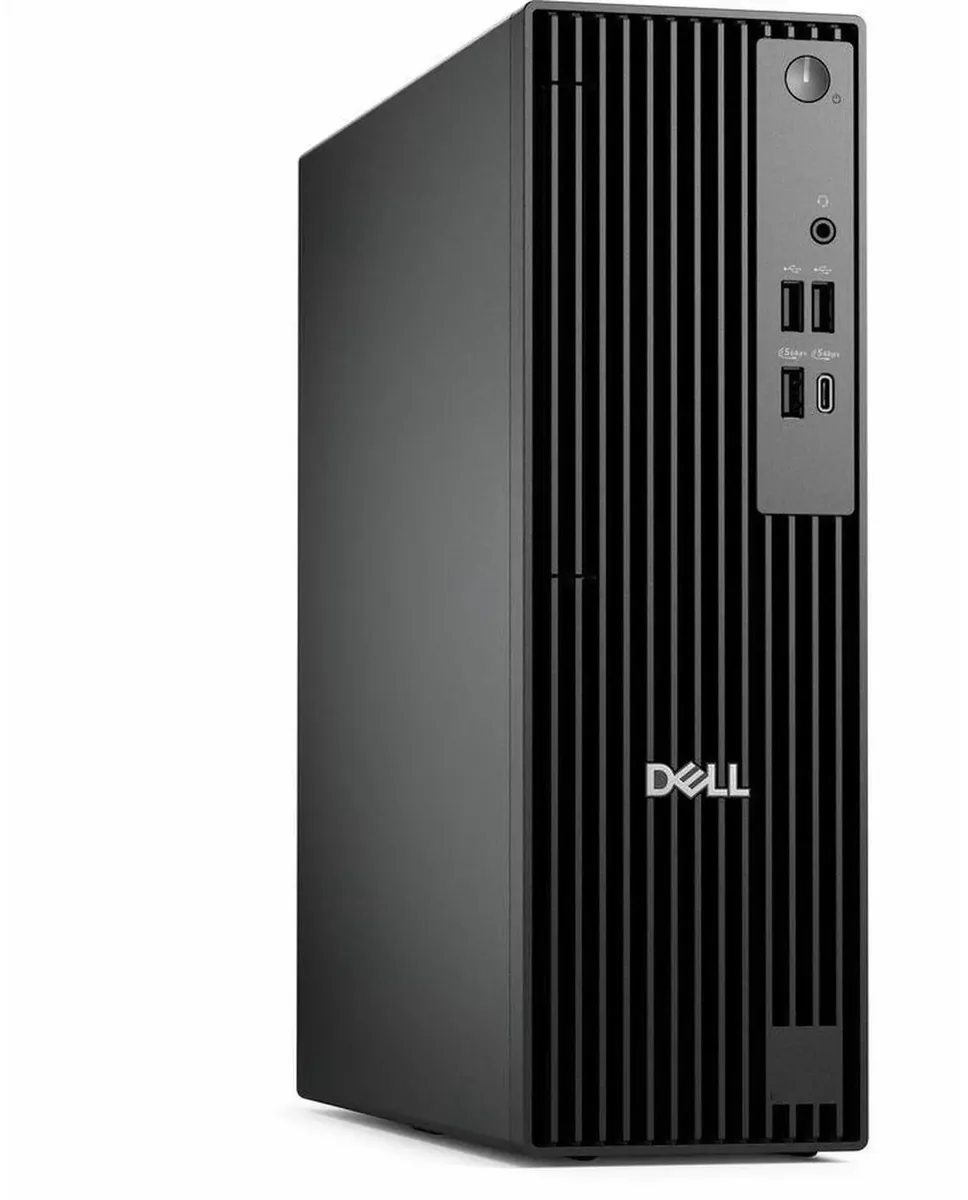
DELL Pro Slim QCS1250 i5-14500 64GB DDR5 256GB SSD desktop PC
A small-form-factor business desktop with a 14-core Intel Core i5-14500, 64 GB DDR5 memory and a 256 GB SSD, plus dual-display graphics and Windows 11 Pro
- TypeBusiness Desktops & Workstations
- Form FactorSmall Form Factor
- UsageBusiness
- Processor14th Generation Intel Core i5-14500 14-Core Processor 2.60GH
- Processor Main Features64 bit 14-Core Processor
- Cache Per Processor24MB Intel Smart Cache
- 14-core Intel i5-14500 up to 5.00 GHz powers heavy multitasking
- 64 GB DDR5 memory keeps many apps responsive
- 256 GB SSD cuts boot and load times
- Intel HD Graphics drives two monitors via DisplayPort and HDMI
- 180 W supply in a small form factor fits tight spaces
Dell Pro Slim QCS1250 desktop
The Dell Pro Slim QCS1250 is a small-form-factor business desktop built around a 14-core Intel Core i5-14500 processor with 24MB cache. It ships with 64GB of DDR5 memory and a 256GB solid-state drive. Windows 11 Pro is pre-installed and a USB keyboard and mouse are included.
Who this suits and who should look elsewhere
This system suits office professionals who need strong multithreaded performance for productivity applications and dual-monitor setups via DisplayPort and HDMI. Buyers who want more storage capacity, a discrete graphics card, or an optical drive should look at other configurations.
Sustained-load behaviour
The 14-core processor runs at a 2.60GHz base frequency and can reach 5.00GHz under lighter loads, while the 180W power supply and Dell's advanced cooling system are designed to maintain stable operation during extended business workloads.
נקודות עיקריות
- 14-core Intel i5-14500 up to 5.00 GHz powers heavy multitasking
- 64 GB DDR5 memory keeps many apps responsive
- 256 GB SSD cuts boot and load times
- Intel HD Graphics drives two monitors via DisplayPort and HDMI
- 180 W supply in a small form factor fits tight spaces
מפרט טכני
| Brand | DELL |
|---|---|
| Series | Dell Pro |
| Model | QCS1250 |
| Type | Business Desktops & Workstations |
| Form Factor | Small Form Factor |
| Usage | Business |
| Processor | 14th Generation Intel Core i5-14500 14-Core Processor 2.60GHz Up to 5.00GHz |
| Processor Main Features | 64 bit 14-Core Processor |
| Cache Per Processor | 24MB Intel Smart Cache |
| Memory | 64GB DDR5 |
| Storage | 256GB SSD |
| Optical Drive | No |
| Optical Drive 2 | No |
| Graphics | Intel HD Graphics |
| Ethernet | Gigabit Ethernet |
| Power Supply | 180W |
| Monitor | Monitor not included |
| Keyboard | Dell USB keyboard |
| Mouse | Dell USB Mouse |
| Operating System | Windows 11 Pro |
| CPU Type | Intel Core i5 14th Gen |
| L3 Cache Per CPU | 24MB Intel Smart Cache |
| CPU Main Features | 64 bit 14-Core Processor |
| GPU/VGA Type | Intel HD Graphics |
| Graphics Card | Intel HD Graphics |
| Graphics Interface | Integrated |
| Memory Capacity | 64GB DDR5 |
| Memory Speed | DDR5 |
| Memory Spec | 64GB DDR5 |
| SSD | 256 GB |
| HDD | No |
| Storage Spec | 256GB SSD |
| Optical Drive Type | No |
| Screen Size | No Screen |
| Display Feature | Dual Monitor Capable |
| LAN Speed | 10/100/1000Mbps |
| WLAN | No Wifi |
| Bluetooth | No |
| Front USB | 2 x USB 2.0,1 x USB 3.2, 1 x USB Type-C 3.2 |
| Front Audio Ports | 1 x Headphone Jack |
| Card Reader | No |
| Video Ports | HDMI,DisplayPort |
| Rear USB | 2 x USB 3.2, 2 x USB 2.0 |
| RJ45 | 1 port |
| Keyboard Type | Dell Keyboard |
| Mouse Type | Dell Mouse |
| Dimensions (H x W x D) | 18 x 16 x 14 |
| Weight | 15 |
| Package Type | Dell Brown Box |
| Package Contents | Small Form Factor PC, Power cord |
שאלות על הפריט הזה
Which monitor cables do I need to connect two displays to the Intel HD Graphics ports?
The Intel HD Graphics output includes DisplayPort and HDMI, so you will need one DisplayPort cable and one HDMI cable, or two of either type if your monitors support them.
Can I keep using my existing USB 2.0 peripherals with the four USB 2.0 ports on this desktop?
Yes, the four USB 2.0 ports are backward compatible, so your current USB 2.0 keyboard, mouse, printer or other devices will work without adapters.
How can I verify the system is using the installed 64GB DDR5 memory at full speed after first boot?
Open Task Manager, select the Performance tab, click Memory and confirm the value shows 64 GB and the speed reads DDR5.
גם במדף הזה
לקוחות השוו בין אלה
אותו מדף, אותה קופה — שמונה מטבעות קריפטו ונעילת שער ל-30 דקות.



Higole
Higole 11.6" Touch All-in-One PC Celeron N5095 8GB 128GB
- 11.6"
- 1366 x 768
307.99 $
0.00389979BTC
במלאי
Toemaagic
Toemaagic All-in-One PC 24" FHD i7 4.0GHz 16GB 512GB White
- Toemaagic
- 16 GB
318.99 $
0.00403908BTC
במלאי
Lenovo
Lenovo A100 23.8" FHD All-in-One PC Intel N100 32GB DDR4 2TB SSD 1TB Dock Windows 11 Pro White
- All-in-One PC
- All-in-One
930.99 $
0.01178826BTC
במלאי