

SanDisk
SanDisk Cruzer Blade 8 GB USB 2.0 USB flash drive Black SDCZ50-008G-B35
391.99 $
0.00501099BTC
במלאיאנחנו מקבלים תשלום בקריפטו — כך שמטבעות הקריפטו שברשותך יכולים לקנות ציוד אמיתי.שלם בקריפטו, קנה איתו ציוד אמיתי. משלוח חינם ומבוטח לכל העולם מעל 399 $. קרטונים ניטרליים וללא מיתוג, נשלחים מגרמניה.משלוח חינם ומבוטח מעל 399 $. השער שלך ננעל ל-30 דקות מרגע פתיחת הקופה.שער נעול ל-30 דקות. כל פריט אטום, המספר הסידורי שלו נבדק, והוא מכוסה באחריות ל-24 חודשים.אטום, באחריות ל-24 חודשים.
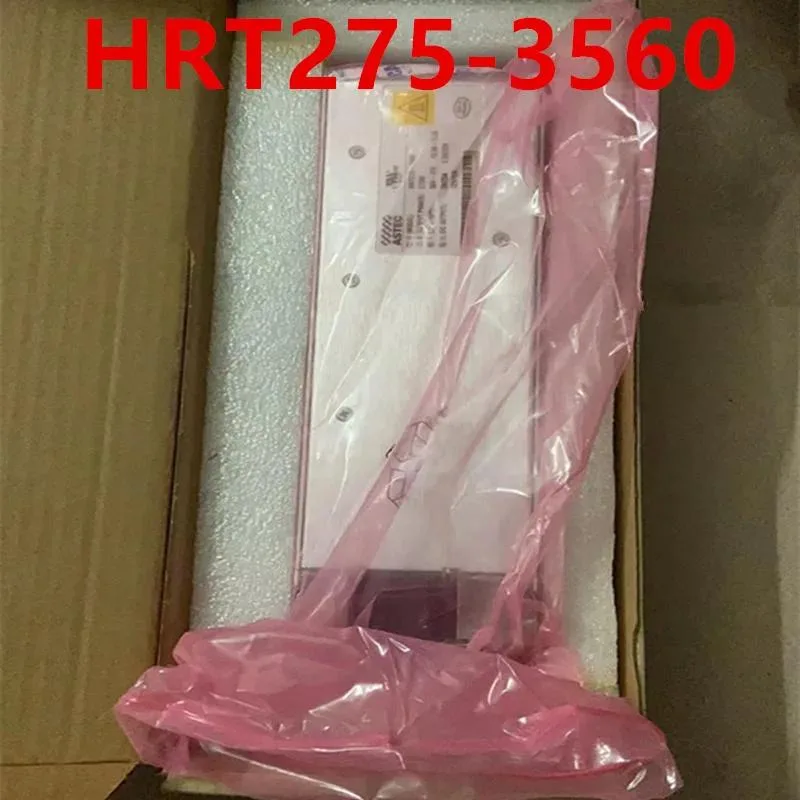
KHACHIMO
ATX power supply delivering 275 W with 80 PLUS Gold efficiency, zero-RPM fan mode and Modern Standby support
The KHACHIMO HRT275-3560 is a 275 W ATX unit built for office PCs, compact workstations and entry-level gaming rigs. It carries 80 PLUS Gold certification and supports Modern Standby for rapid wake-from-sleep and improved low-load efficiency. Resonant LLC topology with DC-to-DC conversion delivers clean, consistent power while reducing coil whine.
Upgrade from a basic Bronze or unrated supply when you want lower electricity draw, cooler running temperatures and a fan that stops completely at low and medium loads. The jump is worth it for always-on desktops, home-theatre PCs or any build where near-silent operation at idle is a priority.
Installation follows the usual ATX mounting pattern and connector layout; no special tools or adapters are required. The only common snag is cable length in oversized chassis — measure your routing path before fitting. Builders needing more than 275 W for discrete graphics or heavy overclocks should look at higher-capacity models.
| Type | ATX |
|---|
Yes, the unit follows the ATX form factor so it aligns with the standard rear cut-out and four mounting holes used by most cases.
Connect the 24-pin ATX motherboard cable and the 4+4-pin CPU power cable before the first boot; the firmware handshake for Modern Standby requires both rails active.
גם במדף הזה
אותו מדף, אותה קופה — שמונה מטבעות קריפטו ונעילת שער ל-30 דקות.
באיזה מטבע משלמים, ובאיזה מטבע מוצגים המחירים.
נשלח מהארנק שלך בקופה
לתצוגה בלבד — הקטלוג מתומחר בדולר ארה״ב
לא נמצא מטבע מתאים.
בחר את השפה שבה האתר פונה אליך.
אף שפה לא תואמת.
חדש כאן?
כבר יש לך חשבון?
אין כאן איפוס אוטומטי: החנות הזו לא שולחת אימייל, ולכן אין קישור חד-פעמי לבקש. השאר את הכתובת בחשבון, והיא תטופל ידנית.
הבקשה נקלטה
שום דבר לא בדרך לתיבת האימייל שלך — החנות הזו לא שולחת אימייל בכלל. מישהו אוסף את הבקשות האלה ידנית.
נזכרת בה?



