

SanDisk
SanDisk Cruzer Blade 8 GB USB 2.0 USB flash drive Black SDCZ50-008G-B35
391,99 USD
0.00501067BTC
Na zalihiPrihvaćamo kriptovalute — tako kriptovalute koje posjedujete mogu kupiti pravi hardver.Plaćajte kriptovalutom, trošite je na pravi hardver. Besplatna osigurana dostava diljem svijeta iznad 399 $. Obični vanjski kartoni bez oznaka, otpremaju se iz Njemačke.Besplatna osigurana dostava iznad 399 $. Vaš je tečaj blokiran 30 minuta od otvaranja blagajne.Tečaj blokiran 30 minuta. Svaki je artikl zapečaćen, njegov serijski broj provjeren, i pokriven jamstvom od 24 mjeseca.Zapečaćen, jamstvo 24 mjeseca.


LORDWORLD
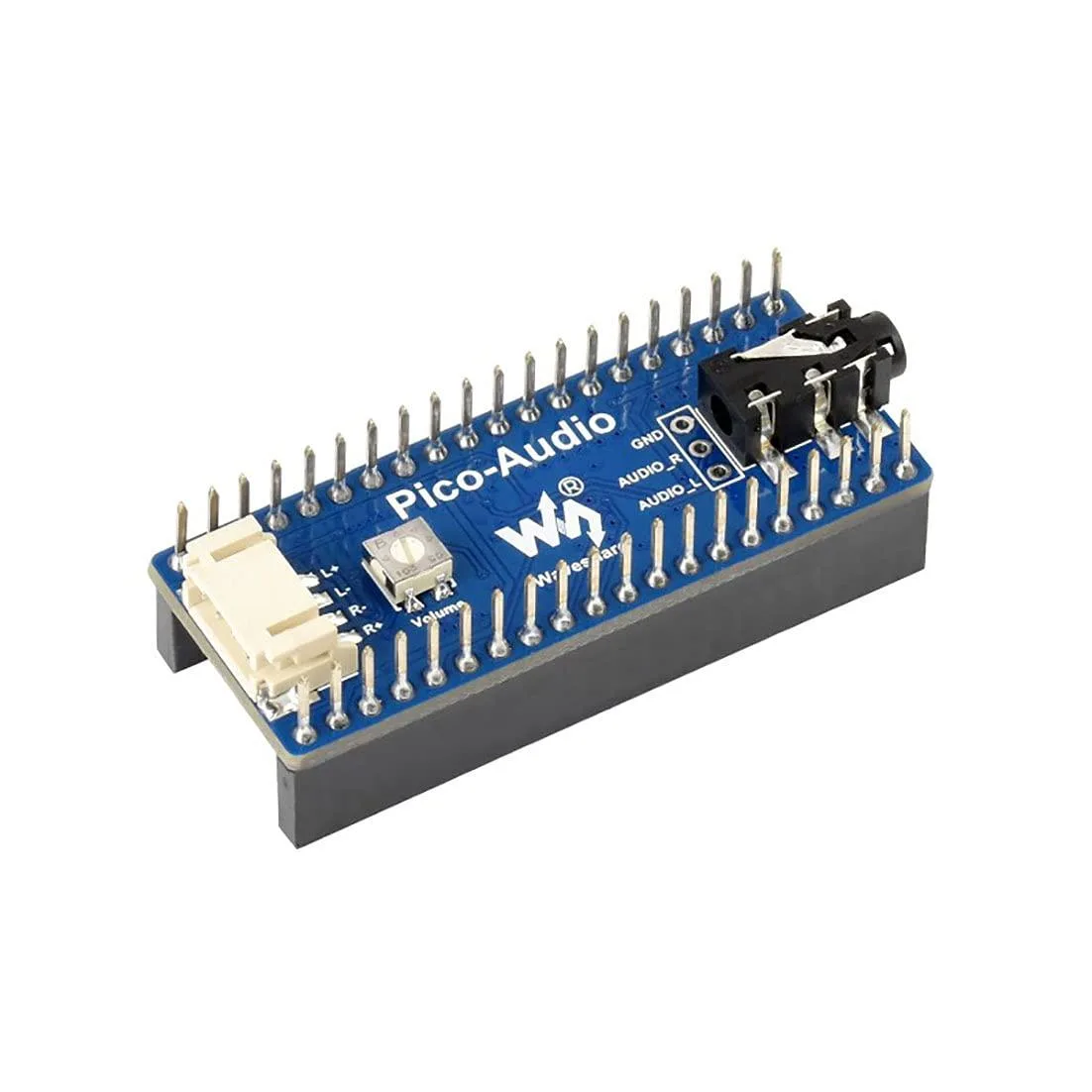
Adds a 3.5 mm jack and dual speaker headers to a Raspberry Pi Pico with stereo output up to 384000 Hz sampling
This board adds stereo audio output to any Raspberry Pi Pico series board using the standard header. It is intended for makers, students and engineers who need a compact way to generate sound in embedded projects without designing their own analogue circuitry.
A standard 3.5 mm socket accepts headphones or line-level devices while two dedicated headers drive speakers directly. The 3-wire I2S interface keeps the digital audio path short, reducing electromagnetic interference in tight enclosures.
Verify that your Pico variant uses the standard pinout so the board seats correctly. Confirm your power supply can deliver enough current for the connected speakers or headphones at the required volume levels.
| Brand | LORDWORLD |
|---|
The 3-wire I2S interface supports an audio sampling rate from 8 Hz up to 384000 Hz, allowing both narrowband and high-resolution stereo playback.
The board uses the standard RPi Pico header pinout and adds a 3.5 mm audio jack plus dual-channel speaker headers that sit alongside the Pico once seated.
Press the module straight down onto the Pico header pins until fully seated; the step often missed is verifying that every header pin and the speaker terminals make solid contact before powering up.
Također u ovoj kategoriji
Ista polica, ista blagajna — osam valuta i blokada tečaja na 30 minuta.
Ono što šaljete, i ono u čemu gledate cijene.
Poslano iz Vašeg novčanika na blagajni
Samo prikaz — katalog je izražen u dolarima
Nijedna valuta ne odgovara.
Odaberite jezik na kojem Vam se stranica obraća.
Nema odgovarajućeg jezika.
Novi ste ovdje?
Već imate račun?
Ne postoji automatsko resetiranje: ova trgovina ne šalje e-poštu, stoga ne postoji jednokratna poveznica koju biste mogli zatražiti. Ostavite adresu uz svoj račun, netko će je ručno obraditi.
Zahtjev zaprimljen
Ništa neće stići u Vaš pretinac e-pošte — ova trgovina uopće ne šalje e-poštu. Netko će to ručno preuzeti.
Sjetili ste se?



