

SanDisk
SanDisk Cruzer Blade 8 GB USB 2.0 USB flash drive Black SDCZ50-008G-B35
$391.99
0.00501067BTC
在庫あり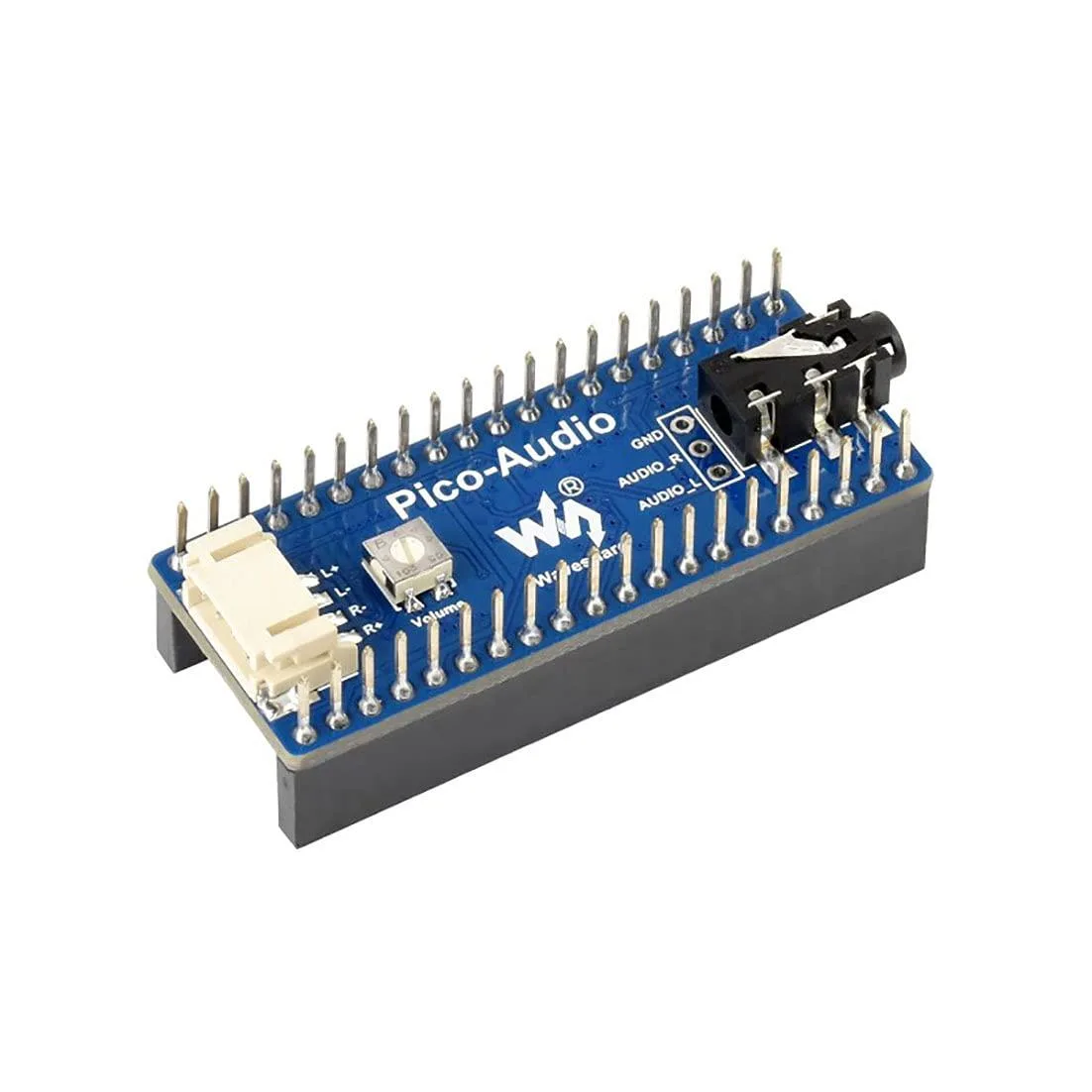


LORDWORLD
Adds a 3.5 mm jack and dual speaker headers to a Raspberry Pi Pico with stereo output up to 384000 Hz sampling
This board adds stereo audio output to any Raspberry Pi Pico series board using the standard header. It is intended for makers, students and engineers who need a compact way to generate sound in embedded projects without designing their own analogue circuitry.
A standard 3.5 mm socket accepts headphones or line-level devices while two dedicated headers drive speakers directly. The 3-wire I2S interface keeps the digital audio path short, reducing electromagnetic interference in tight enclosures.
Verify that your Pico variant uses the standard pinout so the board seats correctly. Confirm your power supply can deliver enough current for the connected speakers or headphones at the required volume levels.
| Brand | LORDWORLD |
|---|
The 3-wire I2S interface supports an audio sampling rate from 8 Hz up to 384000 Hz, allowing both narrowband and high-resolution stereo playback.
The board uses the standard RPi Pico header pinout and adds a 3.5 mm audio jack plus dual-channel speaker headers that sit alongside the Pico once seated.
Press the module straight down onto the Pico header pins until fully seated; the step often missed is verifying that every header pin and the speaker terminals make solid contact before powering up.
同じ売り場の商品
同じ売り場、同じレジ — 8種類のコインと30分間のレートロック。
お支払いに使うコインと、価格表示に使う通貨です。
チェックアウト時にウォレットから送信されます。
表示のみ—カタログの価格は米ドル建てです。
該当する通貨がありません。
サイトの表示言語を選択してください。
一致する言語がありません。
初めてのご利用ですか?
すでにお持ちですか?
自動的な再設定はありません。当店はメールを送信しないため、ワンタイムリンクをお送りすることもできません。アカウントにメールアドレスを残しておいていただければ、担当者が手作業で確認いたします。
リクエストを受け付けました
受信箱に何かが届くことはありません — 当店はメールを一切送信していません。担当者が手作業で確認いたします。
思い出しましたか?



