

EN-Labs
EN-Labs 11-001-366 PCIe x4 USB 3.2 10Gbps 5-port card
- no
- 12CM Case fan,screw…
US$31.99
0.00041171BTC
재고 있음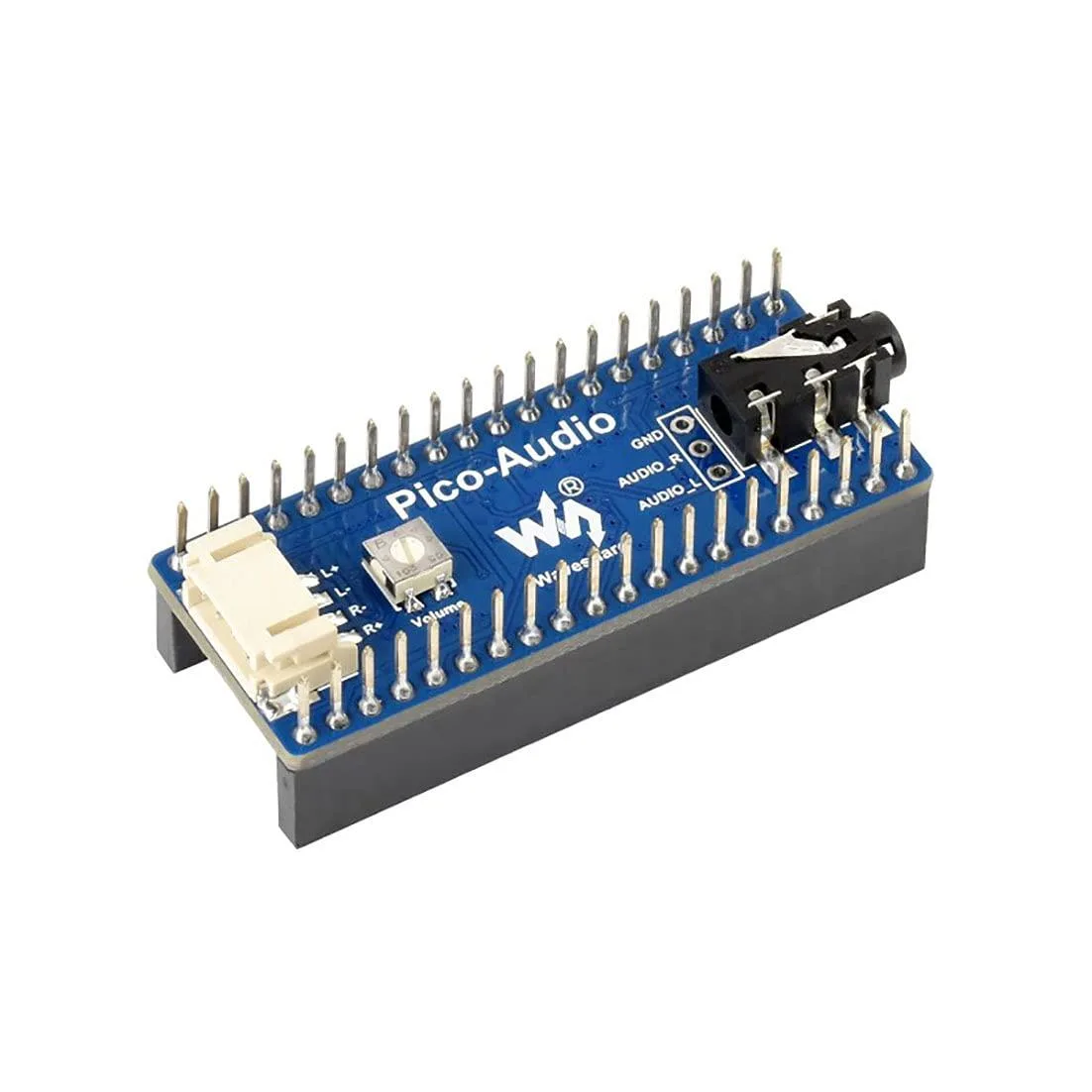


LORDWORLD
Adds a 3.5 mm jack and dual speaker headers to a Raspberry Pi Pico with stereo output up to 384000 Hz sampling
This board adds stereo audio output to any Raspberry Pi Pico series board using the standard header. It is intended for makers, students and engineers who need a compact way to generate sound in embedded projects without designing their own analogue circuitry.
A standard 3.5 mm socket accepts headphones or line-level devices while two dedicated headers drive speakers directly. The 3-wire I2S interface keeps the digital audio path short, reducing electromagnetic interference in tight enclosures.
Verify that your Pico variant uses the standard pinout so the board seats correctly. Confirm your power supply can deliver enough current for the connected speakers or headphones at the required volume levels.
| Brand | LORDWORLD |
|---|
The 3-wire I2S interface supports an audio sampling rate from 8 Hz up to 384000 Hz, allowing both narrowband and high-resolution stereo playback.
The board uses the standard RPi Pico header pinout and adds a 3.5 mm audio jack plus dual-channel speaker headers that sit alongside the Pico once seated.
Press the module straight down onto the Pico header pins until fully seated; the step often missed is verifying that every header pin and the speaker terminals make solid contact before powering up.
이 진열대의 다른 상품
같은 진열대, 같은 체크아웃 — 코인 8종, 환율 잠금 30분.
결제할 코인과 가격을 확인할 통화입니다.
체크아웃 시 지갑에서 전송됩니다.
표시 전용 — 카탈로그 가격은 달러 기준입니다.
일치하는 통화가 없습니다.
사이트에서 사용할 언어를 선택하십시오.
처음 방문하셨나요?
이미 계정이 있으신가요?
자동 재설정 기능은 없습니다. 이 쇼핑몰은 어떠한 메일도 보내지 않으므로 요청할 일회용 링크 자체가 없습니다. 계정에 등록된 이메일 주소를 그대로 두시면 담당자가 직접 확인해 처리합니다.
요청 접수
받은편지함으로 오는 것은 아무것도 없습니다 — 이 쇼핑몰은 메일을 전혀 보내지 않습니다. 담당자가 직접 확인해 처리합니다.
기억나셨나요?



