

Elo Touch Solutions
Elo Touch Solutions 1991L 19" Open-Frame Touchscreen Monitor
- 19"
615,99 USD650,99 USD−5%
0.00758917BTC
RaktáronElfogadjuk a kriptovalutát — így az Ön birtokában lévő érmékből valódi hardvert vásárolhat.Fizessen kriptóval, és költse el valódi hardverre. 399 $ felett világszerte díjmentes a biztosított szállítás. Egyszerű, jelöletlen külső kartonok, Németországból küldve.399 $ felett díjmentes a biztosított szállítás. Az Ön árfolyama a pénztár megnyitásától számított 30 percre zárolva marad.Árfolyam zárolva 30 percre. Minden termék gyárilag zárt, sorozatszáma ellenőrzött, és 24 hónapos garancia fedezi.Zárt csomagolás, 24 hónap garancia.


WaveShare
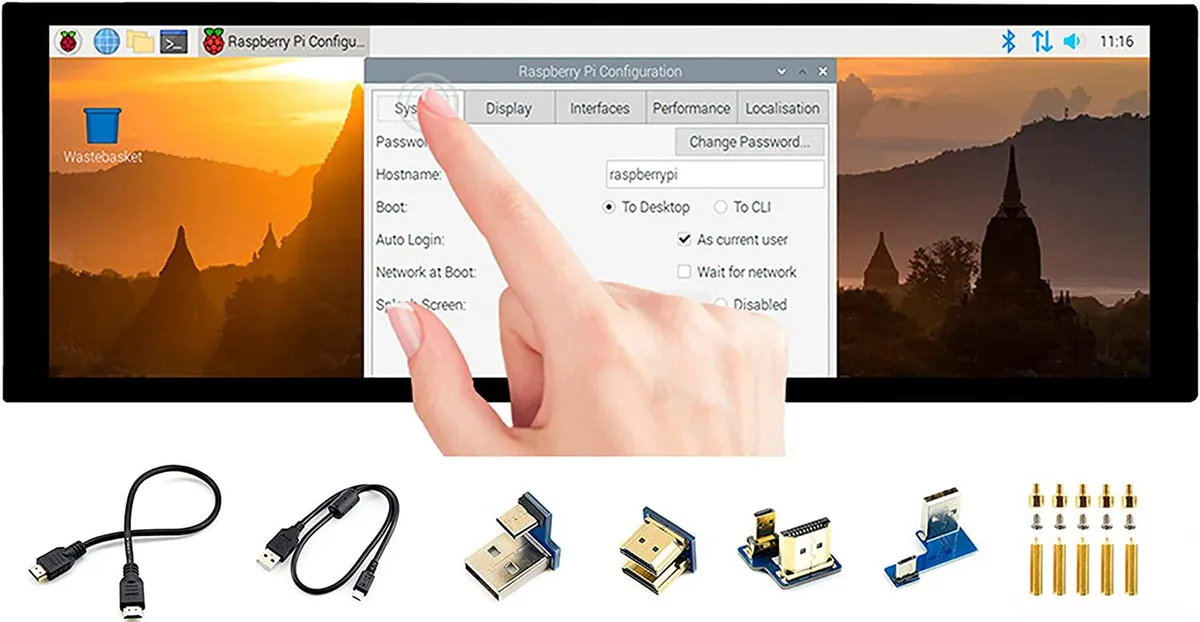
A 7.9 inch IPS touchscreen with 400×1280 resolution, HDMI and USB connectivity, toughened glass, and driver-free five-point touch for Raspberry Pi and Windows
The WaveShare 7.9inch portable monitor combines a 400x1280 IPS panel with a 10-point capacitive touch layer behind toughened glass. It targets Raspberry Pi builders, Jetson Nano developers and Windows PC users who need a small secondary screen that works without driver installation across Raspbian, Ubuntu, Kali, WIN10 IoT, Retropie and Windows 10/8.1/8/7.
Video and audio arrive over HDMI while touch data and power travel through USB, so a single cable run can handle both signals on compatible hosts. A 3.5mm jack passes HDMI audio out to headphones or speakers, and an onboard button lets you rotate the touch mapping to match the screen orientation you choose.
The 400x1280 pixel grid limits the amount of information visible at once, making dense code or spreadsheet work cramped. Five-point touch is only guaranteed on Raspberry Pi and Windows 10/8.1/8/7; other supported Linux distributions fall back to single-point input, so multi-finger gestures cannot be relied on everywhere.
| CPU Type | Other |
|---|
It uses an HDMI interface and caps at 400×1280 pixels on the IPS panel.
It has an HDMI port, a USB port for touch power, a 3.5 mm headphone jack, and toughened glass over the capacitive touch layer.
Connect HDMI and USB, then enable the touch overlay in config.txt; the step often missed is adding the dtoverlay line for the specific Pi model.
Szintén ezen a polcon
Ugyanaz a polc, ugyanaz a pénztár — nyolc pénznem és 30 perces árfolyamzár.
Amivel fizet, és amiben az árakat olvassa.
A pénztárnál küldi el a tárcájából
Csak tájékoztató jellegű — a katalógus dollárban van árazva
Nincs ilyen pénznem.
Válassza ki, milyen nyelven szóljon Önhöz az oldal.
Nincs egyező nyelv.
Először jár itt?
Már van fiókja?
Nincs automatikus visszaállítás: ez a bolt nem küld e-mailt, tehát nincs kérhető egyszer használatos link. Hagyja meg a fiókhoz tartozó címet, azt valaki kézzel átnézi.
Kérés rögzítve
Semmi nem érkezik a postafiókjába — ez a bolt egyáltalán nem küld e-mailt. Ezeket valaki kézzel intézi.
Eszébe jutott?



