

Elo Touch Solutions
Elo Touch Solutions 1991L 19" Open-Frame Touchscreen Monitor
- 19"
615,99 $650,99 $−5%
0.00758263BTC
Na zalogiSprejemamo kriptovalute — tako lahko sredstva, ki jih imate, kupijo pravo strojno opremo.Plačajte v kriptovaluti, zapravite jo za pravo strojno opremo. Brezplačna zavarovana dostava po vsem svetu nad 399 $. Nevtralni kartoni brez znamke, poslani iz Nemčije.Brezplačna zavarovana dostava nad 399 $. Vaš tečaj je zaklenjen za 30 minut, takoj ko se odpre blagajna.Tečaj zaklenjen 30 minut. Vsak izdelek je zapečaten, njegova serijska številka preverjena, in krit z 24-mesečno garancijo.Zapečateno, 24-mesečna garancija.


WaveShare
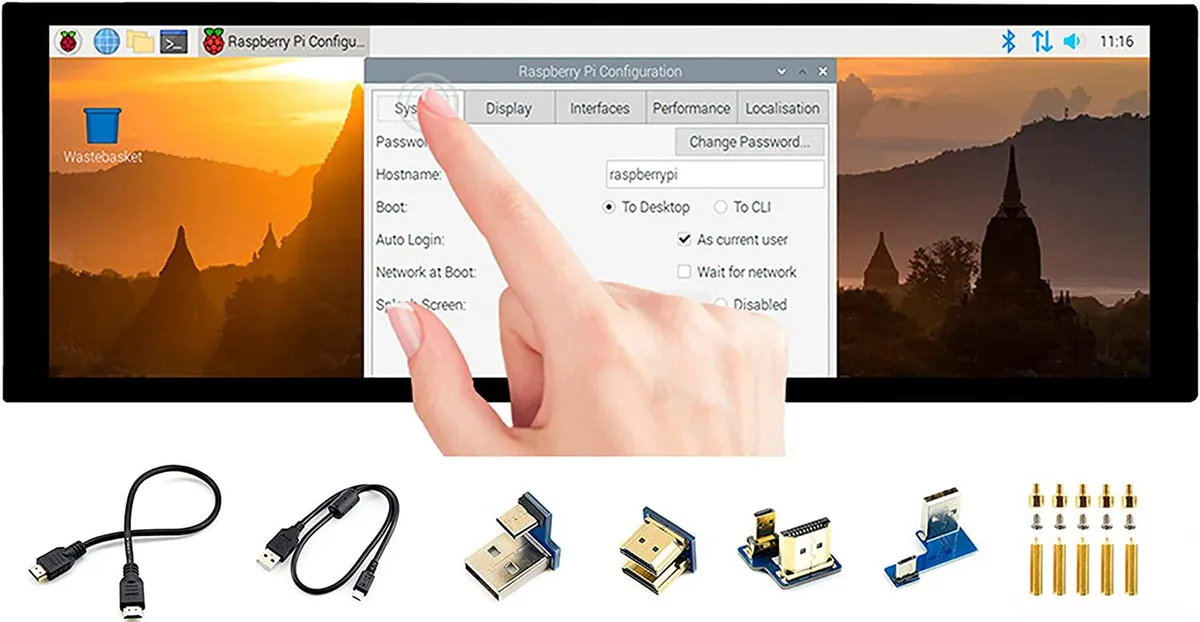
A 7.9 inch IPS touchscreen with 400×1280 resolution, HDMI and USB connectivity, toughened glass, and driver-free five-point touch for Raspberry Pi and Windows
The WaveShare 7.9inch portable monitor combines a 400x1280 IPS panel with a 10-point capacitive touch layer behind toughened glass. It targets Raspberry Pi builders, Jetson Nano developers and Windows PC users who need a small secondary screen that works without driver installation across Raspbian, Ubuntu, Kali, WIN10 IoT, Retropie and Windows 10/8.1/8/7.
Video and audio arrive over HDMI while touch data and power travel through USB, so a single cable run can handle both signals on compatible hosts. A 3.5mm jack passes HDMI audio out to headphones or speakers, and an onboard button lets you rotate the touch mapping to match the screen orientation you choose.
The 400x1280 pixel grid limits the amount of information visible at once, making dense code or spreadsheet work cramped. Five-point touch is only guaranteed on Raspberry Pi and Windows 10/8.1/8/7; other supported Linux distributions fall back to single-point input, so multi-finger gestures cannot be relied on everywhere.
| CPU Type | Other |
|---|
It uses an HDMI interface and caps at 400×1280 pixels on the IPS panel.
It has an HDMI port, a USB port for touch power, a 3.5 mm headphone jack, and toughened glass over the capacitive touch layer.
Connect HDMI and USB, then enable the touch overlay in config.txt; the step often missed is adding the dtoverlay line for the specific Pi model.
Tudi v tem oddelku
Ista polica, ista blagajna — osem kriptovalut in 30-minutni zaklep tečaja.
V čem plačujete in v čem berete cene.
Poslano iz Vaše denarnice ob blagajni
Samo za prikaz — katalog je cenovno izražen v dolarjih
Nobena valuta ne ustreza.
Izberite jezik, v katerem Vam govori spletna stran.
Ni ustreznega jezika.
Prvič tu?
Že imate račun?
Samodejne ponastavitve ni: ta trgovina ne pošilja e-pošte, zato ni enkratne povezave, ki bi jo lahko zahtevali. Pustite naslov na računu — nekdo ga bo obravnaval ročno.
Zahteva zabeležena
V Vašo elektronsko pošto ne prihaja nič — ta trgovina ne pošilja nobene e-pošte. Zahteve nekdo obravnava ročno.
Ste se spomnili?



