

SanDisk
SanDisk Cruzer Blade 8 GB USB 2.0 USB flash drive Black SDCZ50-008G-B35
391,99 USD
0.00499535BTC
Yra sandėlyjePriimame kriptovaliutą — taip monetos, kurias turite, gali nupirkti tikrą techniką.Mokėkite kriptovaliuta, išleiskite ją tikrai technikai. Nemokamas apdraustas pristatymas visame pasaulyje virš 399 $. Paprastos, be žymų siuntos dėžės, siunčiamos iš Vokietijos.Nemokamas apdraustas pristatymas virš 399 $. Jūsų kursas fiksuojamas 30 minučių, kai tik prasideda atsiskaitymas.Kursas fiksuojamas 30 minučių. Kiekvienas gaminys užplombuotas, jo serijos numeris patikrintas, ir jam taikoma 24 mėnesių garantija.Užplombuota, 24 mėnesių garantija.
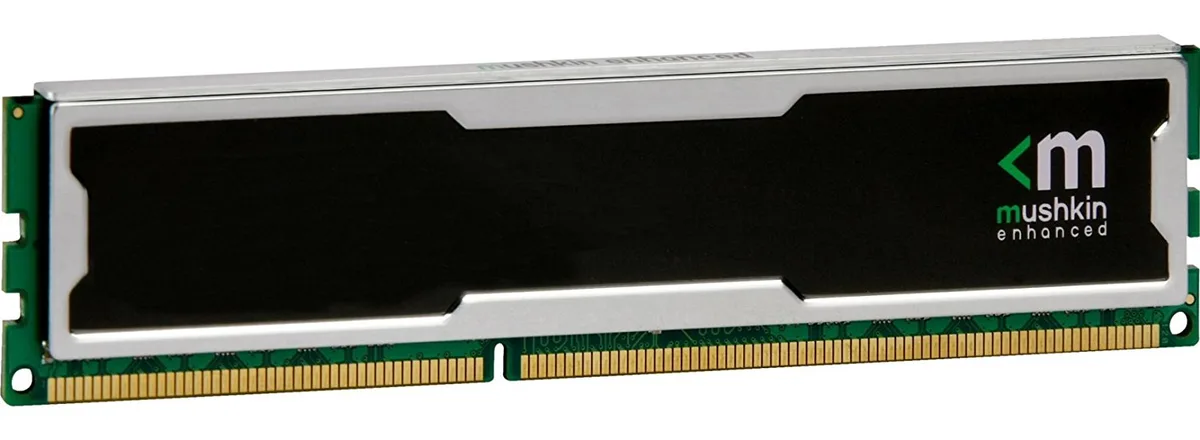
Mushkin Enhanced
4GB DDR4 desktop memory running at 2133MHz with CL15 latency and 1.5V operation
This 4 GB DDR4 DIMM runs at 2133 MHz with a CAS latency of 15 and a 1.5 V operating voltage. The unbuffered, non-ECC design uses a standard 240-pin layout for desktop motherboards that accept PC4-17000 modules. It suits basic office PCs, light content-consumption rigs or repair jobs where a single low-density stick is required. Buyers needing higher capacities or multi-channel kits should look elsewhere.
At the rated 1.5 V the module draws modest power and generates little heat during typical desktop workloads. No active cooling is included or required; passive airflow inside a normal case is sufficient. The stick runs silently because it has no moving parts. Power draw scales with actual memory activity rather than sitting at a fixed high level.
Šiai prekei specifikacijos dar nepaskelbtos.
Align the notch on the module with the key in the motherboard slot, press down firmly until both retention clips click shut, then verify in BIOS that the memory is running at 2133 MHz with CL15 timings.
No routine maintenance is required; keep the contacts dust-free with compressed air and replace the module only if memory errors appear or a capacity upgrade is desired.
Taip pat šiame skyriuje
Ta pati lentyna, tas pats atsiskaitymas — aštuonios monetos ir 30 minučių fiksuotas kursas.
Tai, kuo mokate, ir valiuta, kuria matote kainas.
Išsiunčiama iš Jūsų piniginės atsiskaitant
Tik rodoma — katalogo kainos nurodytos doleriais
Tokios valiutos nerasta.
Pasirinkite kalbą, kuria Jums kalbės svetainė.
Tokios kalbos nerasta.
Pirmą kartą čia?
Jau turite paskyrą?
Automatinio atstatymo nėra: ši parduotuvė nesiunčia jokių el. laiškų, todėl nėra jokios vienkartinės nuorodos, kurios būtų galima paprašyti. Palikite adresą paskyroje, ir juo bus pasirūpinta rankiniu būdu.
Prašymas užfiksuotas
Į Jūsų pašto dėžutę niekas nekeliauja — ši parduotuvė apskritai nesiunčia jokių el. laiškų. Šiuos prašymus kažkas peržiūri rankiniu būdu.
Prisiminėte?



