
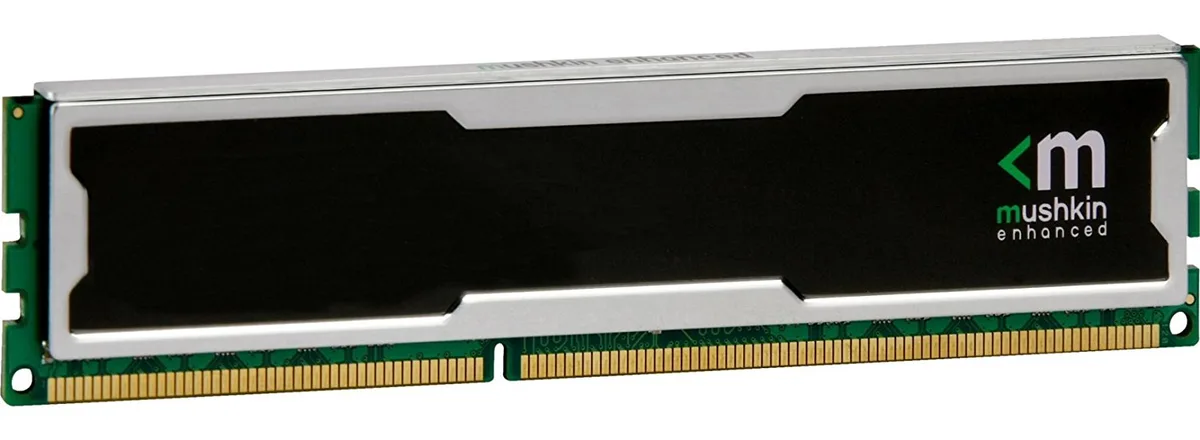
Mushkin Enhanced
Mushkin Enhanced MSL4U213FF4G18 4GB DDR4 2133MHz CL15 1.5V desktop RAM
4GB DDR4 desktop memory running at 2133MHz with CL15 latency and 1.5V operation
- 4 GB DDR4 capacity for everyday multitasking
- 2133 MHz PC4-17000 speed for responsive performance
- CL15 latency for quick data access
- 5 V operation for standard desktop compatibility
Capacity and fit
This 4 GB DDR4 DIMM runs at 2133 MHz with a CAS latency of 15 and a 1.5 V operating voltage. The unbuffered, non-ECC design uses a standard 240-pin layout for desktop motherboards that accept PC4-17000 modules. It suits basic office PCs, light content-consumption rigs or repair jobs where a single low-density stick is required. Buyers needing higher capacities or multi-channel kits should look elsewhere.
Thermals noise and power
At the rated 1.5 V the module draws modest power and generates little heat during typical desktop workloads. No active cooling is included or required; passive airflow inside a normal case is sufficient. The stick runs silently because it has no moving parts. Power draw scales with actual memory activity rather than sitting at a fixed high level.
Kohokohdat
- 4 GB DDR4 capacity for everyday multitasking
- 2133 MHz PC4-17000 speed for responsive performance
- CL15 latency for quick data access
- 5 V operation for standard desktop compatibility
Tekniset tiedot
Tälle tuotteelle ei ole vielä julkaistu teknisiä tietoja.
Kysymyksiä tästä tuotteesta
How do I install this 240-pin DDR4 DIMM and what step do people often miss?
Align the notch on the module with the key in the motherboard slot, press down firmly until both retention clips click shut, then verify in BIOS that the memory is running at 2133 MHz with CL15 timings.
What maintenance or replacement will this 1.5 V DDR4 module need later?
No routine maintenance is required; keep the contacts dust-free with compressed air and replace the module only if memory errors appear or a capacity upgrade is desired.
Myös tällä osastolla
Asiakkaat vertailivat myös näitä
Sama osasto, sama kassa — kahdeksan kryptovaluuttaa ja 30 minuutin kurssilukko.


Mushkin Enhanced
Mushkin Enhanced 4GB DDR2-800 CL6 SoDIMM Apple 971741A memory upgrade
104,99 $
0.0013317BTC
Varastossa

SK hynix
SK hynix HYMD232M646C6-J 256MB DDR 333MHz PC2700 CL2.5 SODIMM laptop RAM
- 4GB (2 x 2GB)
7,99 $
0.00010135BTC
Varastossa