

BFKK
BFKK 3U Rackmount Server Chassis EATX/ATX/MATX 4x5.25 6x3.5 Top/Side Cooling
- Rackmount
214,99 $
0.00278531BTC
KrājumāMēs pieņemam kriptovalūtu — lai tā, kas Jums pieder, varētu nopirkt īstu aparatūru.Maksājiet kriptovalūtā, iztērējiet to īstai aparatūrai. Bezmaksas apdrošināta piegāde visā pasaulē virs 399 $. Vienkāršas, nemarķētas kastes, sūtītas no Vācijas.Bezmaksas apdrošināta piegāde virs 399 $. Jūsu kurss tiek fiksēts uz 30 minūtēm, tiklīdz atveras kase.Kurss fiksēts uz 30 minūtēm. Katra prece ir aizzīmogota, tās sērijas numurs ir pārbaudīts, un uz to attiecas 24 mēnešu garantija.Aizzīmogots, 24 mēnešu garantija.
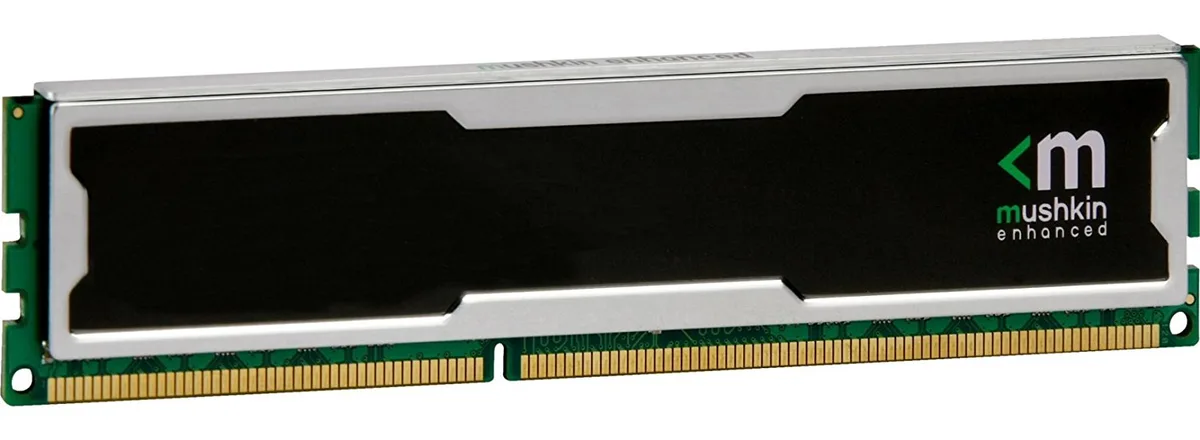
Mushkin Enhanced
4GB DDR4 desktop memory running at 2133MHz with CL15 latency and 1.5V operation
This 4 GB DDR4 DIMM runs at 2133 MHz with a CAS latency of 15 and a 1.5 V operating voltage. The unbuffered, non-ECC design uses a standard 240-pin layout for desktop motherboards that accept PC4-17000 modules. It suits basic office PCs, light content-consumption rigs or repair jobs where a single low-density stick is required. Buyers needing higher capacities or multi-channel kits should look elsewhere.
At the rated 1.5 V the module draws modest power and generates little heat during typical desktop workloads. No active cooling is included or required; passive airflow inside a normal case is sufficient. The stick runs silently because it has no moving parts. Power draw scales with actual memory activity rather than sitting at a fixed high level.
Šai precei pagaidām nav publicētu specifikāciju.
Align the notch on the module with the key in the motherboard slot, press down firmly until both retention clips click shut, then verify in BIOS that the memory is running at 2133 MHz with CL15 timings.
No routine maintenance is required; keep the contacts dust-free with compressed air and replace the module only if memory errors appear or a capacity upgrade is desired.
Arī šajā sadaļā
Tas pats plaukts, tā pati kase — astoņas kriptovalūtas un kursa fiksēšana uz 30 minūtēm.
Kriptovalūta, kurā maksājat, un valūta, kurā redzat cenas.
Nosūtīts no Jūsu maciņa, noformējot pasūtījumu
Tikai informatīvi — katalogā cenas norādītas ASV dolāros
Neviena valūta neatbilst.
Izvēlieties valodu, kurā vietne sarunājas ar Jums.
Neviena valoda neatbilst.
Pirmo reizi šeit?
Jau ir konts?
Automātiskas atiestatīšanas nav: šis veikals nesūta e-pastus, tāpēc nav arī vienreizējas saites, ko pieprasīt. Atstājiet adresi kontā, un tā tiks apstrādāta manuāli.
Pieprasījums saņemts
Uz Jūsu e-pastu nekas neatnāks — šis veikals vispār nesūta e-pastus. Kāds šos pieprasījumus apstrādā manuāli.
Atcerējāties?



