

SanDisk
SanDisk Cruzer Blade 8 GB USB 2.0 USB flash drive Black SDCZ50-008G-B35
391,99 US$
0.00505409BTC
SklademPřijímáme kryptoměny — takže to, co držíte, můžete utratit za skutečný hardware.Plaťte kryptem, utrácejte ho za skutečný hardware. Pojištěná doprava zdarma po celém světě nad 399 $. Neutrální přepravní krabice bez loga, odesílané z Německa.Pojištěná doprava zdarma nad 399 $. Jakmile se otevře pokladna, je váš kurz zablokovaný na 30 minut.Kurz zablokovaný na 30 minut. Každý výrobek je zapečetěný, jeho sériové číslo je zkontrolované a vztahuje se na něj 24měsíční záruka.Zapečetěno, záruka 24 měsíců.
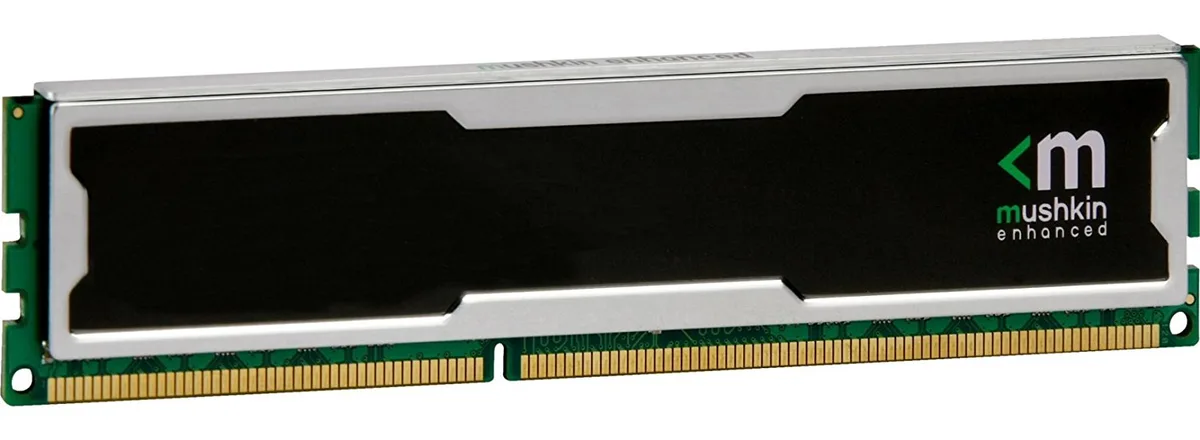
Mushkin Enhanced
4GB DDR4 desktop memory running at 2133MHz with CL15 latency and 1.5V operation
This 4 GB DDR4 DIMM runs at 2133 MHz with a CAS latency of 15 and a 1.5 V operating voltage. The unbuffered, non-ECC design uses a standard 240-pin layout for desktop motherboards that accept PC4-17000 modules. It suits basic office PCs, light content-consumption rigs or repair jobs where a single low-density stick is required. Buyers needing higher capacities or multi-channel kits should look elsewhere.
At the rated 1.5 V the module draws modest power and generates little heat during typical desktop workloads. No active cooling is included or required; passive airflow inside a normal case is sufficient. The stick runs silently because it has no moving parts. Power draw scales with actual memory activity rather than sitting at a fixed high level.
Pro tento produkt zatím nejsou zveřejněny žádné specifikace.
Align the notch on the module with the key in the motherboard slot, press down firmly until both retention clips click shut, then verify in BIOS that the memory is running at 2133 MHz with CL15 timings.
No routine maintenance is required; keep the contacts dust-free with compressed air and replace the module only if memory errors appear or a capacity upgrade is desired.
Také v této kategorii
Stejná kategorie, stejná pokladna — osm měn a kurz zamčený na 30 minut.
Měna, ve které platíte, a měna, ve které se zobrazují ceny.
Odesláno z vaší peněženky u pokladny
Pouze pro zobrazení — katalog je veden v dolarech
Žádná měna neodpovídá.
Vyberte jazyk, ve kterém s vámi bude web komunikovat.
Žádný jazyk neodpovídá.
Poprvé tady?
Už účet máte?
Neexistuje žádná automatická obnova hesla: tento obchod neposílá žádné e-maily, takže neexistuje jednorázový odkaz, o který by bylo možné požádat. Nechte adresu uvedenou u účtu, vyřídíme ji ručně.
Žádost zaznamenána
Do vaší schránky nic nedorazí — tento obchod neposílá žádné e-maily. Někdo se o to postará ručně.
Vzpomněli jste si?



