

Seagate
Seagate ST500DM002 500GB 16MB Cache SATA 6.0Gb/s 3.5" Internal Hard Drive
- Bare Drive
- SATA 6.0Gb/s
66,99 USD
0.00084962BTC
Yra sandėlyjePriimame kriptovaliutą — taip monetos, kurias turite, gali nupirkti tikrą techniką.Mokėkite kriptovaliuta, išleiskite ją tikrai technikai. Nemokamas apdraustas pristatymas visame pasaulyje virš 399 $. Paprastos, be žymų siuntos dėžės, siunčiamos iš Vokietijos.Nemokamas apdraustas pristatymas virš 399 $. Jūsų kursas fiksuojamas 30 minučių, kai tik prasideda atsiskaitymas.Kursas fiksuojamas 30 minučių. Kiekvienas gaminys užplombuotas, jo serijos numeris patikrintas, ir jam taikoma 24 mėnesių garantija.Užplombuota, 24 mėnesių garantija.


Seagate
3 TB desktop hard drive with 7200 RPM, 64 MB cache and SATA 6.0 Gb/s interface
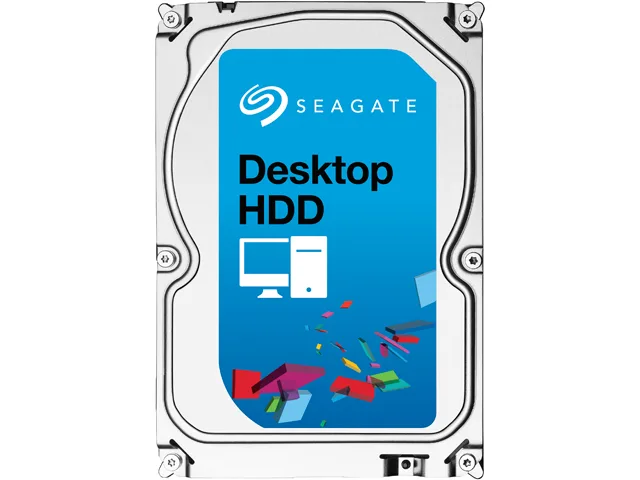
This Seagate Desktop HDD provides 3TB of storage on a 3.5" SATA 6.0Gb/s interface with 64MB cache. It spins at 7200 RPM and targets desktop PCs, all-in-one systems, home servers and entry-level direct-attached storage. The bare drive arrives without cables or mounting hardware.
Moving to this model adds capacity with 1.33TB-per-disk technology and a SATA 6.0Gb/s interface that optimises burst performance. The jump is worth it when current storage is full or when faster sequential access matters for large media libraries and backups.
Mount the drive in any 3.5" bay using four screws, connect the SATA data and power cables, then initialise the disk in the operating system. Common issues include forgetting to enable AHCI in BIOS, using an old SATA cable that limits speed, or skipping the partition alignment step that Seagate SmartAlign handles for Advanced Format 4K sectors.
| Brand | Seagate |
|---|---|
| Series | Desktop HDD |
| Model | ST3000DM001 |
| Packaging | Bare Drive |
| Interface | SATA 6.0Gb/s |
| Capacity | 3TB |
| Cache | 64MB |
| Average Seek Time | <8.5ms |
| Average Write Time | <9.5ms |
| Features | The Power of One: Seagate brings over 30 years of trusted performance and reliability to the Seagate Desktop HDDs Increase your capacity and drive down costs with up to 1.33TB-per-disk hard drive technology SATA 6Gb/s interface optimizes burst performance Seagate AcuTrac servo technology delivers dependable performance Free DiscWizard software enables high capacities on legacy PC BIOS systems Seagate Secure models provide hardware-based data security and deliver an Instant Secure Erase feature for safe, fast and easy drive retirement* Seagate Secure models meet the NIST 800-88 media |
| Usage | Ideal for Servers |
| Form Factor | 3.5" |
| Height (maximum) | 26.11mm |
| Width (maximum) | 101.60mm |
| Length (maximum) | 146.99mm |
| Siuntos svoris | 0.62 kg |
| Pakuotės dydis | 152 × 102 × 25 mm |
Kiti šio modelio variantai
Ta pati šeima, bet skiriasi atmintis, aušintuvas ar dažnis — palyginkite prieš apsispręsdami.
The drive measures 146.99 mm long, 101.60 mm wide and 26.11 mm high, matching the standard 3.5" form factor.
Attach a SATA data cable to the motherboard port and a SATA power connector from the PSU; the step often missed is enabling AHCI mode in BIOS before installing the OS.
Plan replacement after three to five years of continuous use or if SMART attributes such as reallocated sectors begin to rise.
Taip pat šiame skyriuje
Ta pati lentyna, tas pats atsiskaitymas — aštuonios monetos ir 30 minučių fiksuotas kursas.
Tai, kuo mokate, ir valiuta, kuria matote kainas.
Išsiunčiama iš Jūsų piniginės atsiskaitant
Tik rodoma — katalogo kainos nurodytos doleriais
Tokios valiutos nerasta.
Pasirinkite kalbą, kuria Jums kalbės svetainė.
Tokios kalbos nerasta.
Pirmą kartą čia?
Jau turite paskyrą?
Automatinio atstatymo nėra: ši parduotuvė nesiunčia jokių el. laiškų, todėl nėra jokios vienkartinės nuorodos, kurios būtų galima paprašyti. Palikite adresą paskyroje, ir juo bus pasirūpinta rankiniu būdu.
Prašymas užfiksuotas
Į Jūsų pašto dėžutę niekas nekeliauja — ši parduotuvė apskritai nesiunčia jokių el. laiškų. Šiuos prašymus kažkas peržiūri rankiniu būdu.
Prisiminėte?




