

Seagate
Seagate ST500DM002 500GB 16MB Cache SATA 6.0Gb/s 3.5" Internal Hard Drive
- Bare Drive
- SATA 6.0Gb/s
66,99 US$
0.00083319BTC
En stockAceptamos criptomonedas — así, las criptos que usted tiene pueden comprar hardware real.Pague en cripto y gástela en hardware real. Envío asegurado gratis a nivel mundial a partir de $399. Cajas neutras, sin marca, enviadas desde Alemania.Envío asegurado gratis a partir de $399. Su cotización queda bloqueada 30 minutos en cuanto se abre el pago.Cotización bloqueada 30 minutos. Todos los artículos vienen sellados, con el número de serie verificado y cubiertos por una garantía de 24 meses.Sellado, con 24 meses de garantía.


Seagate
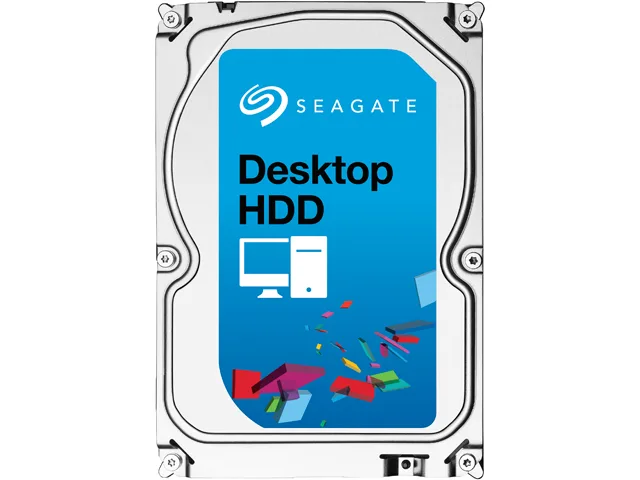
3 TB desktop hard drive with 7200 RPM, 64 MB cache and SATA 6.0 Gb/s interface
This Seagate Desktop HDD provides 3TB of storage on a 3.5" SATA 6.0Gb/s interface with 64MB cache. It spins at 7200 RPM and targets desktop PCs, all-in-one systems, home servers and entry-level direct-attached storage. The bare drive arrives without cables or mounting hardware.
Moving to this model adds capacity with 1.33TB-per-disk technology and a SATA 6.0Gb/s interface that optimises burst performance. The jump is worth it when current storage is full or when faster sequential access matters for large media libraries and backups.
Mount the drive in any 3.5" bay using four screws, connect the SATA data and power cables, then initialise the disk in the operating system. Common issues include forgetting to enable AHCI in BIOS, using an old SATA cable that limits speed, or skipping the partition alignment step that Seagate SmartAlign handles for Advanced Format 4K sectors.
| Brand | Seagate |
|---|---|
| Series | Desktop HDD |
| Model | ST3000DM001 |
| Packaging | Bare Drive |
| Interface | SATA 6.0Gb/s |
| Capacity | 3TB |
| Cache | 64MB |
| Average Seek Time | <8.5ms |
| Average Write Time | <9.5ms |
| Features | The Power of One: Seagate brings over 30 years of trusted performance and reliability to the Seagate Desktop HDDs Increase your capacity and drive down costs with up to 1.33TB-per-disk hard drive technology SATA 6Gb/s interface optimizes burst performance Seagate AcuTrac servo technology delivers dependable performance Free DiscWizard software enables high capacities on legacy PC BIOS systems Seagate Secure models provide hardware-based data security and deliver an Instant Secure Erase feature for safe, fast and easy drive retirement* Seagate Secure models meet the NIST 800-88 media |
| Usage | Ideal for Servers |
| Form Factor | 3.5" |
| Height (maximum) | 26.11mm |
| Width (maximum) | 101.60mm |
| Length (maximum) | 146.99mm |
| Peso de envío | 0.62 kg |
| Dimensiones del paquete | 152 × 102 × 25 mm |
Otras versiones de este modelo
Misma familia, con memoria, disipador o frecuencia diferentes — compare antes de decidirse.
The drive measures 146.99 mm long, 101.60 mm wide and 26.11 mm high, matching the standard 3.5" form factor.
Attach a SATA data cable to the motherboard port and a SATA power connector from the PSU; the step often missed is enabling AHCI mode in BIOS before installing the OS.
Plan replacement after three to five years of continuous use or if SMART attributes such as reallocated sectors begin to rise.
También en este pasillo
Mismo estante, mismo pago — ocho criptomonedas y un tipo de cambio fijado 30 minutos.
Lo que usted paga, y la moneda en la que lee los precios.
Se envía desde su billetera al finalizar la compra
Solo informativo — el catálogo está en dólares
Ninguna moneda coincide.
Elija el idioma en el que el sitio le habla.
¿Es nuevo aquí?
¿Ya tiene una?
No existe ningún restablecimiento automático: esta tienda no envía correos electrónicos, así que no hay ningún enlace de un solo uso que solicitar. Deje la dirección asociada a la cuenta y se atenderá de forma manual.
Solicitud registrada
No hay nada de camino a su bandeja de entrada: esta tienda no envía correos en absoluto. Alguien se encarga de esto manualmente.
¿La recordó?





