

Seagate
Seagate ST500DM002 500GB 16MB Cache SATA 6.0Gb/s 3.5" Internal Hard Drive
- Bare Drive
- SATA 6.0Gb/s
66,99 USD
0.00083319BTC
DisponibileAccettiamo criptovalute — così le crypto che Lei possiede possono comprare hardware reale.Paghi in crypto, la spenda in hardware reale. Spedizione assicurata gratuita in tutto il mondo oltre i 399 $. Cartoni neutri, senza marchio, spediti dalla Germania.Spedizione assicurata gratuita oltre i 399 $. Il Suo tasso resta bloccato per 30 minuti dall’apertura del checkout.Tasso bloccato 30 minuti. Ogni articolo è sigillato, il numero di serie è verificato, ed è coperto da una garanzia di 24 mesi.Sigillato, garantito 24 mesi.
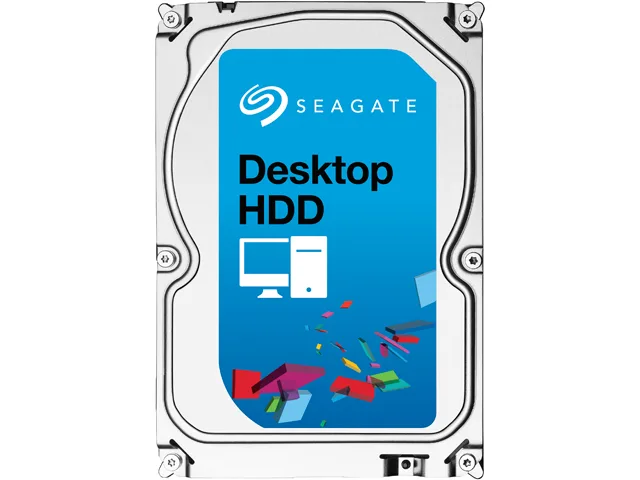


Seagate
3 TB desktop hard drive with 7200 RPM, 64 MB cache and SATA 6.0 Gb/s interface
This Seagate Desktop HDD provides 3TB of storage on a 3.5" SATA 6.0Gb/s interface with 64MB cache. It spins at 7200 RPM and targets desktop PCs, all-in-one systems, home servers and entry-level direct-attached storage. The bare drive arrives without cables or mounting hardware.
Moving to this model adds capacity with 1.33TB-per-disk technology and a SATA 6.0Gb/s interface that optimises burst performance. The jump is worth it when current storage is full or when faster sequential access matters for large media libraries and backups.
Mount the drive in any 3.5" bay using four screws, connect the SATA data and power cables, then initialise the disk in the operating system. Common issues include forgetting to enable AHCI in BIOS, using an old SATA cable that limits speed, or skipping the partition alignment step that Seagate SmartAlign handles for Advanced Format 4K sectors.
| Brand | Seagate |
|---|---|
| Series | Desktop HDD |
| Model | ST3000DM001 |
| Packaging | Bare Drive |
| Interface | SATA 6.0Gb/s |
| Capacity | 3TB |
| Cache | 64MB |
| Average Seek Time | <8.5ms |
| Average Write Time | <9.5ms |
| Features | The Power of One: Seagate brings over 30 years of trusted performance and reliability to the Seagate Desktop HDDs Increase your capacity and drive down costs with up to 1.33TB-per-disk hard drive technology SATA 6Gb/s interface optimizes burst performance Seagate AcuTrac servo technology delivers dependable performance Free DiscWizard software enables high capacities on legacy PC BIOS systems Seagate Secure models provide hardware-based data security and deliver an Instant Secure Erase feature for safe, fast and easy drive retirement* Seagate Secure models meet the NIST 800-88 media |
| Usage | Ideal for Servers |
| Form Factor | 3.5" |
| Height (maximum) | 26.11mm |
| Width (maximum) | 101.60mm |
| Length (maximum) | 146.99mm |
| Peso di spedizione | 0.62 kg |
| Dimensioni del pacco | 152 × 102 × 25 mm |
Altre versioni di questo modello
Stessa famiglia, con memoria, dissipatore o frequenza diversi — confronti prima di decidere.
The drive measures 146.99 mm long, 101.60 mm wide and 26.11 mm high, matching the standard 3.5" form factor.
Attach a SATA data cable to the motherboard port and a SATA power connector from the PSU; the step often missed is enabling AHCI mode in BIOS before installing the OS.
Plan replacement after three to five years of continuous use or if SMART attributes such as reallocated sectors begin to rise.
Anche in questo reparto
Stesso reparto, stessa cassa — otto monete e un cambio bloccato per 30 minuti.
Cosa invia per pagare, e in quale valuta legge i prezzi.
Inviato dal Suo portafoglio alla cassa
Solo a titolo indicativo — il catalogo è espresso in dollari
Nessuna valuta corrisponde.
Scelga la lingua in cui il sito Le parla.
Prima visita?
Ne ha già uno?
Non esiste un ripristino automatico: questo negozio non invia e-mail, quindi non esiste alcun link monouso da richiedere. Lasci l’indirizzo sull’account: verrà gestito manualmente.
Richiesta registrata
Non arriverà nulla nella Sua casella di posta — questo negozio non invia e-mail. Qualcuno se ne occupa manualmente.
L’ha ritrovata?





