

Seagate
Seagate ST500DM002 500GB 16MB Cache SATA 6.0Gb/s 3.5" Internal Hard Drive
- Bare Drive
- SATA 6.0Gb/s
66,99 $US
0.00085754BTC
En stockNous acceptons la cryptomonnaie — les cryptos que vous détenez peuvent ainsi acheter du matériel réel.Payez en crypto, dépensez-la en matériel réel. Livraison assurée offerte partout dans le monde au-delà de 399 $. Cartons neutres, sans marque, expédiés depuis l’Allemagne.Livraison assurée offerte au-delà de 399 $. Votre taux est bloqué pendant 30 minutes dès l’ouverture de la caisse.Taux bloqué 30 minutes. Chaque article est scellé, son numéro de série est vérifié, et il est couvert par une garantie de 24 mois.Scellé, garanti 24 mois.
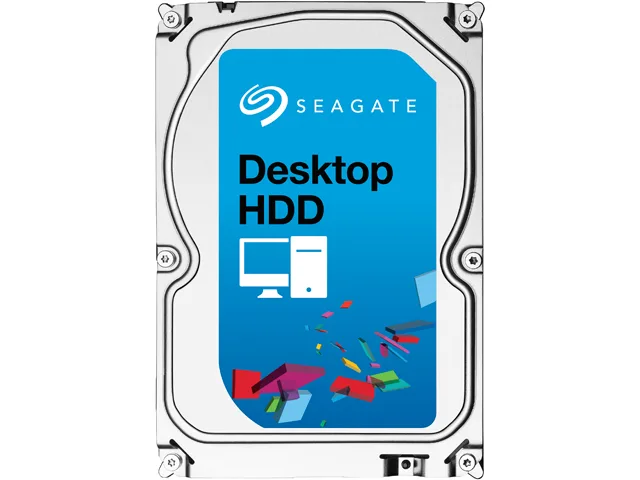


Seagate
3 TB desktop hard drive with 7200 RPM, 64 MB cache and SATA 6.0 Gb/s interface
This Seagate Desktop HDD provides 3TB of storage on a 3.5" SATA 6.0Gb/s interface with 64MB cache. It spins at 7200 RPM and targets desktop PCs, all-in-one systems, home servers and entry-level direct-attached storage. The bare drive arrives without cables or mounting hardware.
Moving to this model adds capacity with 1.33TB-per-disk technology and a SATA 6.0Gb/s interface that optimises burst performance. The jump is worth it when current storage is full or when faster sequential access matters for large media libraries and backups.
Mount the drive in any 3.5" bay using four screws, connect the SATA data and power cables, then initialise the disk in the operating system. Common issues include forgetting to enable AHCI in BIOS, using an old SATA cable that limits speed, or skipping the partition alignment step that Seagate SmartAlign handles for Advanced Format 4K sectors.
| Brand | Seagate |
|---|---|
| Series | Desktop HDD |
| Model | ST3000DM001 |
| Packaging | Bare Drive |
| Interface | SATA 6.0Gb/s |
| Capacity | 3TB |
| Cache | 64MB |
| Average Seek Time | <8.5ms |
| Average Write Time | <9.5ms |
| Features | The Power of One: Seagate brings over 30 years of trusted performance and reliability to the Seagate Desktop HDDs Increase your capacity and drive down costs with up to 1.33TB-per-disk hard drive technology SATA 6Gb/s interface optimizes burst performance Seagate AcuTrac servo technology delivers dependable performance Free DiscWizard software enables high capacities on legacy PC BIOS systems Seagate Secure models provide hardware-based data security and deliver an Instant Secure Erase feature for safe, fast and easy drive retirement* Seagate Secure models meet the NIST 800-88 media |
| Usage | Ideal for Servers |
| Form Factor | 3.5" |
| Height (maximum) | 26.11mm |
| Width (maximum) | 101.60mm |
| Length (maximum) | 146.99mm |
| Poids d’expédition | 0.62 kg |
| Dimensions du colis | 152 × 102 × 25 mm |
Autres versions de ce modèle
Même famille, mémoire, ventirad ou fréquence différents — comparez avant de vous décider.
The drive measures 146.99 mm long, 101.60 mm wide and 26.11 mm high, matching the standard 3.5" form factor.
Attach a SATA data cable to the motherboard port and a SATA power connector from the PSU; the step often missed is enabling AHCI mode in BIOS before installing the OS.
Plan replacement after three to five years of continuous use or if SMART attributes such as reallocated sectors begin to rise.
Également dans ce rayon
Même rayon, même caisse — huit monnaies et un taux bloqué 30 minutes.
Ce que vous envoyez, et ce dans quoi vous lisez les prix.
Envoyé depuis votre portefeuille à la caisse
Affichage seul — le catalogue est libellé en dollars
Aucune monnaie ne correspond.
Choisissez la langue dans laquelle le site vous parle.
Première visite ?
Vous avez déjà un compte ?
Il n’y a pas de réinitialisation automatique : cette boutique n’envoie aucun e-mail, il n’existe donc aucun lien à usage unique à demander. Laissez l’adresse sur le compte, elle sera traitée à la main.
Demande enregistrée
Rien n’arrivera dans votre boîte de réception — cette boutique n’envoie aucun e-mail. Quelqu’un s’en occupe à la main.
Vous l’avez retrouvé ?


