

SanDisk
SanDisk Cruzer Blade 8 GB USB 2.0 USB flash drive Black SDCZ50-008G-B35
USD 391.99
0.00501439BTC
Ada stokKami menerima kripto — jadi koin yang anda simpan boleh membeli perkakasan sebenar.Bayar dengan kripto, belanjakannya untuk perkakasan sebenar. Penghantaran berinsurans percuma ke seluruh dunia untuk belian melebihi USD 399. Kotak biasa tanpa jenama, dihantar dari Jerman.Penghantaran berinsurans percuma untuk belian melebihi USD 399. Kadar anda dikunci selama 30 minit sebaik sahaja proses pesanan bermula.Kadar dikunci selama 30 minit. Setiap item disegel, nombor sirinya disemak, dan dilindungi waranti 24 bulan.Disegel, waranti 24 bulan.
Simmtec, Inc
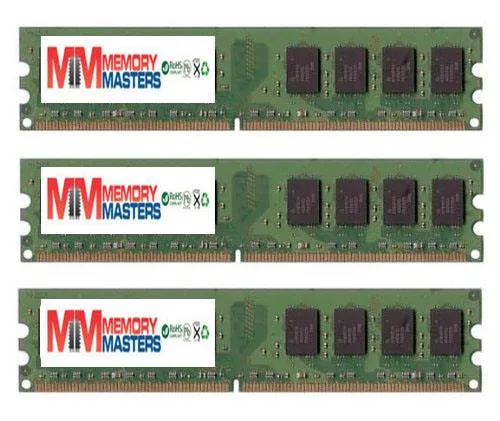
6GB DDR2 desktop memory kit with three 2GB modules at 667MHz for AM2 platforms
This 6 GB kit delivers three matched 2 GB DDR2 DIMMs validated for the EliteGroup A790GXM-A motherboard. It suits owners restoring or upgrading that specific platform who need the exact density and pin layout the board expects. Buyers needing higher capacities or newer memory standards will not be served by this kit.
Standard DDR2 modules operate within the JEDEC voltage envelope so heat output remains modest and no active cooling is required. The sticks run silently because they have no moving parts and draw only the power needed for 667 MHz operation at PC2 5300 or 5400 speeds.
| Capacity | 6GB (3 x 2GB) |
|---|
Align the notch on each 240-pin module with the slot key, press down firmly until both side clips click, then verify the BIOS shows all 6 GB at 667 MHz.
No scheduled maintenance is required; keep slots dust-free and replace only if a module fails or you upgrade to a newer platform.
Juga di rak ini
Rak yang sama, checkout yang sama — lapan koin kripto dan kunci kadar 30 minit.
Apa yang anda hantar untuk membayar, dan mata wang yang anda guna untuk membaca harga.
Dihantar daripada dompet anda semasa semak keluar
Untuk paparan sahaja — katalog diberi harga dalam USD
Tiada mata wang yang sepadan.
Pilih bahasa yang digunakan oleh laman web ini.
Tiada bahasa yang sepadan.
Pengguna baharu?
Sudah mempunyai akaun?
Tiada set semula automatik: kedai ini tidak menghantar sebarang e-mel, jadi tiada pautan sekali guna untuk diminta. Biarkan alamat pada akaun tersebut, ia akan diuruskan secara manual.
Permintaan direkodkan
Tiada apa-apa akan sampai ke peti masuk anda — kedai ini tidak menghantar sebarang e-mel. Seseorang akan menguruskannya secara manual.
Sudah teringat?



