

NEMIX RAM
NEMIX RAM DDR5-5600 2TB (16x128GB) ECC RDIMM CL46 1.1V Supermicro H14SST-G memory upgrade
- 2TB (16 x 128GB)
- 288-Pin DDR5 RDIMM
62.908,99 US$
0.78454811BTC
En stockAceptamos criptomonedas — así, las criptos que usted tiene pueden comprar hardware real.Pague en cripto y gástela en hardware real. Envío asegurado gratis a nivel mundial a partir de $399. Cajas neutras, sin marca, enviadas desde Alemania.Envío asegurado gratis a partir de $399. Su cotización queda bloqueada 30 minutos en cuanto se abre el pago.Cotización bloqueada 30 minutos. Todos los artículos vienen sellados, con el número de serie verificado y cubiertos por una garantía de 24 meses.Sellado, con 24 meses de garantía.
Simmtec, Inc
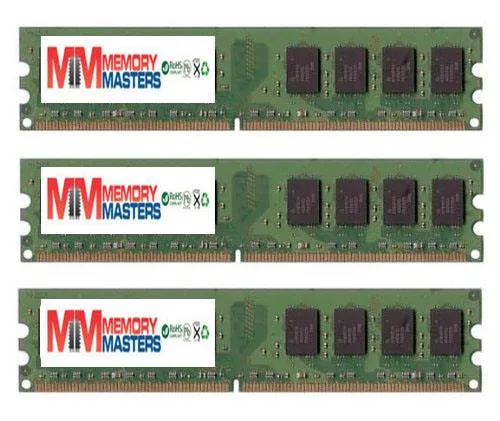
6GB DDR2 desktop memory kit with three 2GB modules at 667MHz for AM2 platforms
This 6 GB kit delivers three matched 2 GB DDR2 DIMMs validated for the EliteGroup A790GXM-A motherboard. It suits owners restoring or upgrading that specific platform who need the exact density and pin layout the board expects. Buyers needing higher capacities or newer memory standards will not be served by this kit.
Standard DDR2 modules operate within the JEDEC voltage envelope so heat output remains modest and no active cooling is required. The sticks run silently because they have no moving parts and draw only the power needed for 667 MHz operation at PC2 5300 or 5400 speeds.
| Capacity | 6GB (3 x 2GB) |
|---|
Align the notch on each 240-pin module with the slot key, press down firmly until both side clips click, then verify the BIOS shows all 6 GB at 667 MHz.
No scheduled maintenance is required; keep slots dust-free and replace only if a module fails or you upgrade to a newer platform.
También en este pasillo
Mismo estante, mismo pago — ocho criptomonedas y un tipo de cambio fijado 30 minutos.
Lo que usted paga, y la moneda en la que lee los precios.
Se envía desde su billetera al finalizar la compra
Solo informativo — el catálogo está en dólares
Ninguna moneda coincide.
Elija el idioma en el que el sitio le habla.
¿Es nuevo aquí?
¿Ya tiene una?
No existe ningún restablecimiento automático: esta tienda no envía correos electrónicos, así que no hay ningún enlace de un solo uso que solicitar. Deje la dirección asociada a la cuenta y se atenderá de forma manual.
Solicitud registrada
No hay nada de camino a su bandeja de entrada: esta tienda no envía correos en absoluto. Alguien se encarga de esto manualmente.
¿La recordó?


