

NEMIX RAM
NEMIX RAM DDR5-5600 2TB (16x128GB) ECC RDIMM CL46 1.1V Supermicro H14SST-G memory upgrade
- 2TB (16 x 128GB)
- 288-Pin DDR5 RDIMM
US$ 62.908,99
0.7880567BTC
Op voorraadWij accepteren cryptovaluta — zo kunnen de munten die u bezit echte hardware kopen.Betaal in crypto, besteed het aan echte hardware. Gratis verzekerde verzending wereldwijd vanaf $399. Neutrale dozen zonder merk, verzonden vanuit Duitsland.Gratis verzekerde verzending vanaf $399. Uw koers wordt 30 minuten vastgezet zodra het afrekenen begint.Koers 30 minuten vastgezet. Elk artikel is verzegeld, het serienummer wordt gecontroleerd, en het valt onder 24 maanden garantie.Verzegeld, 24 maanden garantie.
Simmtec, Inc
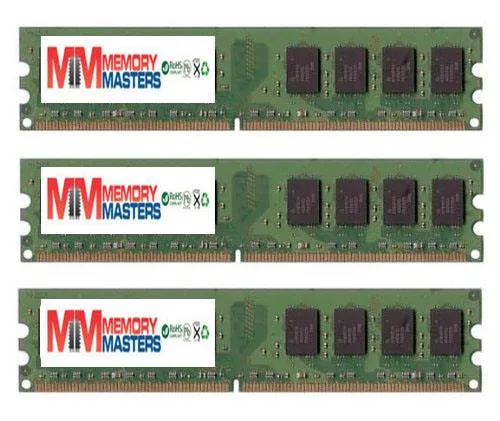
6GB DDR2 desktop memory kit with three 2GB modules at 667MHz for AM2 platforms
This 6 GB kit delivers three matched 2 GB DDR2 DIMMs validated for the EliteGroup A790GXM-A motherboard. It suits owners restoring or upgrading that specific platform who need the exact density and pin layout the board expects. Buyers needing higher capacities or newer memory standards will not be served by this kit.
Standard DDR2 modules operate within the JEDEC voltage envelope so heat output remains modest and no active cooling is required. The sticks run silently because they have no moving parts and draw only the power needed for 667 MHz operation at PC2 5300 or 5400 speeds.
| Capacity | 6GB (3 x 2GB) |
|---|
Align the notch on each 240-pin module with the slot key, press down firmly until both side clips click, then verify the BIOS shows all 6 GB at 667 MHz.
No scheduled maintenance is required; keep slots dust-free and replace only if a module fails or you upgrade to a newer platform.
Ook in deze afdeling
Dezelfde afdeling, dezelfde kassa — acht munten en een koers die 30 minuten vaststaat.
Waarmee u betaalt, en waarin u de prijzen leest.
Verzonden vanuit uw wallet bij het afrekenen
Alleen ter weergave — de catalogus is geprijsd in USD
Geen valuta gevonden.
Kies de taal waarin de site met u spreekt.
Nieuw hier?
Al een account?
Er is geen automatisch herstel: deze winkel verstuurt geen e-mail, dus er is geen eenmalige link om aan te vragen. Laat het adres op het account achter en het wordt handmatig opgepakt.
Verzoek genoteerd
Er is niets onderweg naar uw inbox — deze winkel verstuurt helemaal geen e-mail. Iemand pakt dit handmatig op.
Weet u het weer?


