

NEMIX RAM
NEMIX RAM DDR5-5600 2TB (16x128GB) ECC RDIMM CL46 1.1V Supermicro H14SST-G memory upgrade
- 2TB (16 x 128GB)
- 288-Pin DDR5 RDIMM
62 908,99 USD
0.77868262BTC
DostępnyAkceptujemy kryptowaluty — posiadane środki można więc wykorzystać na zakup prawdziwego sprzętu.Płatność kryptowalutą — realny sprzęt w zamian. Bezpłatna, ubezpieczona dostawa na całym świecie powyżej 399 $. Neutralne kartony, bez oznaczeń, wysyłane z Niemiec.Bezpłatna, ubezpieczona dostawa powyżej 399 $. Kurs zostaje zablokowany na 30 minut od otwarcia kasy.Kurs zablokowany na 30 minut. Każdy produkt jest fabrycznie zapieczętowany, jego numer seryjny jest sprawdzany, a całość objęta jest 24-miesięczną gwarancją.Zapieczętowane fabrycznie, 24 miesiące gwarancji.
Simmtec, Inc
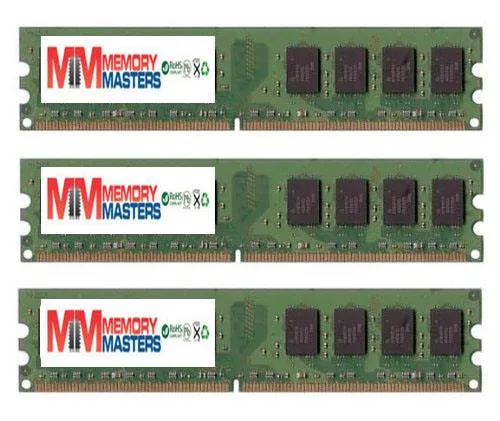
6GB DDR2 desktop memory kit with three 2GB modules at 667MHz for AM2 platforms
This 6 GB kit delivers three matched 2 GB DDR2 DIMMs validated for the EliteGroup A790GXM-A motherboard. It suits owners restoring or upgrading that specific platform who need the exact density and pin layout the board expects. Buyers needing higher capacities or newer memory standards will not be served by this kit.
Standard DDR2 modules operate within the JEDEC voltage envelope so heat output remains modest and no active cooling is required. The sticks run silently because they have no moving parts and draw only the power needed for 667 MHz operation at PC2 5300 or 5400 speeds.
| Capacity | 6GB (3 x 2GB) |
|---|
Align the notch on each 240-pin module with the slot key, press down firmly until both side clips click, then verify the BIOS shows all 6 GB at 667 MHz.
No scheduled maintenance is required; keep slots dust-free and replace only if a module fails or you upgrade to a newer platform.
Także w tym dziale
Ten sam dział, ta sama kasa — osiem kryptowalut i 30-minutowa blokada kursu.
Waluta płatności i waluta wyświetlania cen.
Wysyłane z portfela przy kasie
Tylko podgląd — katalog wyceniony jest w dolarach
Brak pasującej waluty.
Wybierz język, w którym wyświetla się strona.
Pierwsza wizyta?
Konto już założone?
Nie ma automatycznego resetowania hasła: ten sklep nie wysyła żadnych e-maili, więc nie ma jednorazowego linku, o który można by poprosić. Adres pozostawiony przy koncie zostanie obsłużony ręcznie.
Zgłoszenie zapisane
Do skrzynki odbiorczej nic nie trafi — ten sklep nie wysyła żadnych e-maili. Zgłoszenia są obsługiwane ręcznie.
Hasło się przypomniało?


