Adesso
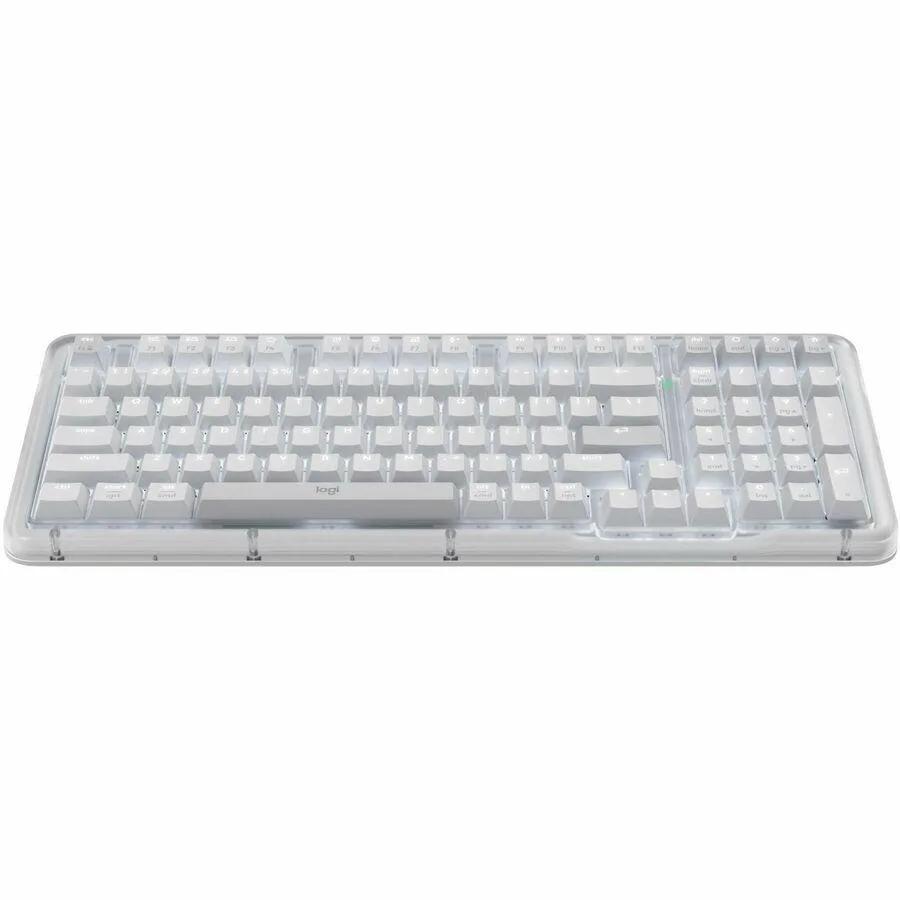
Adesso AKB-730UW Multi-OS Scissor Switch Keyboard with CoPilot Key White
25,99 USD
0.00033509BTC
På lagerVi tar imot kryptovaluta — slik kan kryptovalutaene du eier, kjøpe ekte maskinvare.Betal med krypto, bruk den på ekte maskinvare. Gratis, forsikret levering verden over for bestillinger over 399 $. Nøytrale kartonger uten merking, sendt fra Tyskland.Gratis, forsikret levering over 399 $. Kursen din er låst i 30 minutter når kassen åpnes.Kurs låst i 30 minutter. Alle varer er forseglet, serienummerkontrollert og dekket av 24 måneders garanti.Forseglet, 24 måneders garanti.


Adesso
Wireless trackball with 4800 DPI optical sensor, seven programmable buttons and 30 ft range for ambidextrous use
The Adesso IMOUSE T50 is a wireless trackball mouse designed for users who prefer stationary cursor control. Its symmetrical shape suits both left- and right-handed operators. Optical tracking removes the need for a flat surface, making it practical for tight desks or unconventional workspaces.
The mouse runs on two included AAA batteries and connects through a 2.4 GHz USB receiver with a 30 ft range. No cable drag or charging downtime occurs during normal use. Optical tracking at up to 4800 dpi delivers consistent movement without the mechanical friction of traditional ball mice.
Seven buttons can be remapped through the supplied driver software to match specific workflow shortcuts. The trackball pops out from the rear for quick cleaning without tools. Two adjustable leg stands let the user set the typing angle, while the 2 inch ball diameter reduces the hand travel required for large-screen navigation.
| Brand | ADESSO |
|---|---|
| Model | IMOUSE T50 |
| Type | Trackball |
| Power Supply | 2 x AAA Batteries |
| Distance | 30 ft. |
| Hand Orientation | Both Hands |
| Tracking Method | Optical |
| Buttons | 7 |
| Scrolling Capability | Trackball |
| Color | Black |
| Resolution (DPI) | 4800 dpi |
| System Requirement | Operating System: Windows 2000 / XP / Vista / 7 / 8 / 10 Connectivity Interface: USB port for wireless dongle receiver |
| Features | Sold as 1 Each. |
| Package Contents | Adesso iMouse T50 2.4GHz Wireless Trackball Mouse USB Wireless Receiver (2) AAA Batteries Quick Start Guide |
| Fraktvekt | 0.91 kg |
| Pakkestørrelse | 305 × 254 × 203 mm |
Plug the USB wireless receiver into a free USB port, insert the two included AAA batteries into the mouse, then turn the power switch on. The step often missed is installing the programmable driver software first if you want to customise the seven buttons before use.
Push the 2-inch trackball out from the back of the housing, clean the ball and the three contact rollers inside the cavity, then press the ball back into place. No lubrication or replacement parts are required.
The optical sensor tops out at 4800 dpi across five selectable levels (400 to 4800). Most users find the highest level too jumpy for sustained precision work and prefer a middle setting.
Også i denne avdelingen
Samme hylle, samme kasse — åtte mynter og 30 minutters kurslås.
Det du betaler med, og det du ser prisene i.
Sendes fra lommeboken din i kassen
Kun visning — katalogen er prissatt i USD
Fant ingen valuta.
Velg språket nettstedet snakker til deg på.
Ingen språk samsvarer.
Ny her?
Har du allerede en konto?
Det finnes ingen automatisk tilbakestilling: butikken sender ikke e-post, så det finnes ingen engangslenke å be om. La adressen stå på kontoen, så blir den behandlet manuelt.
Forespørsel registrert
Ingenting er på vei til innboksen din — butikken sender ingen e-post i det hele tatt. Noen behandler dette manuelt.
Husket du det likevel?