MCHOSE
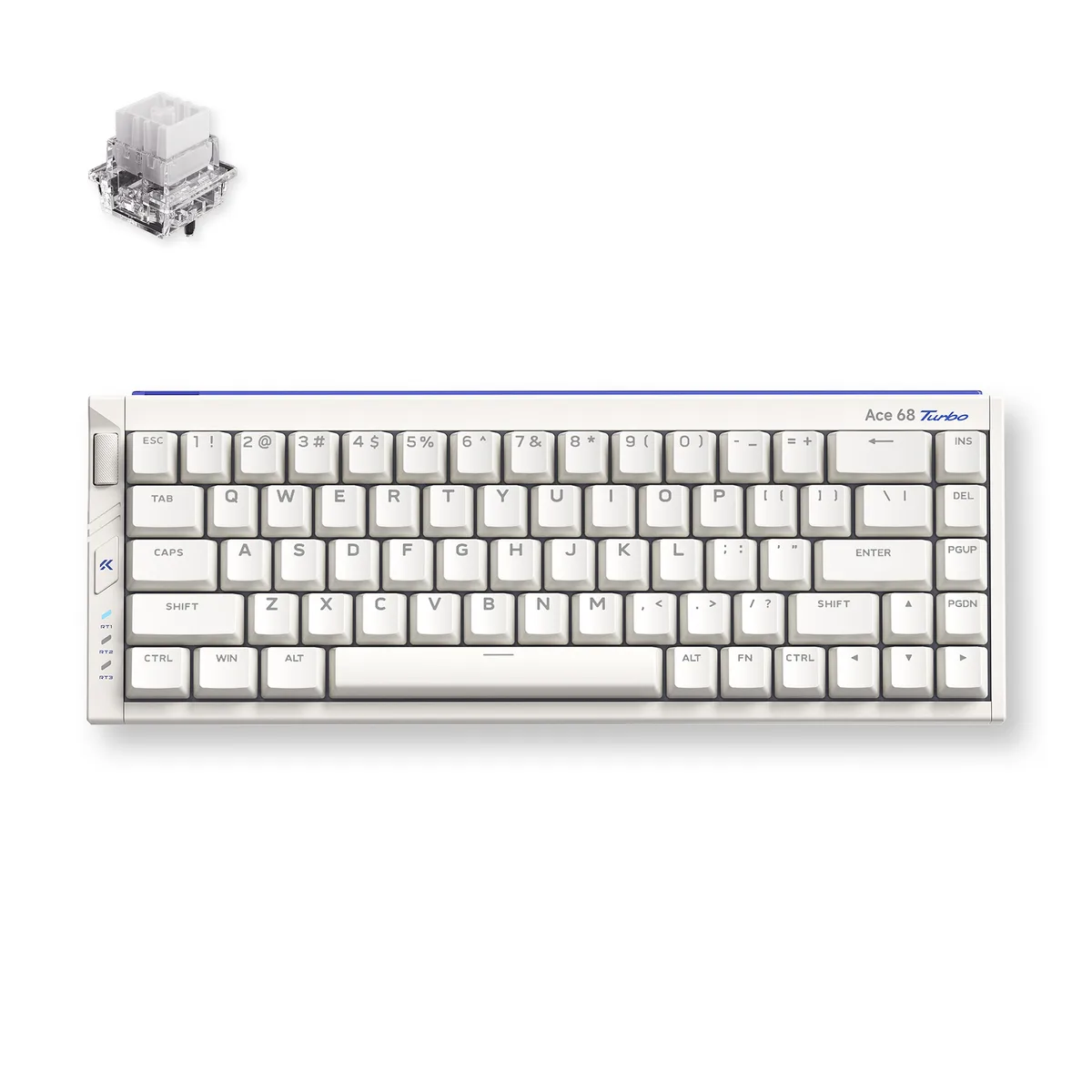
MCHOSE MC-Ace68Turbo-7 65% 68-key gaming keyboard 16K polling Peach Pink
- Full-aluminum Espor…
- USB Type-C
96,99 USD
0.00120184BTC
På lagerVi tar imot kryptovaluta — slik kan kryptovalutaene du eier, kjøpe ekte maskinvare.Betal med krypto, bruk den på ekte maskinvare. Gratis, forsikret levering verden over for bestillinger over 399 $. Nøytrale kartonger uten merking, sendt fra Tyskland.Gratis, forsikret levering over 399 $. Kursen din er låst i 30 minutter når kassen åpnes.Kurs låst i 30 minutter. Alle varer er forseglet, serienummerkontrollert og dekket av 24 måneders garanti.Forseglet, 24 måneders garanti.


MCHOSE
A compact 65% wired keyboard with 68 keys, Hall Effect magnetic switches, 16K polling, 256K scan rate and 0.06ms latency in a full aluminium shell
Color Berry Red
The MCHOSE Ace 68 Turbo is a 65% ANSI keyboard with 68 keys wired over USB Type-C. Its full CNC aluminium shell houses Mount Tai Magnetic GT Hall Effect switches and south-facing RGB LEDs. The compact form factor saves desk space while keeping arrow and navigation keys for first-person shooter and MOBA players who want quick actuation without a numpad.
Magnetic actuation removes physical leaf wear and lets the board achieve 0.06 ms latency with 0.001 mm precision. A 16 000 Hz polling rate and 256 000 Hz scan rate are supported on Windows; Mac tops out at 8 000 Hz. Dual-core Tianwen MCU running at 512 MHz drives the four-layer PCB. The jump is worth it for players who need rapid-trigger stops and consistent repeated presses without debounce delay.
Connect the Type-C cable and the keyboard is recognised instantly — no driver required for basic input. The box supplies a key-and-switch puller plus two spare Mount Tai Magnetic GT switches for quick replacement. Advanced features such as SOCD, rapid snap, dynamic keystroke, multi-tap, toggle modes and key macros are configured through the companion software. The aluminium chassis adds weight, so the board stays planted during aggressive keystrokes.
| Brand | MCHOSE |
|---|---|
| Name | Full-aluminum Esports Hall Effect Keyboard |
| Model | Ace 68 Turbo |
| Part Number | MC-Ace68Turbo-8 |
| Keyboard Interface | USB Type-C |
| Design Style | Compact |
| Layout | 65% ANSI (68 keys) |
| Palm Rest | No |
| Function Keys | SOCD, RS, DKS, MT, TGL, Key Macros |
| Key Switch | Mount Tai Magnetic GT Switch (16k) |
| Keycaps | Color-matching Cherry profile |
| Keyboard Color | Berry Red |
| Backlit | South-facing RGB LED Lights |
| Dimensions | 1.5" x 12.76" x 4.69" |
| Type | Wired |
| Mouse Included | No |
| Package Contents | 1 x Ace 68 Turbo HE Keyboard 1 x Function Card 1 x Type-C Cable 1 x Key & Switch Puller 2 x Spare Switches 1 x Dust Cover |
| Fraktvekt | 2.09 kg |
| Pakkestørrelse | 366 × 168 × 76 mm |
Andre versjoner av denne modellen
Samme familie, annet minne, annen kjøler eller klokkefrekvens — sammenlign før du bestemmer deg.
The compact 65% layout measures 12.76 inches wide by 4.69 inches deep and stands 1.5 inches high, so it fits on any flat surface without brackets or mounting holes.
Connect the supplied Type-C cable to a USB port; on Windows you must select 16K polling in the MCHOSE software, otherwise the board defaults to a lower rate.
Use the included puller to remove the keycap and switch, then press in one of the two spare GT switches provided; no soldering is required.
Også i denne avdelingen
Samme hylle, samme kasse — åtte mynter og 30 minutters kurslås.
Det du betaler med, og det du ser prisene i.
Sendes fra lommeboken din i kassen
Kun visning — katalogen er prissatt i USD
Fant ingen valuta.
Velg språket nettstedet snakker til deg på.
Ny her?
Har du allerede en konto?
Det finnes ingen automatisk tilbakestilling: butikken sender ikke e-post, så det finnes ingen engangslenke å be om. La adressen stå på kontoen, så blir den behandlet manuelt.
Forespørsel registrert
Ingenting er på vei til innboksen din — butikken sender ingen e-post i det hele tatt. Noen behandler dette manuelt.
Husket du det likevel?