MCHOSE
MCHOSE MC-Ace68Turbo-7 65% 68-key gaming keyboard 16K polling Peach Pink
- Full-aluminum Espor…
- USB Type-C
96,99 USD
0.00120996BTC
DisponibileAccettiamo criptovalute — così le crypto che Lei possiede possono comprare hardware reale.Paghi in crypto, la spenda in hardware reale. Spedizione assicurata gratuita in tutto il mondo oltre i 399 $. Cartoni neutri, senza marchio, spediti dalla Germania.Spedizione assicurata gratuita oltre i 399 $. Il Suo tasso resta bloccato per 30 minuti dall’apertura del checkout.Tasso bloccato 30 minuti. Ogni articolo è sigillato, il numero di serie è verificato, ed è coperto da una garanzia di 24 mesi.Sigillato, garantito 24 mesi.


MCHOSE
A compact 65% wired keyboard with 68 keys, Hall Effect magnetic switches, 16K polling, 256K scan rate and 0.06ms latency in a full aluminium shell
Color Berry Red
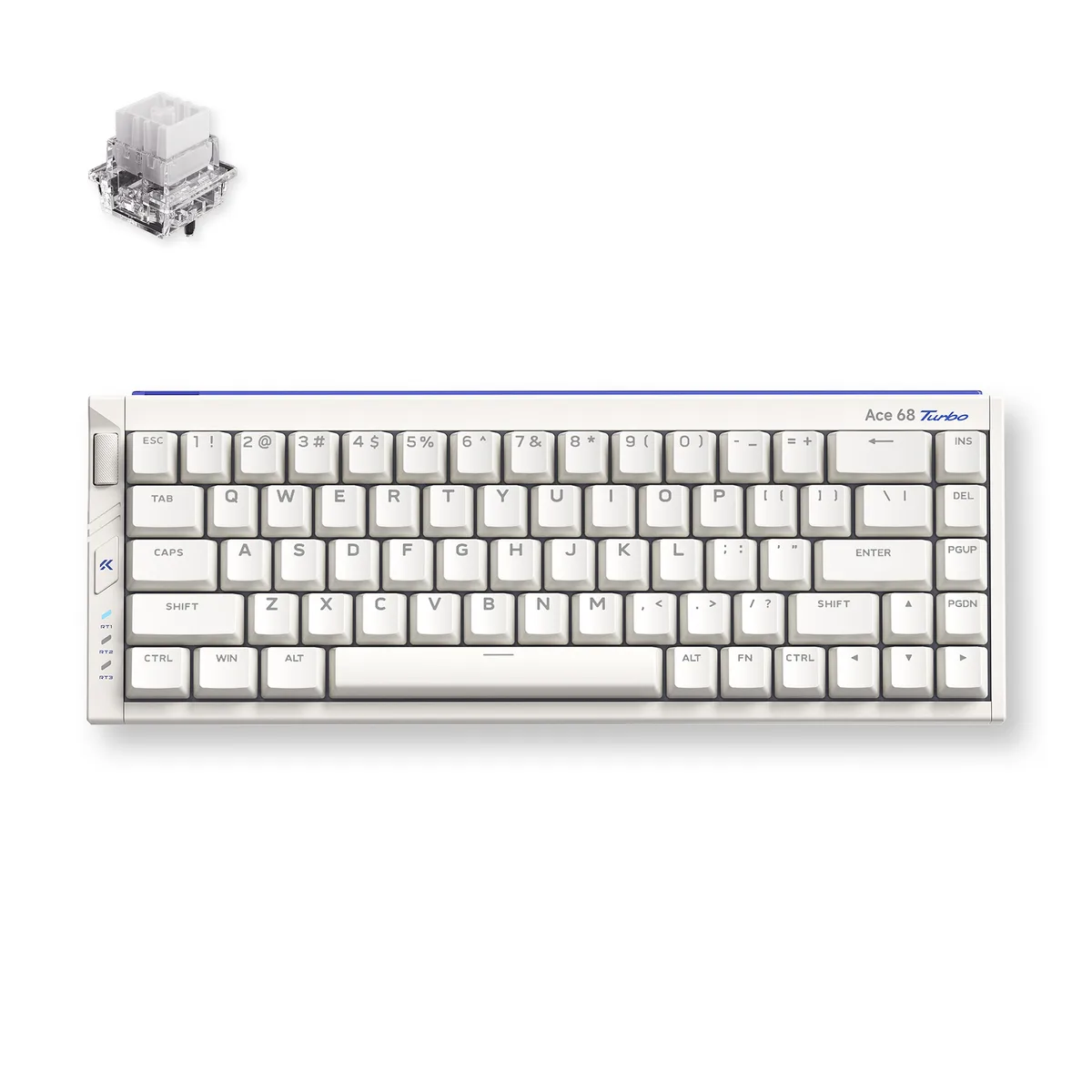
The MCHOSE Ace 68 Turbo is a 65% ANSI keyboard with 68 keys wired over USB Type-C. Its full CNC aluminium shell houses Mount Tai Magnetic GT Hall Effect switches and south-facing RGB LEDs. The compact form factor saves desk space while keeping arrow and navigation keys for first-person shooter and MOBA players who want quick actuation without a numpad.
Magnetic actuation removes physical leaf wear and lets the board achieve 0.06 ms latency with 0.001 mm precision. A 16 000 Hz polling rate and 256 000 Hz scan rate are supported on Windows; Mac tops out at 8 000 Hz. Dual-core Tianwen MCU running at 512 MHz drives the four-layer PCB. The jump is worth it for players who need rapid-trigger stops and consistent repeated presses without debounce delay.
Connect the Type-C cable and the keyboard is recognised instantly — no driver required for basic input. The box supplies a key-and-switch puller plus two spare Mount Tai Magnetic GT switches for quick replacement. Advanced features such as SOCD, rapid snap, dynamic keystroke, multi-tap, toggle modes and key macros are configured through the companion software. The aluminium chassis adds weight, so the board stays planted during aggressive keystrokes.
| Brand | MCHOSE |
|---|---|
| Name | Full-aluminum Esports Hall Effect Keyboard |
| Model | Ace 68 Turbo |
| Part Number | MC-Ace68Turbo-8 |
| Keyboard Interface | USB Type-C |
| Design Style | Compact |
| Layout | 65% ANSI (68 keys) |
| Palm Rest | No |
| Function Keys | SOCD, RS, DKS, MT, TGL, Key Macros |
| Key Switch | Mount Tai Magnetic GT Switch (16k) |
| Keycaps | Color-matching Cherry profile |
| Keyboard Color | Berry Red |
| Backlit | South-facing RGB LED Lights |
| Dimensions | 1.5" x 12.76" x 4.69" |
| Type | Wired |
| Mouse Included | No |
| Package Contents | 1 x Ace 68 Turbo HE Keyboard 1 x Function Card 1 x Type-C Cable 1 x Key & Switch Puller 2 x Spare Switches 1 x Dust Cover |
| Peso di spedizione | 2.09 kg |
| Dimensioni del pacco | 366 × 168 × 76 mm |
Altre versioni di questo modello
Stessa famiglia, con memoria, dissipatore o frequenza diversi — confronti prima di decidere.
The compact 65% layout measures 12.76 inches wide by 4.69 inches deep and stands 1.5 inches high, so it fits on any flat surface without brackets or mounting holes.
Connect the supplied Type-C cable to a USB port; on Windows you must select 16K polling in the MCHOSE software, otherwise the board defaults to a lower rate.
Use the included puller to remove the keycap and switch, then press in one of the two spare GT switches provided; no soldering is required.
Anche in questo reparto
Stesso reparto, stessa cassa — otto monete e un cambio bloccato per 30 minuti.
Cosa invia per pagare, e in quale valuta legge i prezzi.
Inviato dal Suo portafoglio alla cassa
Solo a titolo indicativo — il catalogo è espresso in dollari
Nessuna valuta corrisponde.
Scelga la lingua in cui il sito Le parla.
Prima visita?
Ne ha già uno?
Non esiste un ripristino automatico: questo negozio non invia e-mail, quindi non esiste alcun link monouso da richiedere. Lasci l’indirizzo sull’account: verrà gestito manualmente.
Richiesta registrata
Non arriverà nulla nella Sua casella di posta — questo negozio non invia e-mail. Qualcuno se ne occupa manualmente.
L’ha ritrovata?