

SanDisk
SanDisk Cruzer Blade 8 GB USB 2.0 USB flash drive Black SDCZ50-008G-B35
391,99 USD
0.00501779BTC
În stocAcceptăm criptomonede — astfel, criptomonedele pe care le dețineți pot cumpăra echipamente reale.Plătiți în cripto, cheltuiți-o pe echipamente reale. Livrare asigurată gratuită oriunde în lume peste 399 $. Cartoane neutre, fără marcă, expediate din Germania.Livrare asigurată gratuită peste 399 $. Cursul dumneavoastră este blocat timp de 30 de minute de la deschiderea paginii de plată.Curs blocat 30 de minute. Fiecare articol este sigilat, numărul de serie este verificat, iar produsul este acoperit de o garanție de 24 de luni.Sigilat, garantat 24 de luni.
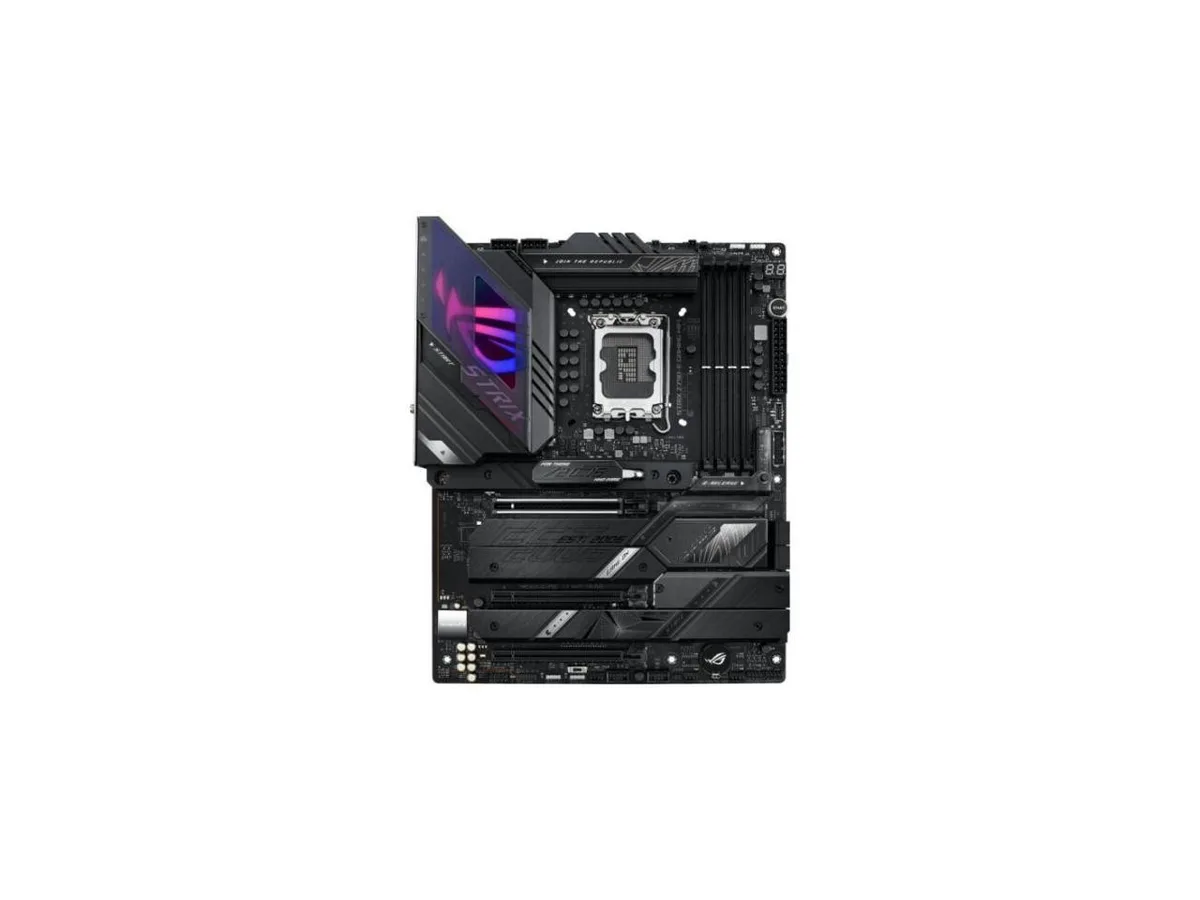


ASUS
An ATX Intel motherboard with LGA 1700 socket, 18+1 90A power stages, WiFi 6E, 2.5 Gb Ethernet, DDR5 support, AI overclocking and cooling, plus USB 3.2 Gen 2x2 Type-C with 30W PD
This ROG STRIX Z790-E GAMING WIFI board pairs an LGA 1700 socket with an 18+1 90A power stage design and ProCool II connectors. It supports DDR5 memory and PCIe 5.0 for graphics and storage. AI Overclocking, AI Cooling II and AI Networking automate tuning, while a VRM heatsink, fanless PCH heatsink and double-sided M.2 heatsink manage thermals. WiFi 6E, 2.5 Gb Ethernet, USB 3.2 Gen 2x2 Type-C with 30W PD and ALC4080 audio with Savitech amplifier complete the feature set.
The board suits builders who want automated overclocking, cooling and networking intelligence alongside robust 18+1 90A power delivery for multi-core 12th and 13th Gen Intel Core CPUs. WiFi 6E, 2.5 Gb Ethernet, eleven USB 3.2 ports, front-panel USB 3.2 Gen 2x2 Type-C with 30W PD, HDMI 2.1 and DisplayPort 1.4 cover high-speed connectivity. Builders who need more than one PCIe 5.0 x16 SafeSlot or who require additional M.2 heatsinks beyond the double-sided design should look elsewhere.
The 18+1 90A power stage array with ProCool II connectors, alloy chokes and durable capacitors is the specification that determines whether this board can sustain heavy multi-core workloads on 12th and 13th Gen Intel Core processors. If your build demands that level of VRM current capacity, this motherboard matches the requirement. If the workload is lighter, a board with fewer power stages may suffice.
| CPU Socket Type | LGA 1700 |
|---|---|
| CPU Type | Intel Core 13th Gen (LGA 1700) |
The board uses a VRM heatsink, PCH fanless heatsink and double-sided M.2 heatsinks; dust can be cleared with compressed air, but thermal pads are not user-serviceable and are not expected to need replacement under normal conditions.
The VRM heatsink and hybrid fan headers managed by Fan Xpert 4 are designed to keep the 18+1 90A power stages within safe temperatures; the VRM temperature is the first limit reached under sustained heavy load.
The PCH uses a fanless heatsink so it adds no noise; VRM cooling relies on case airflow directed at the heatsink, so acoustic output depends on your chassis fans rather than the motherboard itself.
Tot din acest raion
Același raion, aceeași finalizare a comenzii — opt monede și un curs blocat 30 de minute.
În ce monedă plătiți și în ce monedă citiți prețurile.
Trimis din portofelul dumneavoastră la finalizarea comenzii
Doar pentru afișare — catalogul este exprimat în dolari
Nicio monedă nu corespunde.
Alegeți limba în care vă vorbește site-ul.
Nicio limbă nu corespunde.
Prima vizită?
Aveți deja un cont?
Nu există o resetare automată: acest magazin nu trimite niciun e-mail, deci nu există niciun link de unică folosință de solicitat. Lăsați adresa în cont. Va fi tratată manual.
Cerere înregistrată
Nu veți primi nimic în căsuța de e-mail — acest magazin nu trimite niciun e-mail. Cineva se ocupă de asta manual.
V-ați amintit-o?



