
partaker
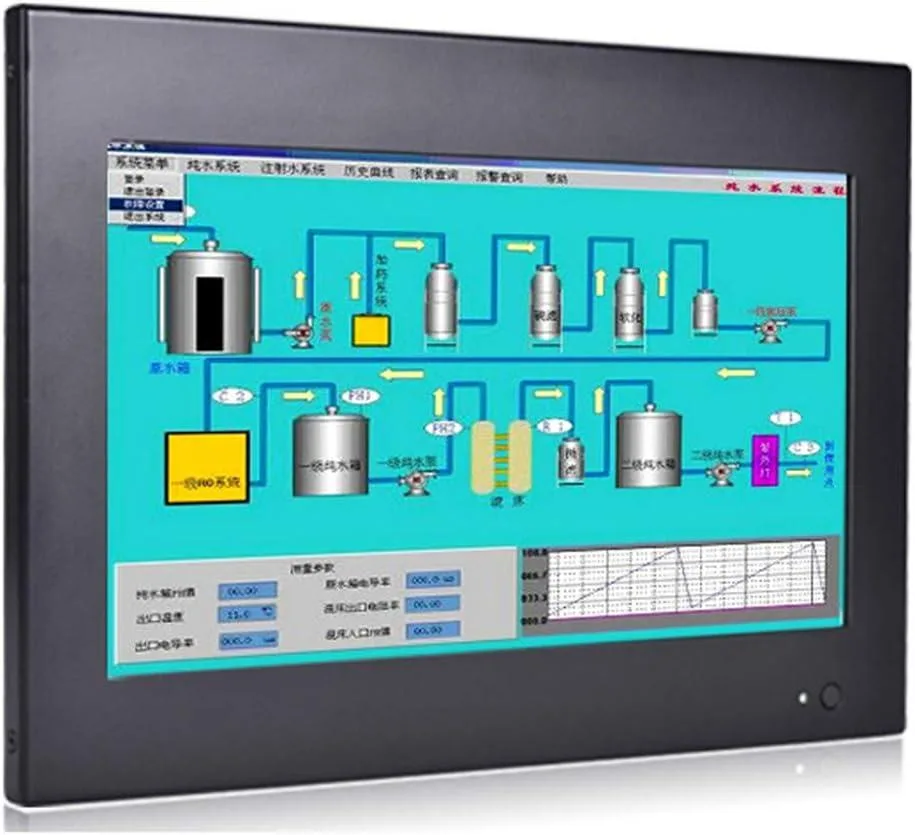
partaker Z6-J1900-N-8G512G all-in-one PC 10.1" 8GB DDR3 512GB
- All-in-One
- Black
461,99 USD
0.00587504BTC
În stocAcceptăm criptomonede — astfel, criptomonedele pe care le dețineți pot cumpăra echipamente reale.Plătiți în cripto, cheltuiți-o pe echipamente reale. Livrare asigurată gratuită oriunde în lume peste 399 $. Cartoane neutre, fără marcă, expediate din Germania.Livrare asigurată gratuită peste 399 $. Cursul dumneavoastră este blocat timp de 30 de minute de la deschiderea paginii de plată.Curs blocat 30 de minute. Fiecare articol este sigilat, numărul de serie este verificat, iar produsul este acoperit de o garanție de 24 de luni.Sigilat, garantat 24 de luni.


partaker
A 10.1" fanless industrial panel PC with resistive touchscreen, Intel Core i5-4200U, 8GB DDR3, 128GB mSATA SSD, Windows 11 Pro, HDMI, VGA, dual USB 3.0, dual COM, LAN, Mini PCIe expansion.
CPU Type Intel Core i5 4th Gen
CPU Name Intel Core i5-4200U
GPU Intel HD Graphics 4000
Memory 8GB DDR3
The Partaker Z6 is a 10.1 inch all-in-one computer built around an Intel Core i5-4200U processor with 8GB of DDR3L memory and a 128GB mSATA SSD. It ships with Windows 11 Pro installed and targets industrial automation, kiosk or digital signage deployments that need a compact, fanless unit with a resistive touchscreen. Its operating range of 0 to 50°C suits factory floors and outdoor cabinets.
A black aluminium alloy body acts as a heatsink, eliminating moving parts and allowing silent operation in dusty or vibration-prone settings. The front panel measures 270 by 192 millimetres with a 227 by 183 millimetre cut-out for embedded installation, while supplied brackets also support wall or desktop mounting. Connectivity includes HDMI, VGA, two USB 3.0 ports, two USB 2.0 ports, two COM ports, LAN, audio in and out, and a 12V DC jack, plus a Mini PCIe slot with a SIM holder for 4G or Wi-Fi expansion.
The fanless design keeps acoustic output at zero while the CPU runs within its 0 to 50°C envelope using the installed SSD. Power is supplied by an external 100 to 240V AC adapter delivering 12V DC, so the unit itself has no internal PSU heat. The resistive touch panel is rated for five million touches at 200cd/m² brightness and 1024 by 600 resolution, with a backlight life of 10,000 hours minimum.
| Model | Z6-I5 4200U-N-8G128G |
|---|---|
| Form Factor | All-in-One |
| Color | Black |
| Operating System | Windows 11 Pro |
| CPU Type | Intel Core i5 4th Gen |
| CPU Name | Intel Core i5-4200U |
| GPU/VGA Type | Intel HD Graphics 4000 |
| Memory Capacity | 8GB DDR3 |
| SSD | 128GB |
| HDD | No |
| Screen Size | 10.1" |
| Touchscreen | Yes |
Alte versiuni ale acestui model
Aceeași familie, memorie, radiator sau frecvență diferite — comparați înainte de a vă decide.
The HDMI port supports external display output at up to 1024 x 600 resolution, mirroring or extending the built-in 10.1-inch panel for secondary monitors.
The embedded installation requires an opening hole of 227 x 183 mm to fit the 270 x 192 x 47 mm chassis with the supplied buckle kits.
Open the chassis, insert the Mini PCIe card into the slot, secure it with the screw, then place the nano-SIM into the adjacent SIM slot before reassembling.
Tot din acest raion
Același raion, aceeași finalizare a comenzii — opt monede și un curs blocat 30 de minute.
În ce monedă plătiți și în ce monedă citiți prețurile.
Trimis din portofelul dumneavoastră la finalizarea comenzii
Doar pentru afișare — catalogul este exprimat în dolari
Nicio monedă nu corespunde.
Alegeți limba în care vă vorbește site-ul.
Nicio limbă nu corespunde.
Prima vizită?
Aveți deja un cont?
Nu există o resetare automată: acest magazin nu trimite niciun e-mail, deci nu există niciun link de unică folosință de solicitat. Lăsați adresa în cont. Va fi tratată manual.
Cerere înregistrată
Nu veți primi nimic în căsuța de e-mail — acest magazin nu trimite niciun e-mail. Cineva se ocupă de asta manual.
V-ați amintit-o?


