


DELL
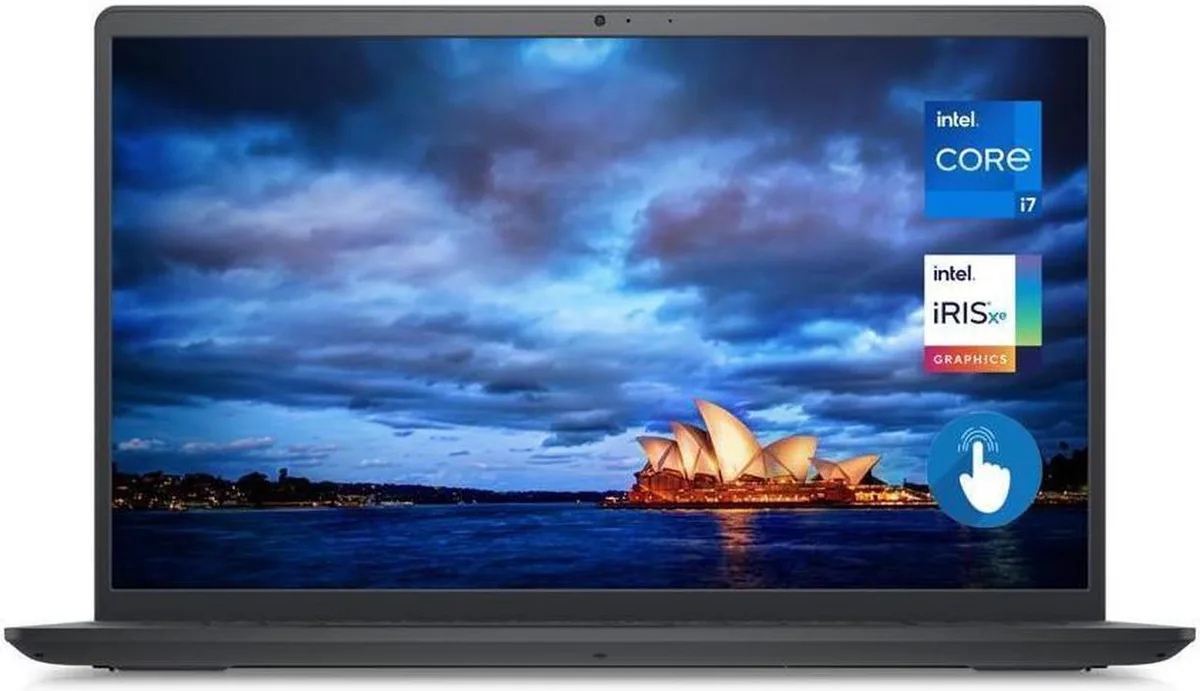
DELL Inspiron 3511 15.6" TouchScreen i7-1165G7 32GB 512GB SSD laptop
A 15.6-inch Full HD touchscreen laptop with a quad-core i7 processor, 32GB RAM and a 512GB SSD running Windows 11 Pro
- ColorBlack
- Operating SystemWindows 11 Pro
- CPU TypeIntel Core i7 11th Gen
- Turbo Frequency4.70GHz
- Number of CoresQuad-core Processor
- CPU L3 Cache12MB
- Touch interaction on a 15.6 inch Full HD WVA display
- Responsive multitasking from a quad-core i7 reaching 4.70 GHz turbo
- Ample headroom with 32 GB memory for heavy workloads
- Fast boot and load times via 512 GB solid-state storage
- Integrated Intel Iris Xe graphics handle everyday visual tasks
Dell Inspiron 3511 touchscreen laptop
The Dell Inspiron 3511 is a 15.6 inch Full HD touchscreen laptop powered by an 11th Generation Intel Core i7-1165G7 quad-core processor. It comes with 32GB of memory and a 512GB solid-state drive running Windows 11 Pro. Integrated Intel Iris Xe Graphics handle the visual output on the 1920 x 1080 WVA panel.
Suits office workers and students needing touch
This configuration suits professionals and students who want a responsive touchscreen for note-taking, presentations or creative annotation. The quad-core processor and large memory allocation handle multitasking across browser tabs, office suites and video calls. Buyers who need a dedicated graphics processor for 3D rendering, modern gaming or hardware-accelerated video export should look at a different class of machine.
512GB SSD and 32GB memory for everyday workloads
The 512GB solid-state drive provides enough room for the operating system, applications and a working library of documents or media files. With 32GB of system memory, the laptop keeps many programs open simultaneously without relying on the drive for swap space. Very large media projects, extensive virtual-machine clusters or game libraries exceeding the drive capacity will require external storage or a model with a larger internal drive.
Prednosti
- Touch interaction on a 15.6 inch Full HD WVA display
- Responsive multitasking from a quad-core i7 reaching 4.70 GHz turbo
- Ample headroom with 32 GB memory for heavy workloads
- Fast boot and load times via 512 GB solid-state storage
- Integrated Intel Iris Xe graphics handle everyday visual tasks
Špecifikácie
| Brand | DELL |
|---|---|
| Series | Inspiron |
| Model | 3511 |
| Color | Black |
| Operating System | Windows 11 Pro |
| CPU Type | Intel Core i7 11th Gen |
| Turbo Frequency | 4.70GHz |
| Number of Cores | Quad-core Processor |
| CPU L3 Cache | 12MB |
| Screen Size | 15.6" |
| Touchscreen | Touch Screen |
| Wide Screen Support | Yes |
| Display Type | 15.6" Full HD WVA TouchScreen Display |
| Resolution | 1920 x 1080 |
| Display Features | 15.6" Full HD WVA TouchScreen Display |
| GPU/VPU | Intel Iris Xe Graphics |
| Graphic Type | Integrated |
| SSD | 512GB |
| HDD | No |
| Storage Spec | 512GB SSD |
| Memory | 32GB |
| Memory Speed | DDR4 |
| Memory Spec | 32GB DDR4 |
| Optical Drive Type | No |
| LAN | No |
| WLAN | 802.11ac Wireless LAN |
| Bluetooth | 4.2 |
| USB | 2 x USB 3.2, 1 x USB 2.0 |
| Video Port | HDMI |
| HDMI | 1 x HDMI |
| Audio Ports | 1 x Headphone/Microphone Combo Jack |
| Audio | Waves MaxxAudio Pro |
| Speaker | Integrated Stereo Speakers |
| Touchpad | Yes |
| Keyboard | Full Size Keyboard with Numeric Keypad |
| Backlit Keyboard | No |
| Webcam | Integrated Widescreen HD Webcam with Dual Digital Microphone Array |
| Card Reader | 1x SD Media Card Reader |
| Style | Standard |
| Type | Mainstream |
| Usage | Business |
| AC Adapter/Charger | 65W |
| Battery | 3-Cell Battery, 41WHr |
| Battery Life | Up to 6 Hours |
| Dimensions (W x D x H) | 14.11 x 9.27 x .70 |
| Weight | 4 |
Otázky k tomuto produktu
Do I need an external mouse and keyboard for the 15.6 inch touchscreen to be usable?
The built‑in touchscreen and trackpad handle navigation, so an external mouse and keyboard are optional for daily use.
Will my older USB 2.0 flash drives work with the two USB 3.2 ports?
Yes, the USB 3.2 ports are backward compatible and will run USB 2.0 drives at their native speed.
How can I verify the Intel Iris Xe graphics are active after setup?
Open Device Manager, expand Display adapters and confirm Intel Iris Xe Graphics appears without a warning icon.
Aj v tomto oddelení
Zákazníci tiež porovnávali
Rovnaké oddelenie, rovnaká pokladňa — osem mien a kurz zablokovaný na 30 minút.


Microsoft
Microsoft Surface 3 1657 128GB CRB 2-in-1 laptop
- Silver
- Windows 10 Pro
244,99 USD
0.00316394BTC
Skladom
Microsoft
Microsoft Surface Pro FGG-2D-00001-RFB 2-in-1 laptop 16 GB 512 GB 12.0" touchscreen 2736 x 1824 refurbished
- 12.0"
- Touch Screen
687,99 USD
0.00888509BTC
Skladom
Lenovo
Lenovo Chromebook 500e Gen 5 M89 83TA0004US 12.2" MediaTek 8GB 64GB
- 12.2"
392,99 USD420,99 USD−7%
0.00507529BTC
Skladom